SIDEARM includes expanded fields to help highlight student-athlete branding and personal information.
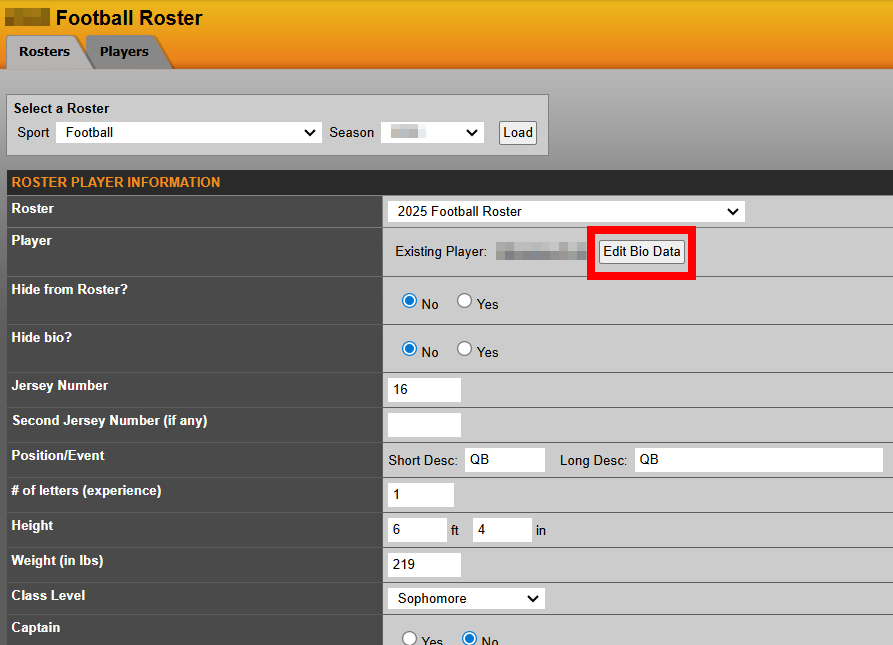
These fields can be managed within each student-athlete’s bio
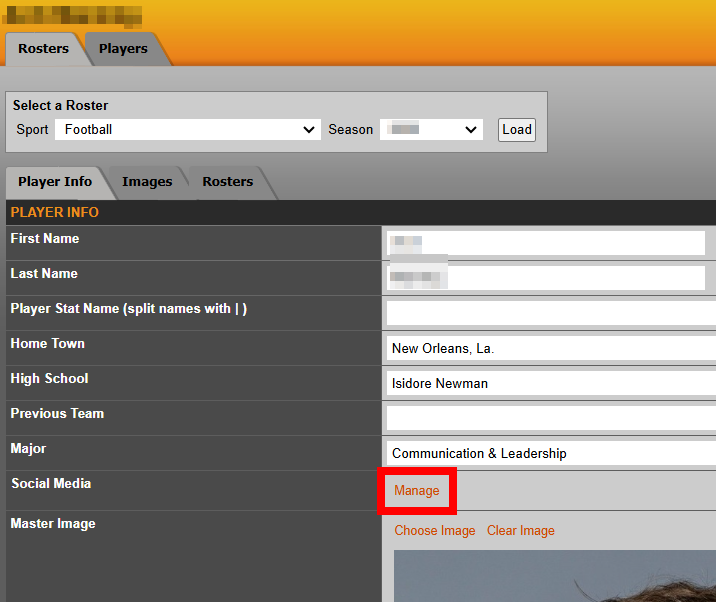
Updates are made in the Social Media section by clicking Manage
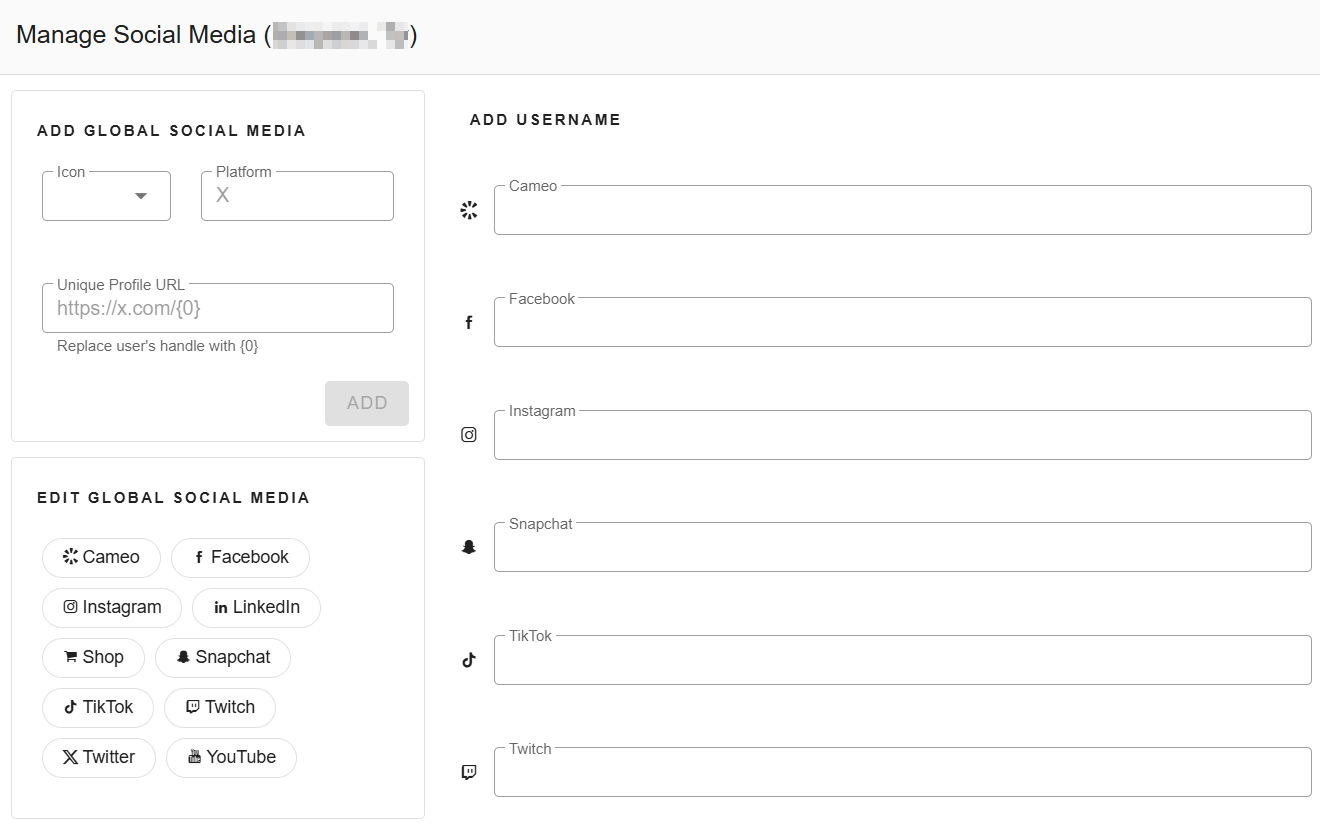
You can showcase links, handles, and other relevant personal branding details
CMS setup
Adding custom entries
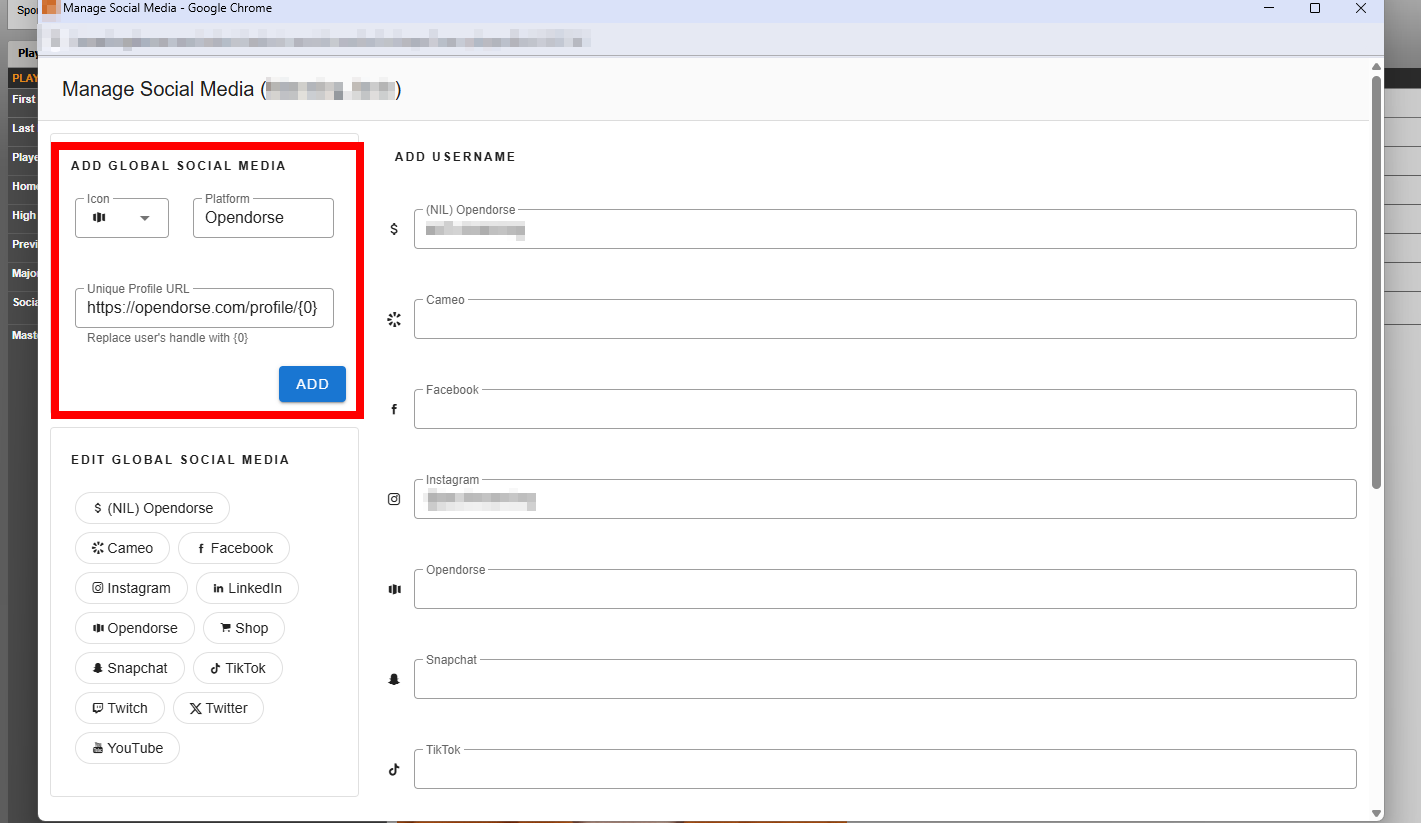
Custom fields can be added by selecting an Icon from the list, entering the Platform name, and adding the base URL.
SIDEARM has added many popular icons to the global library that you can find by scrolling through the options.
Once saved, you will then be able to enter the player handle for each player, to associate that link with the player.
Below is an example of adding Opendorse:
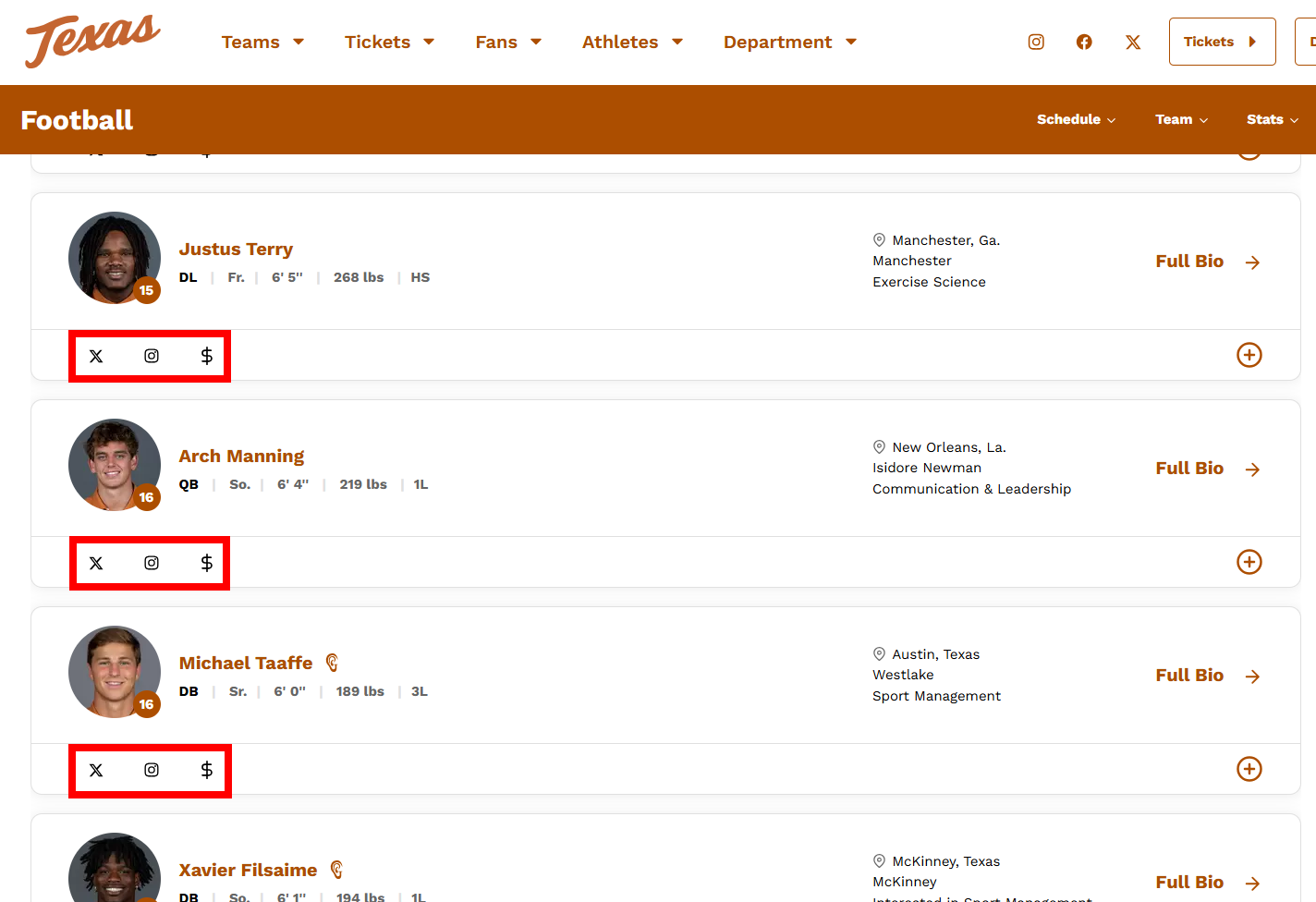
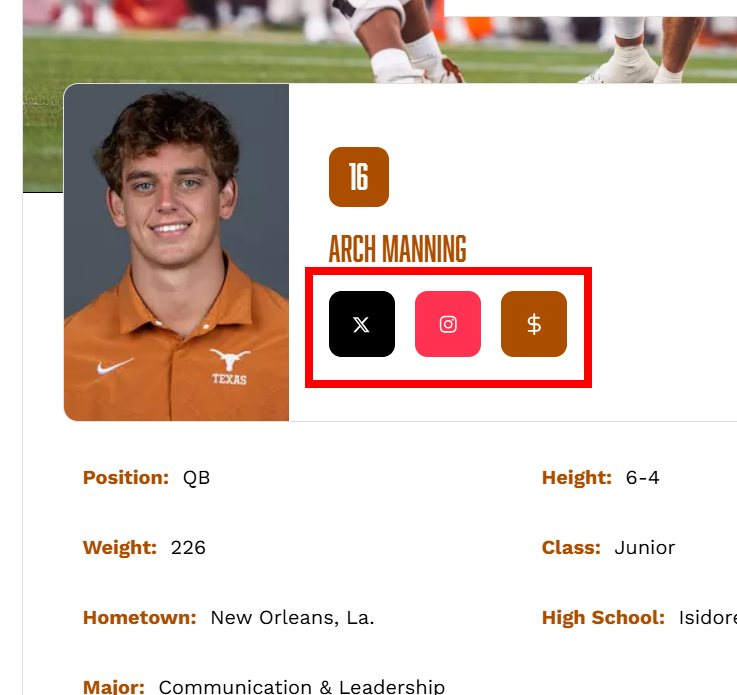
Live roster and bio display
Was this article helpful?
That’s Great!
Thank you for your feedback
Sorry! We couldn't be helpful
Thank you for your feedback
Feedback sent
We appreciate your effort and will try to fix the article