On responsive sites, there is now the option to choose between three roster display styles: default, grid, and card. This option appears in the information tab of an individual roster and would only change that particular roster, not all rosters from that sport.

Similar to how you can choose a story template, then edit and change it, the same applies to rosters. So you can swap between the three current options to determine which one you prefer.
The default template is a new style we created that will display the players in outside of a traditional grid format. One advantage of this template is there is now an expand option that is activated by clicking anywhere on the row of the player or the plus sign in the lower right corner. In doing this, you will see more information about that player, whether it be recent headlines or season stats data for sports that support XML integration.


The grid template will display the data is a more traditional table format, which will also allow you to choose the display fields to have shown. This template does not include any expand options like in the default template.

To edit the display fields, click on the fields tab in the roster area and in the next screen, choose the ones you want to display. If you want to change the title of a field, there's a text box to the right of the field with its name, you can edit that text as needed.

Since this still needs to function inside a responsive environment, the Table Collapse option will determine at which screen size the table format will "break" and move into a more traditional mobile view like below.

The card template will display a large head shot with your student-athletes or coaches' supporting information below.
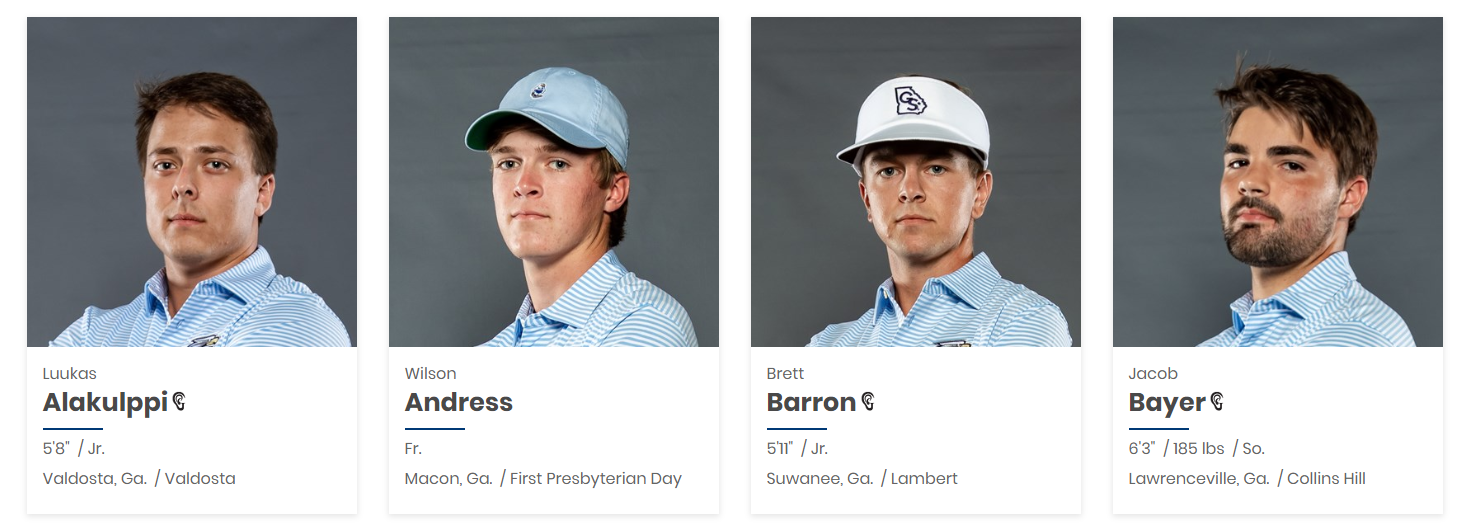
Tip: If you are utilizing the default or card template, it is still important to setup display fields as the grid view is what displays on the print friendly option.
Was this article helpful?
That’s Great!
Thank you for your feedback
Sorry! We couldn't be helpful
Thank you for your feedback
Feedback sent
We appreciate your effort and will try to fix the article