When a user selects a student-athlete’s name from a roster, they are taken to that athlete’s bio page.
Each bio page displays key information including the student-athlete’s headshot, name, number, and any fields configured within your selected Bio Template.
Bio Page Tabs
Each bio includes several tabs that organize content and provide additional context:
Bio
Displays the main biographical information entered for the student-athlete.Stats
Displays statistics associated with the student-athlete, pulled from uploaded XML data.Media
Shows stories, articles, or other content where the student-athlete has been tagged.Historical
Provides a year-by-year view of the student-athlete’s career, including past roster data and headshots.
Bio Templates
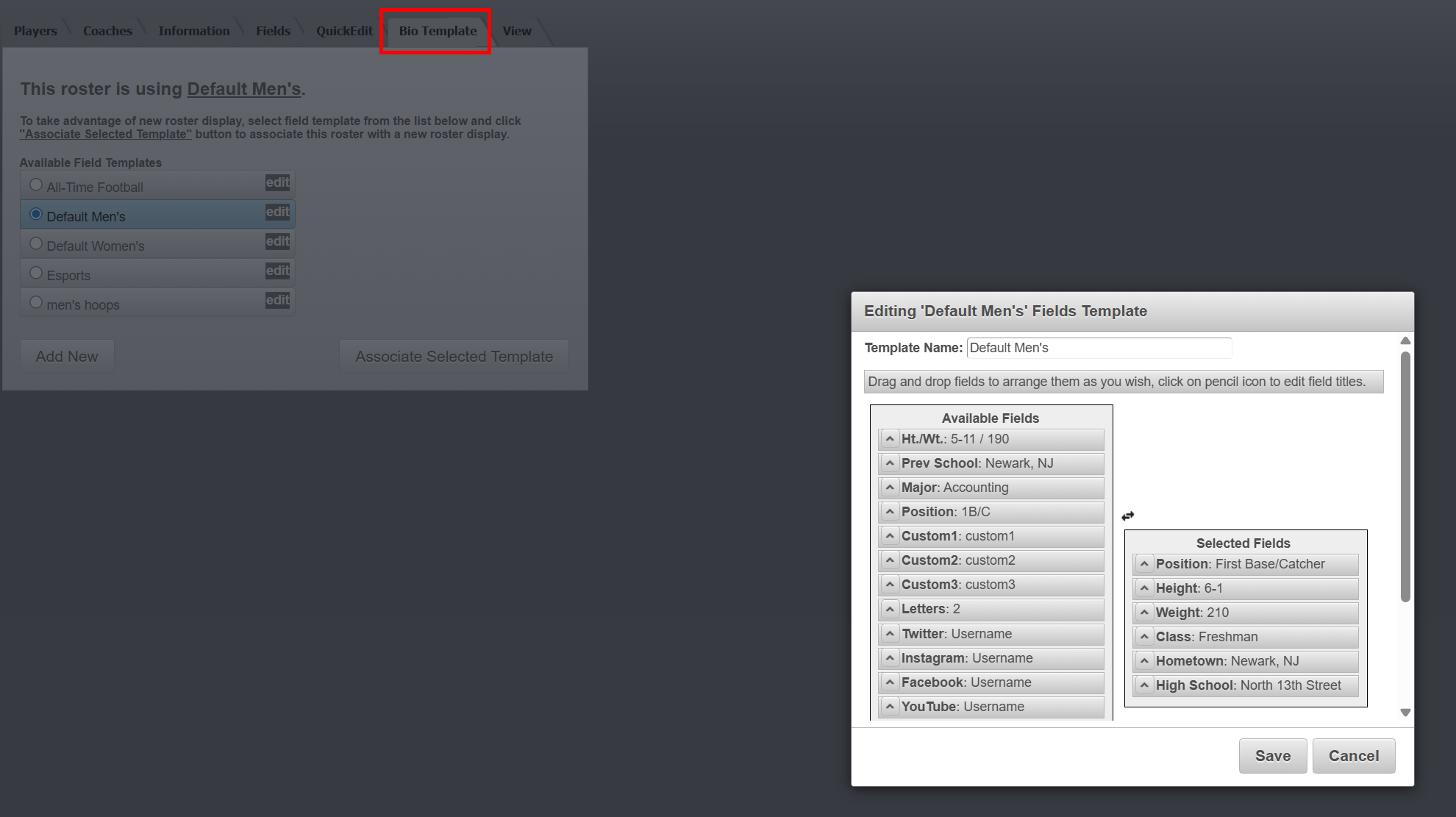
Bio Templates allow you to control which fields appear on your student-athlete bios.
Each site includes default templates such as “Default Men’s” and “Default Women’s”
You can create additional templates to customize the display for different sports or rosters
Templates are configured during the roster setup process
This flexibility allows you to tailor the bio experience to match the needs of each team or program.
Was this article helpful?
That’s Great!
Thank you for your feedback
Sorry! We couldn't be helpful
Thank you for your feedback
Feedback sent
We appreciate your effort and will try to fix the article