One of the main functionalities of the conference platform is the aggregation of statistics from member sites.
Adding XML files from SIDEARM member sites
When the conference AND members sites are running on the SIDEARM platform, this process should be simple.
Start by importing the games directly from the SIDEARM member sites so that Game Sync is run automatically.
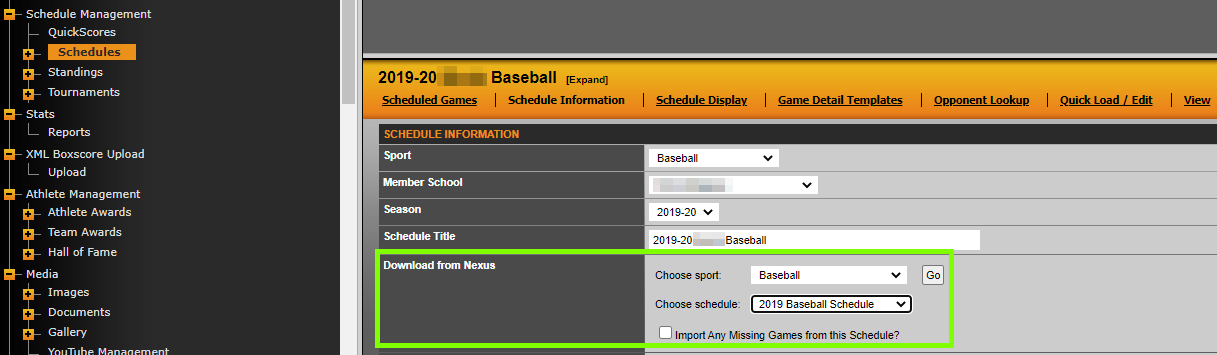
When this is done correctly, you'll see an [N] next to the events, meaning that there is a direct connection from the school site to the conference site. This ensures that the results entered on the school site automatically push to the conference site. This updates the schedules and standings on the conference site.
The statistics pages on the conference site are updated as the SIDEARM member schools upload the XML to their site. When uploaded to the school site, that XML file will automatically push up to the conference site.
TROUBLESHOOTING NOTES:
It is required on the conference site for the code="" in the XML file for each conference school to match the NCAA Code entered in Site Settings>Schools. This is added to the XML file when the stat inputter correctly sets up the game in the stat entry program by adding the NCAA code for both teams.
It is also required for dhgame="1" or dhgame="2" to be entered for doubleheader events played on the same day. This is added to the XML file when the stat inputter correctly sets up the game in the stat entry program by marking the games of the DH correctly for both games.
Uploading XML files from non-SIDEARM member sites
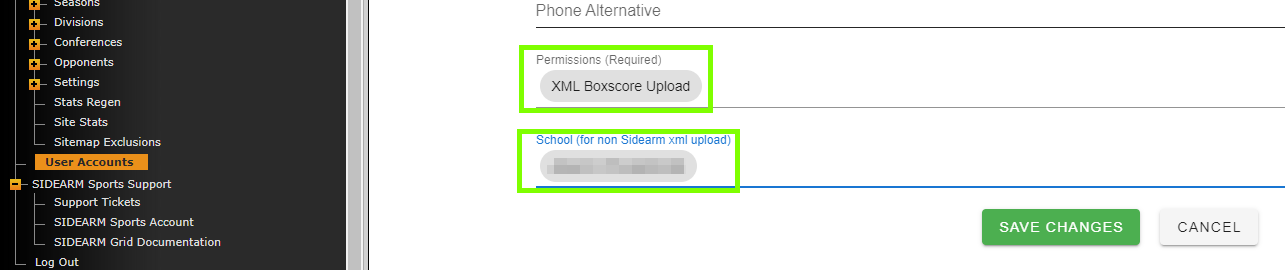
On the conference site, create a User Account with "XML Boxscore Upload" permissions enabled and the specific team that you'll be uploading for selected. Ideally, you'd set one of these up for each non-SIDEARM member and allow them to upload their own XML files.
When logged in with those credentials, the user will see the option to upload their XML for a specific sport/season/game.
Was this article helpful?
That’s Great!
Thank you for your feedback
Sorry! We couldn't be helpful
Thank you for your feedback
Feedback sent
We appreciate your effort and will try to fix the article