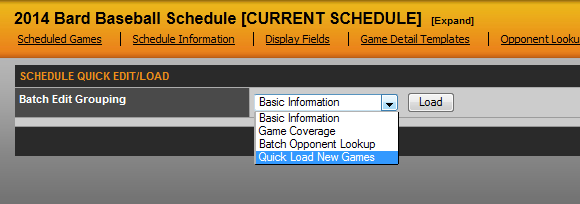
One option for adding new games to an individual schedule is to use the Quick Load New Games feature which is found in the Quick Load / Edit Menu as seen below.
When you click the 'load' button, you will see a blank grid that will allow you to type in the information for each game. The Type refers to Scrimmage/Regular/Postseason, while the OR in the Opponent area provides you with a list of all conference members to choose for a conference contest. Note: When choosing a conference member from this dropdown, it will also add the game to that conference member's schedule on your site.
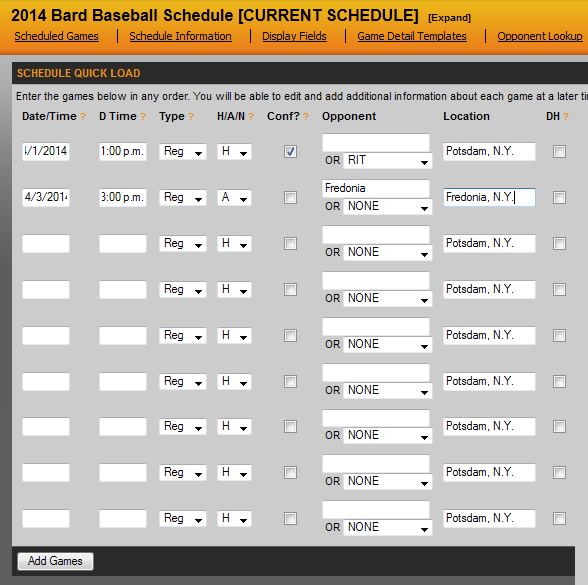
When all set, click the 'Add Games' button on the button left of the page.
Was this article helpful?
That’s Great!
Thank you for your feedback
Sorry! We couldn't be helpful
Thank you for your feedback
Feedback sent
We appreciate your effort and will try to fix the article