As part of an improvement to player bios, we've released a new single-bio initiative to sites. This will force all bios to be added to the master bio section for each player. This can be accessed by selecting the 'Edit Bio Data' button to the right of each player's name -
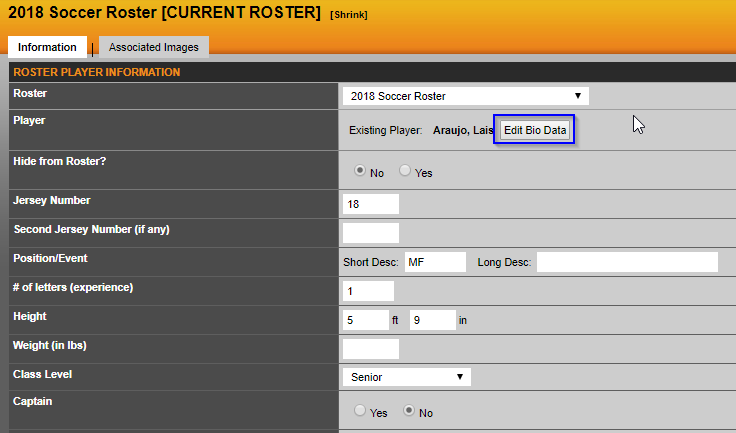
The 'bio (read only)' notation will now display for all roster bios, and will not allow edits as these can now only be made in the master bio.
HANDLING DUAL SPORT STUDENT-ATHLETES
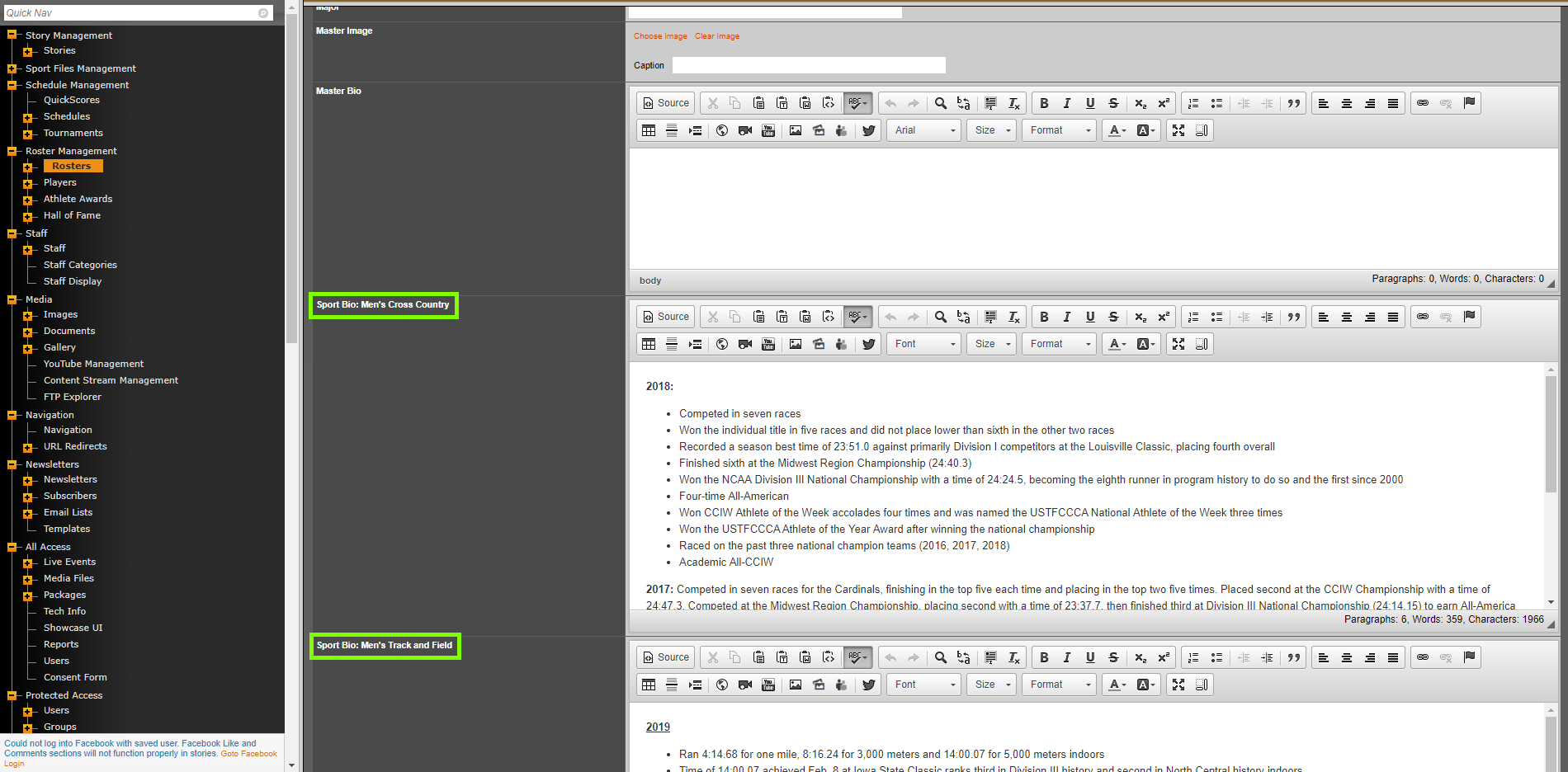
When you have student-athletes that are associated to rosters on multiple sports, you will see sport specific bios available on the admin side of the site.
That allows you to have sport specific bios setup instead of the master bio.
ADDITIONAL UPDATES TO THE BIOS PAGES
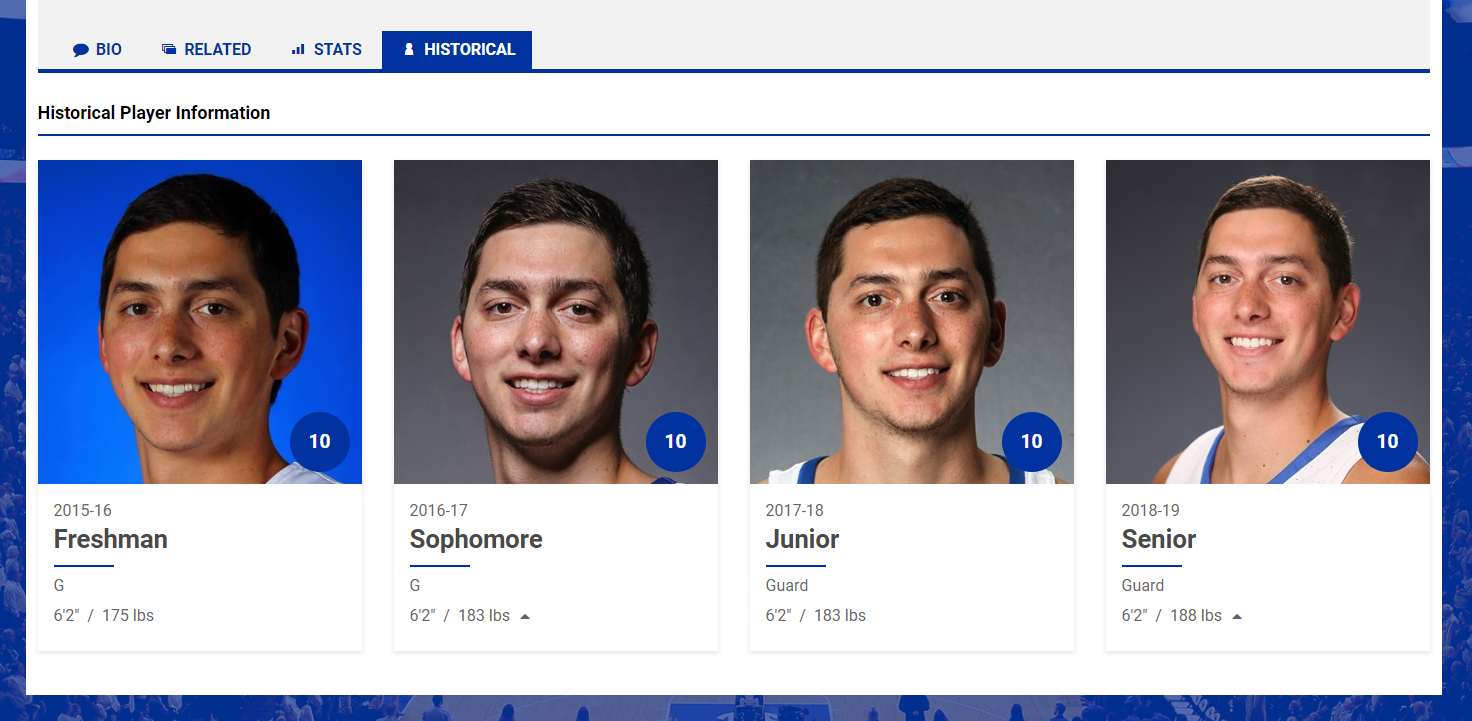
We've also rolled out a new HISTORICAL tab that will display the information for the student-athletes.
This section will display the roster information from previous rosters that they've been associated too.
Example:
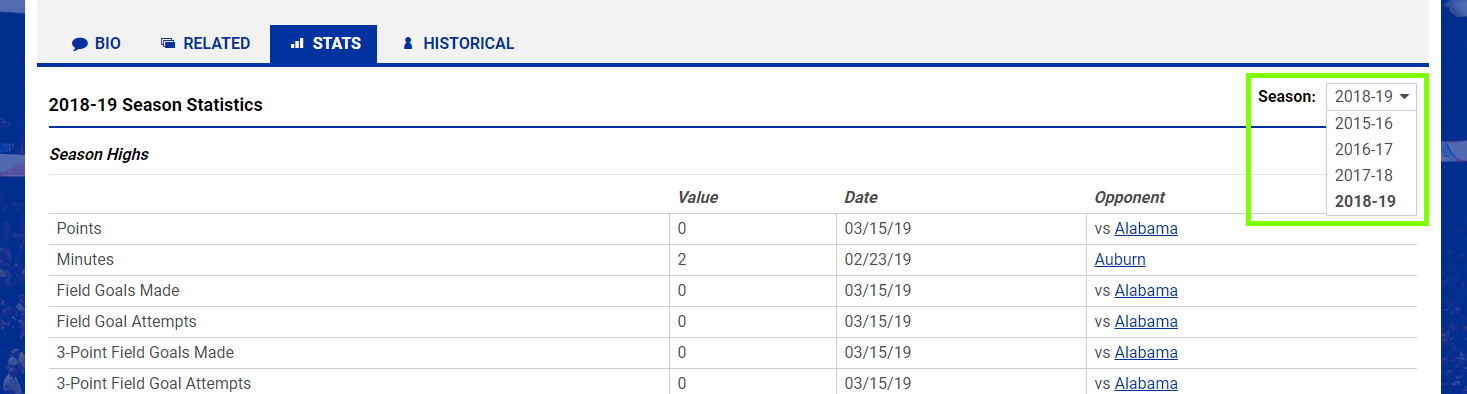
In the STATS tab, you're now able to select previous seasons to view the season statistics information for that student-athlete.
Was this article helpful?
That’s Great!
Thank you for your feedback
Sorry! We couldn't be helpful
Thank you for your feedback
Feedback sent
We appreciate your effort and will try to fix the article