Editing Staff Bio Template
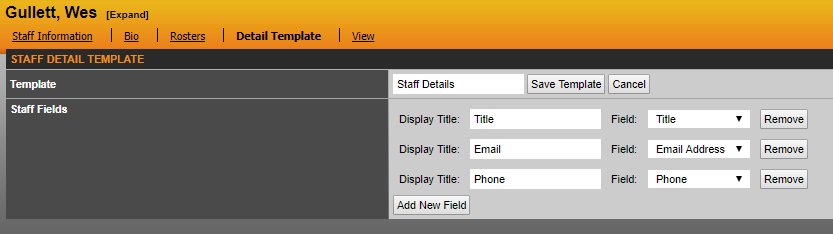
This section allows administrators the ability to adjust each staff bio template to have its own identity. You can select from one standard template (staff details) in the pull down menu already in SIDEARM or create your own. To the right of the Detail Template pull down window, you can create your own template by clicking on Add New or you can edit existing templates by clicking on Edit.
When adding/editing you can add new fields and select which ones you'd like to display within that specific template.
Was this article helpful?
That’s Great!
Thank you for your feedback
Sorry! We couldn't be helpful
Thank you for your feedback
Feedback sent
We appreciate your effort and will try to fix the article