After adding a blank schedule into the software, one method for adding games, is to use the 'Quick Load New Games' option which can be found in the Quick Load / Edit tab.
When you edit the schedule, click on the Quick Load / Edit tab and then choose Quick Load New Games from the drop down menu as seen below.

Then click 'Load' and you will be brought to the screen below where you can enter all the information for each game.
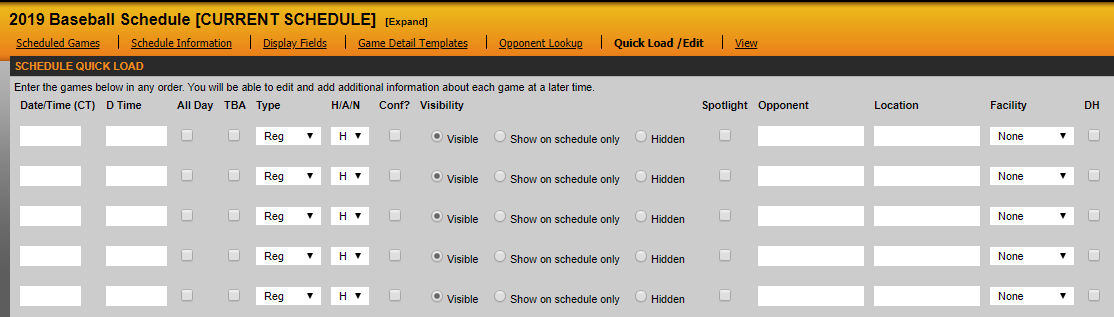
* In the Date/Time field, make sure you enter information in the following format: M/D/Y xx:xx AM/PM *
When you are finished typing in games, click the Add Games button at the bottom and these games will be added into your schedule.
Was this article helpful?
That’s Great!
Thank you for your feedback
Sorry! We couldn't be helpful
Thank you for your feedback
Feedback sent
We appreciate your effort and will try to fix the article