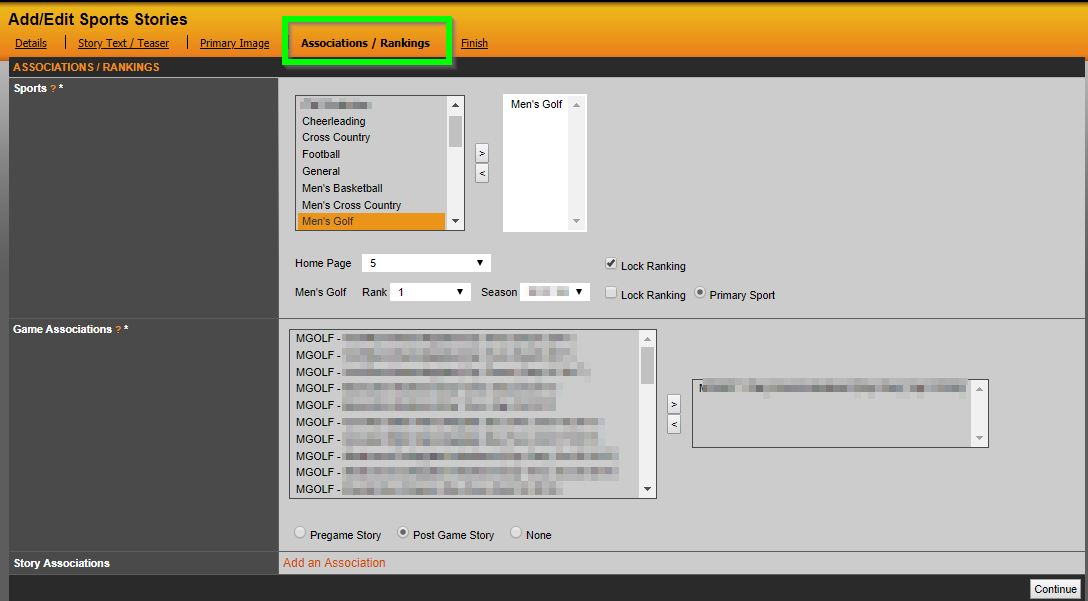
The Associations / Rankings tab is where you will assign the story to a specific sport(s) and then choose what order it will appear on both the home and sport page. To select a sport, either double-click on the sport name or click to highlight and then click on the > button. To select multiple sports, you can either go one-by-one or click on each sport while holding the Control Key and then click on the > button.
The rank will determine what order the story appears on the home page and the individual sport page(s). You can also choose to keep a story off the home page and only post to the sport page if you wish.
After selecting a sport, you will see a list of games appear in the game association area. If you want the story to be associated with a specific game as either a pre or post game recap, select that game and then click on the appropriate radio button.
Was this article helpful?
That’s Great!
Thank you for your feedback
Sorry! We couldn't be helpful
Thank you for your feedback
Feedback sent
We appreciate your effort and will try to fix the article