There are two method for inserting a table into a story.
1. Pasting a table directly from either word or excel.
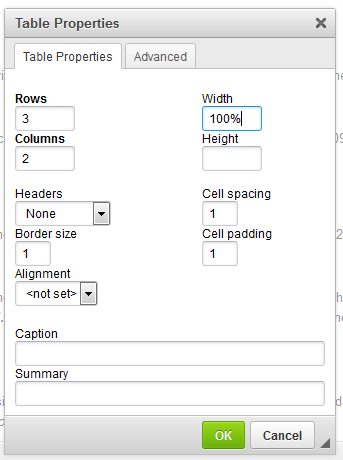
2. Clicking the  Table Button in the Story Editor. This will open the popup menu seen below where you can set the rows, columns, width, etc of the table you want to insert.
Was this article helpful?
That’s Great!
Thank you for your feedback
Sorry! We couldn't be helpful
Thank you for your feedback
Feedback sent
We appreciate your effort and will try to fix the article