You now have the option upload a final XML file from an event in Drafts in order to create a first draft of a recap story.
Note: Ensure that you have Version 0.14.6 of the Chrome extension
To do this, create your recap story in your SIDEARM CMS and expand the NOTA Chrome extension.
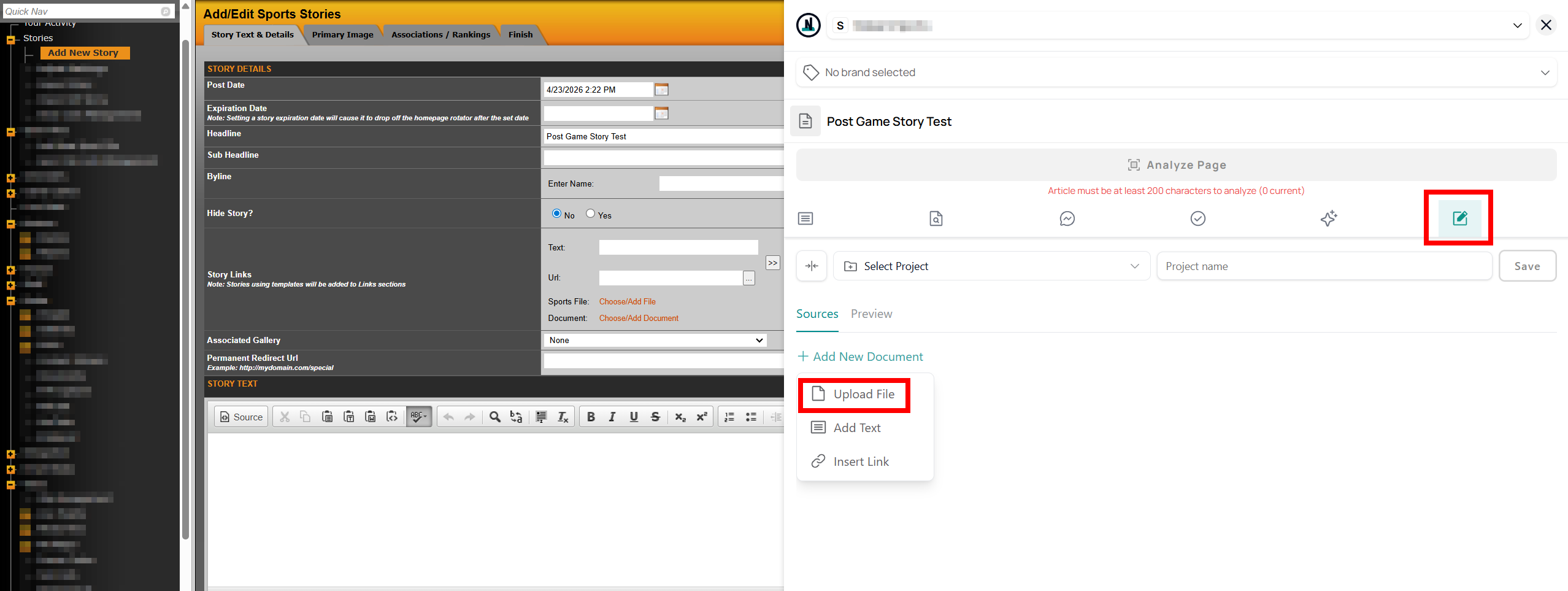
Go to the Draft section, select + Add New Document and select Upload File to select the XML from your computer.
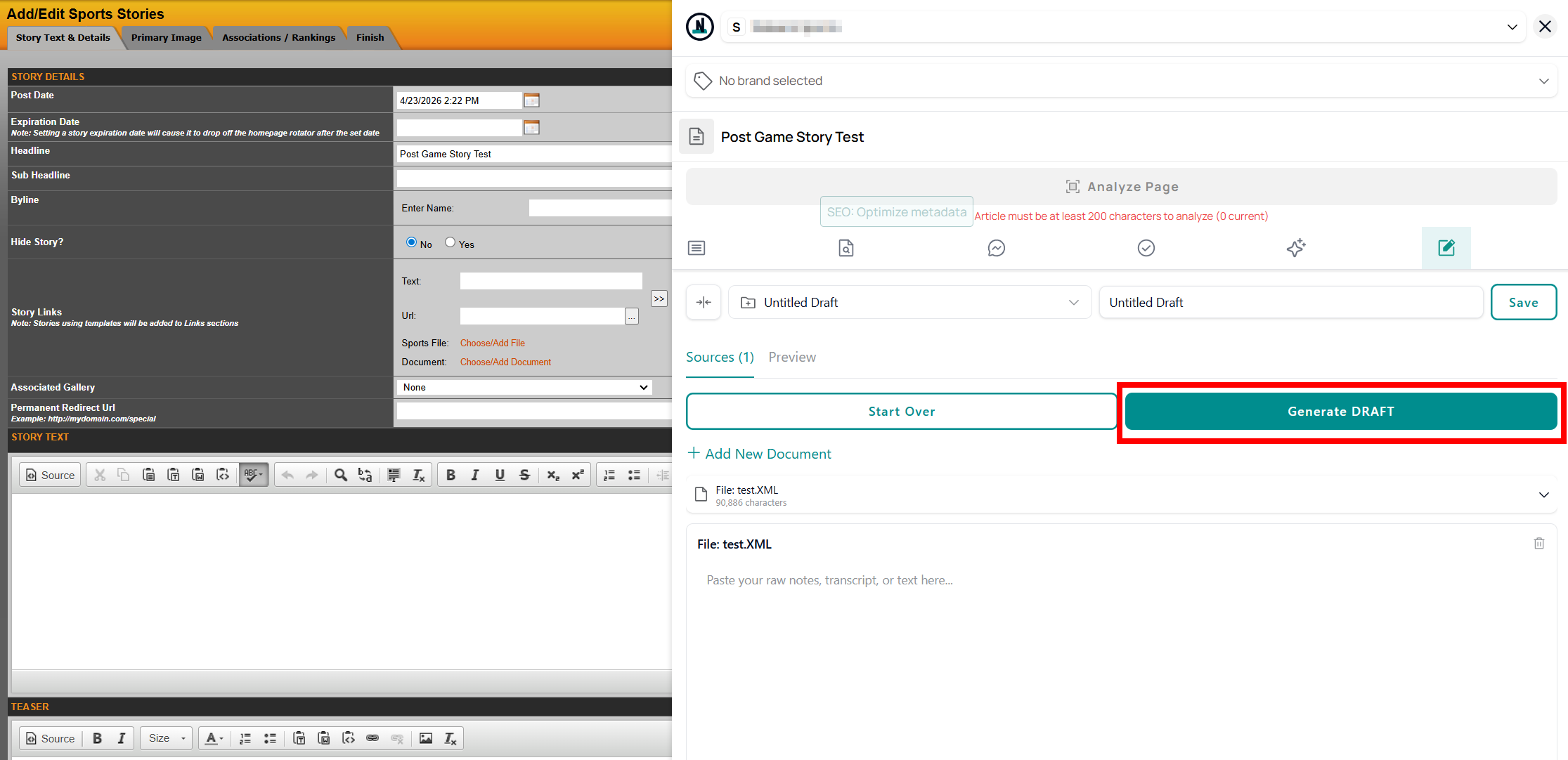
Once uploaded, click Generate DRAFT to get a first draft of your story based on the content of the XML file.
Once generate, select Send To Article to transfer the test directly to the Story Text section of your SIDEARM story.
From there you can make edits like usual before saving your story like you typically would.
Was this article helpful?
That’s Great!
Thank you for your feedback
Sorry! We couldn't be helpful
Thank you for your feedback
Feedback sent
We appreciate your effort and will try to fix the article