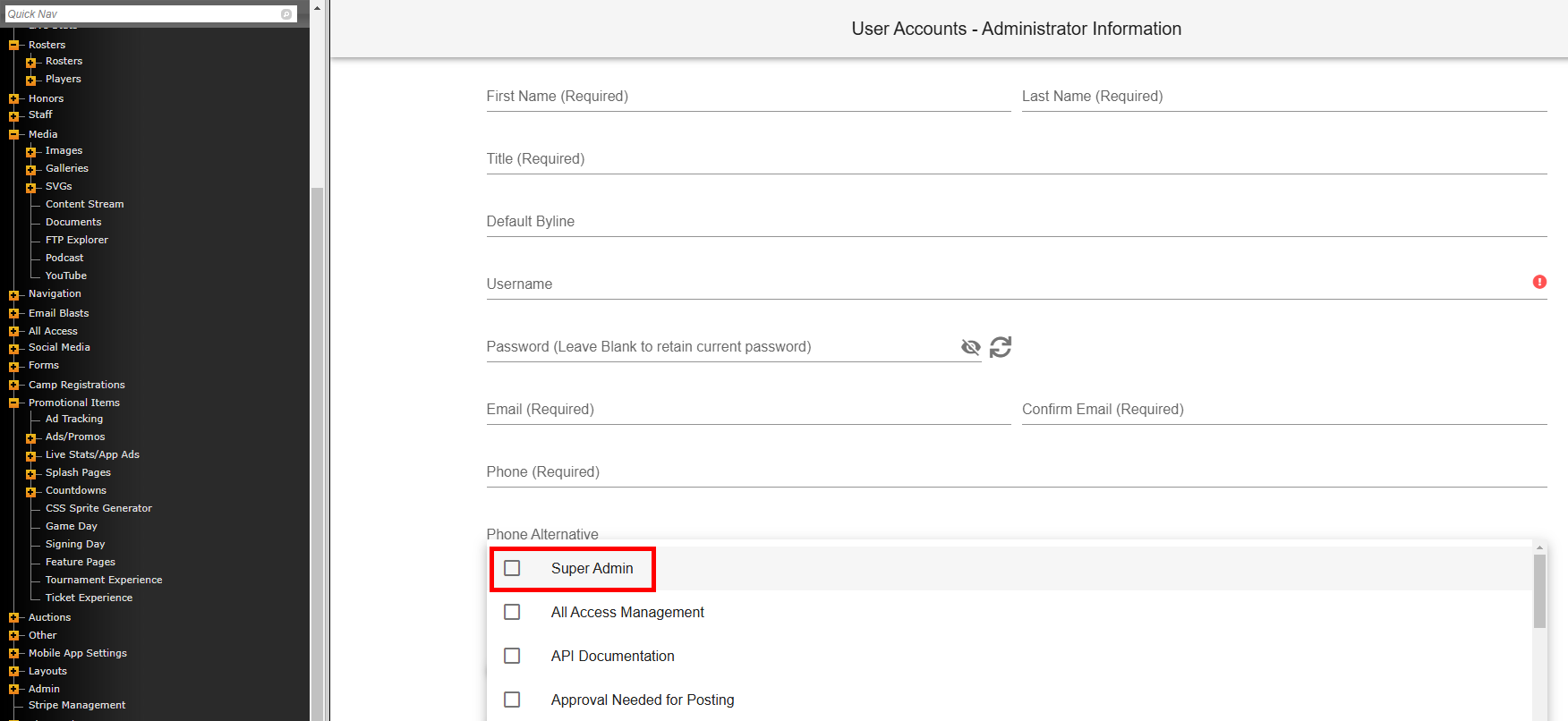
Any User Account with "Super Admin" permission can edit any roster or schedule by using the delete option.
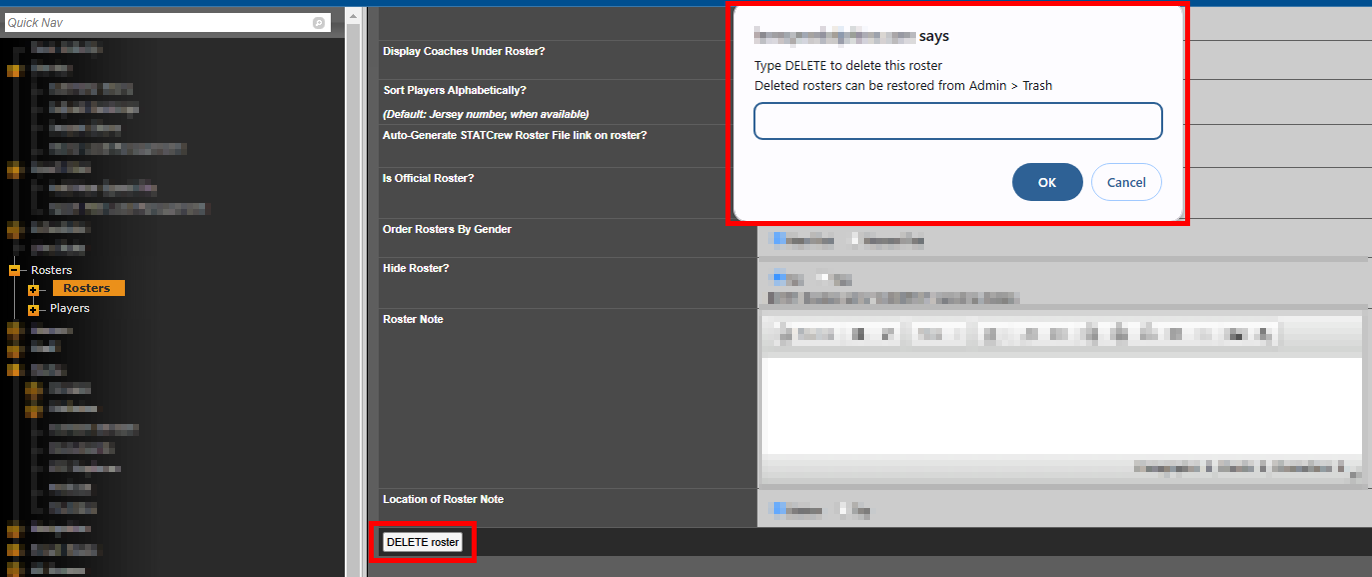
For rosters, you'll edit the roster and see the "DELETE roster" button at the bottom-left.
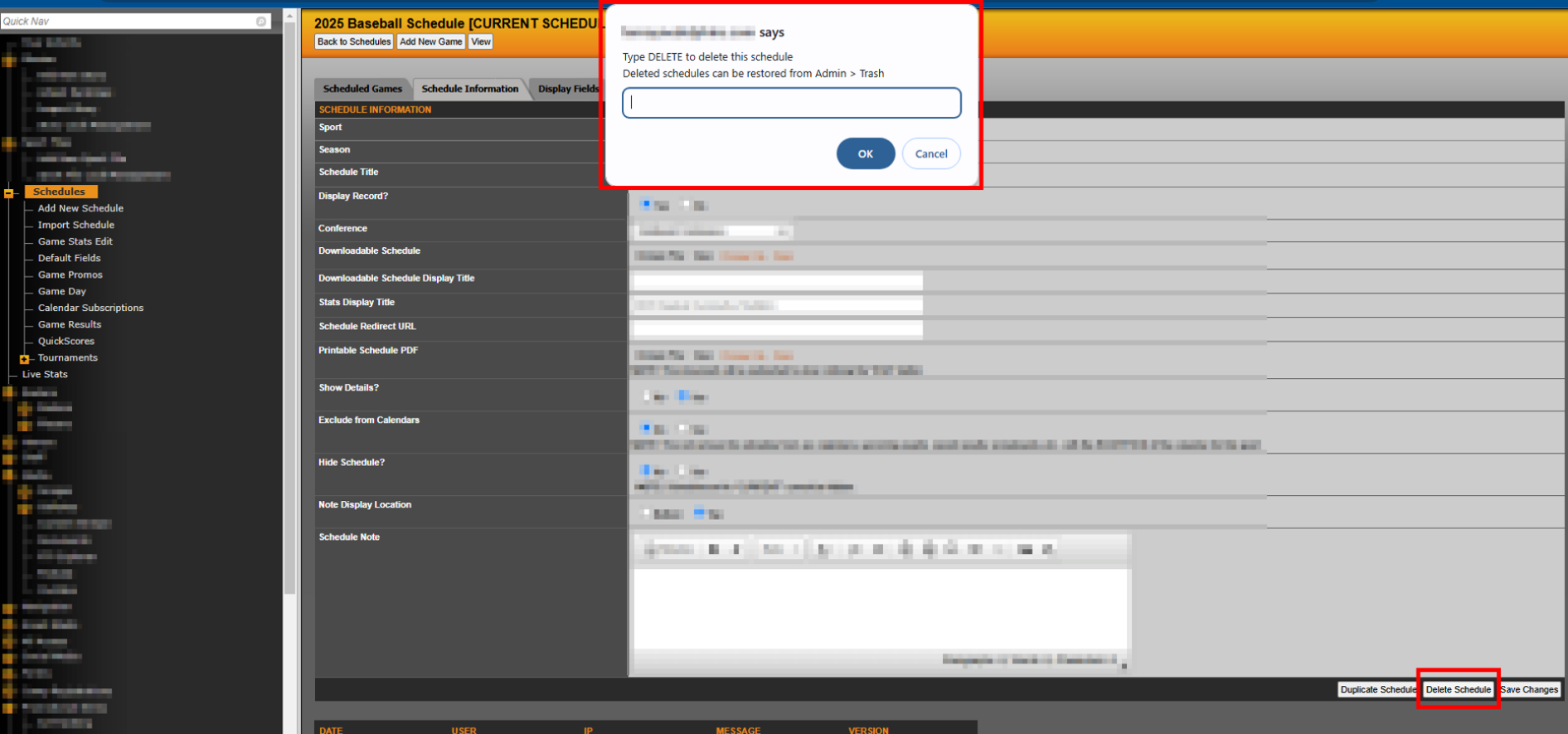
For schedules, edit the schedule and then go to the "Schedule Information" section. Click the "Delete Schedule" button at the bottom right.
Note: If someone deletes the incorrect roster or schedule, just go to Admin>Trash to restore it.
Was this article helpful?
That’s Great!
Thank you for your feedback
Sorry! We couldn't be helpful
Thank you for your feedback
Feedback sent
We appreciate your effort and will try to fix the article