When creating a roster and schedule for a new season as well as marking them as current, its important to make sure the current season is selected as well.
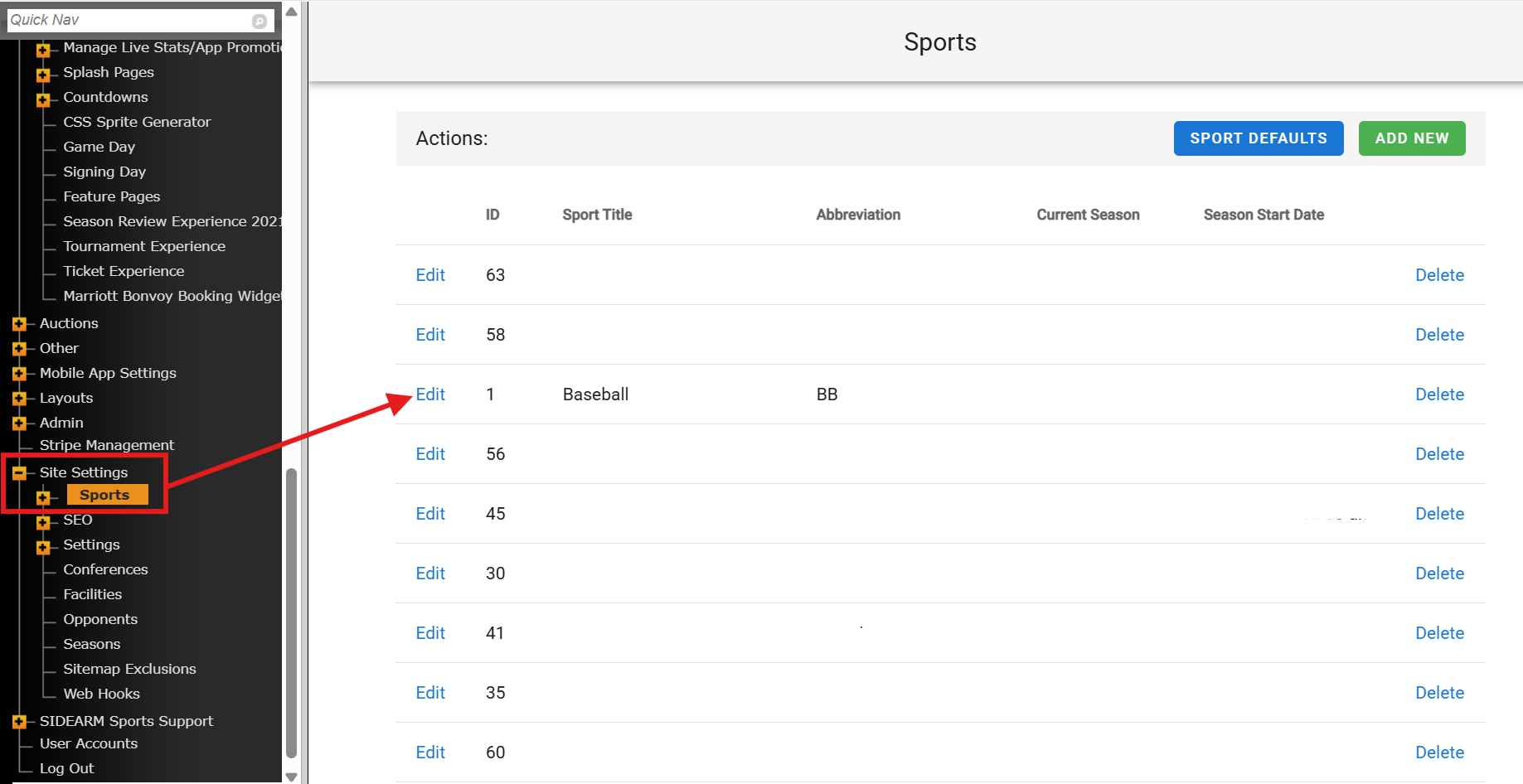
On the backend > navigate to site settings > sports >"edit" sport that new schedule/roster were made for:
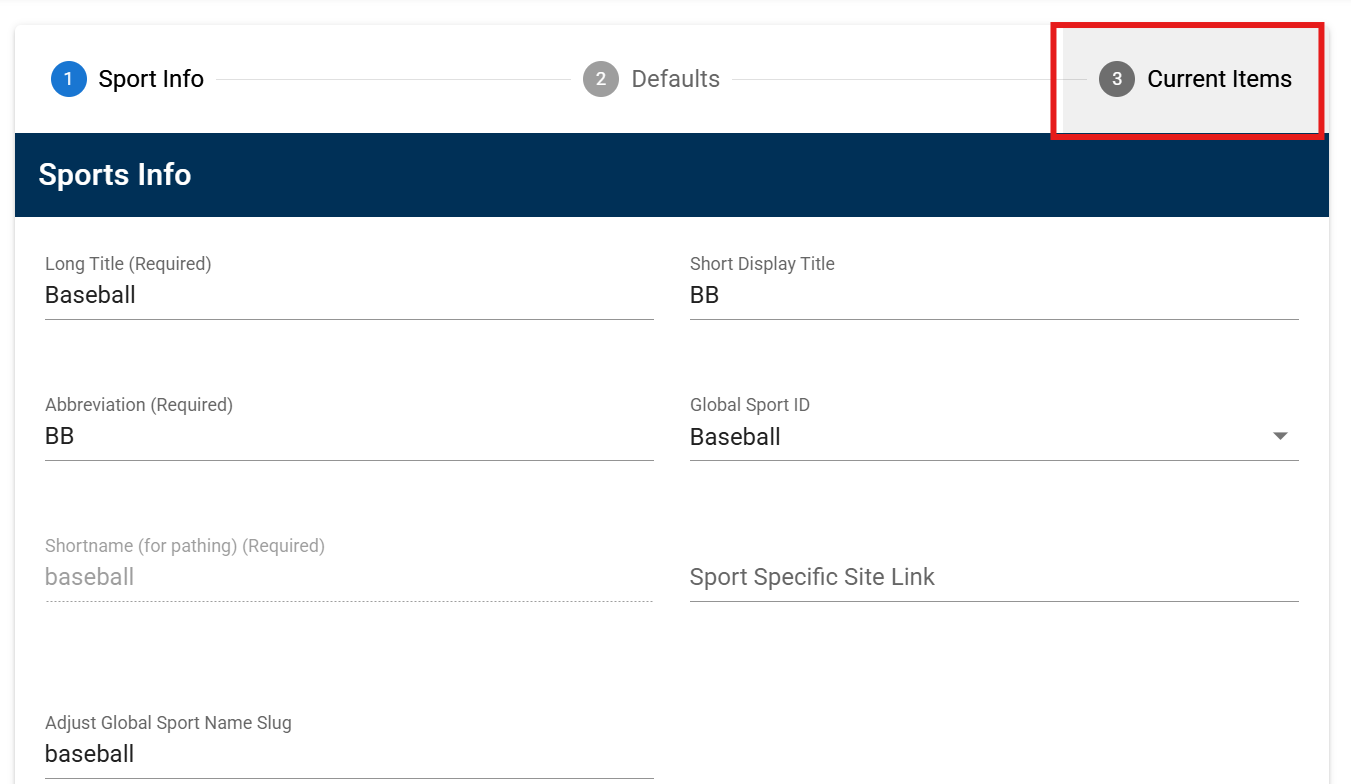
From there, navigate to "3 Current Items" tab:
Select the appropriate year (2026 in this case) from the "current season" dropdown by clicking arrow or box highlighted below:
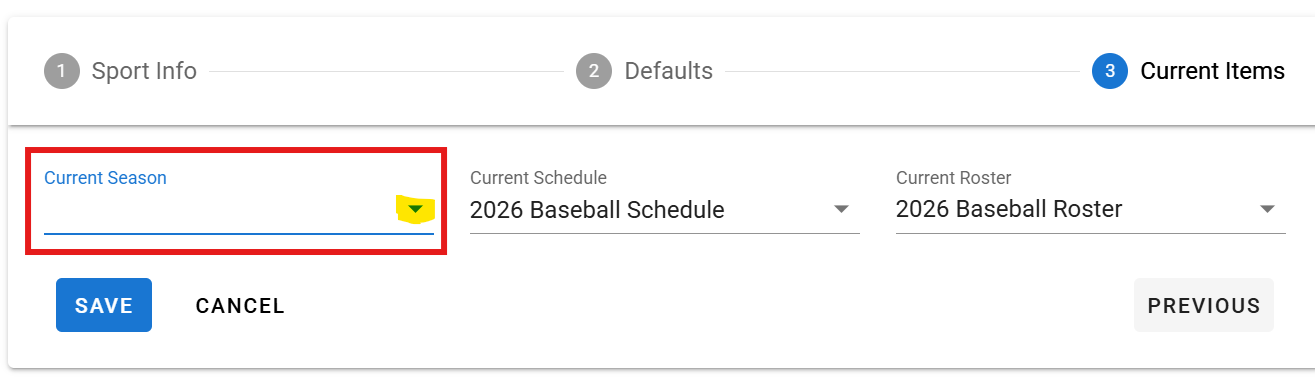
The important thing to remember here is to make sure your current season, schedule and roster years align.
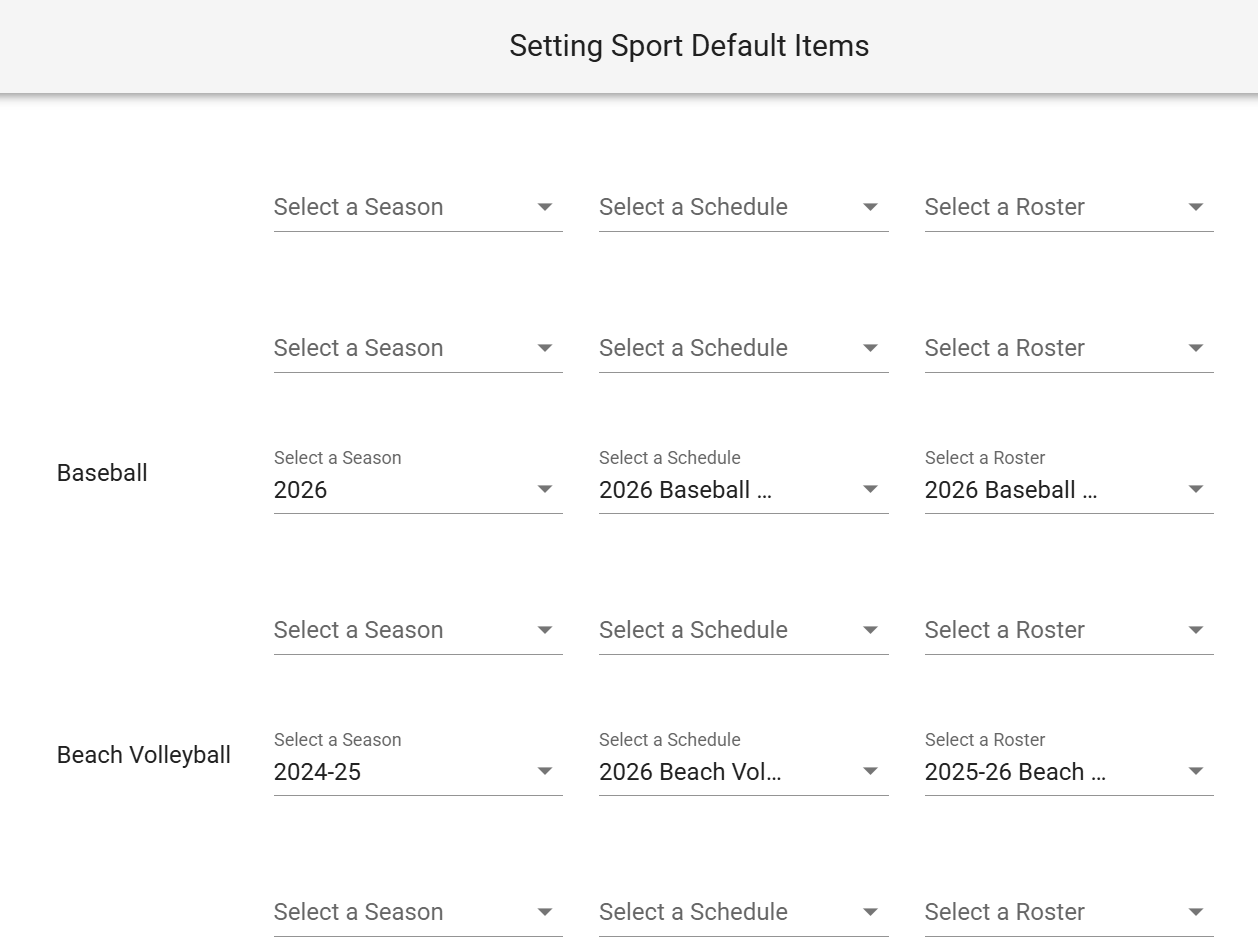
You can also quickly check current items by going to site settings > sports > select the blue "sport defaults" button in upper righthand corner:
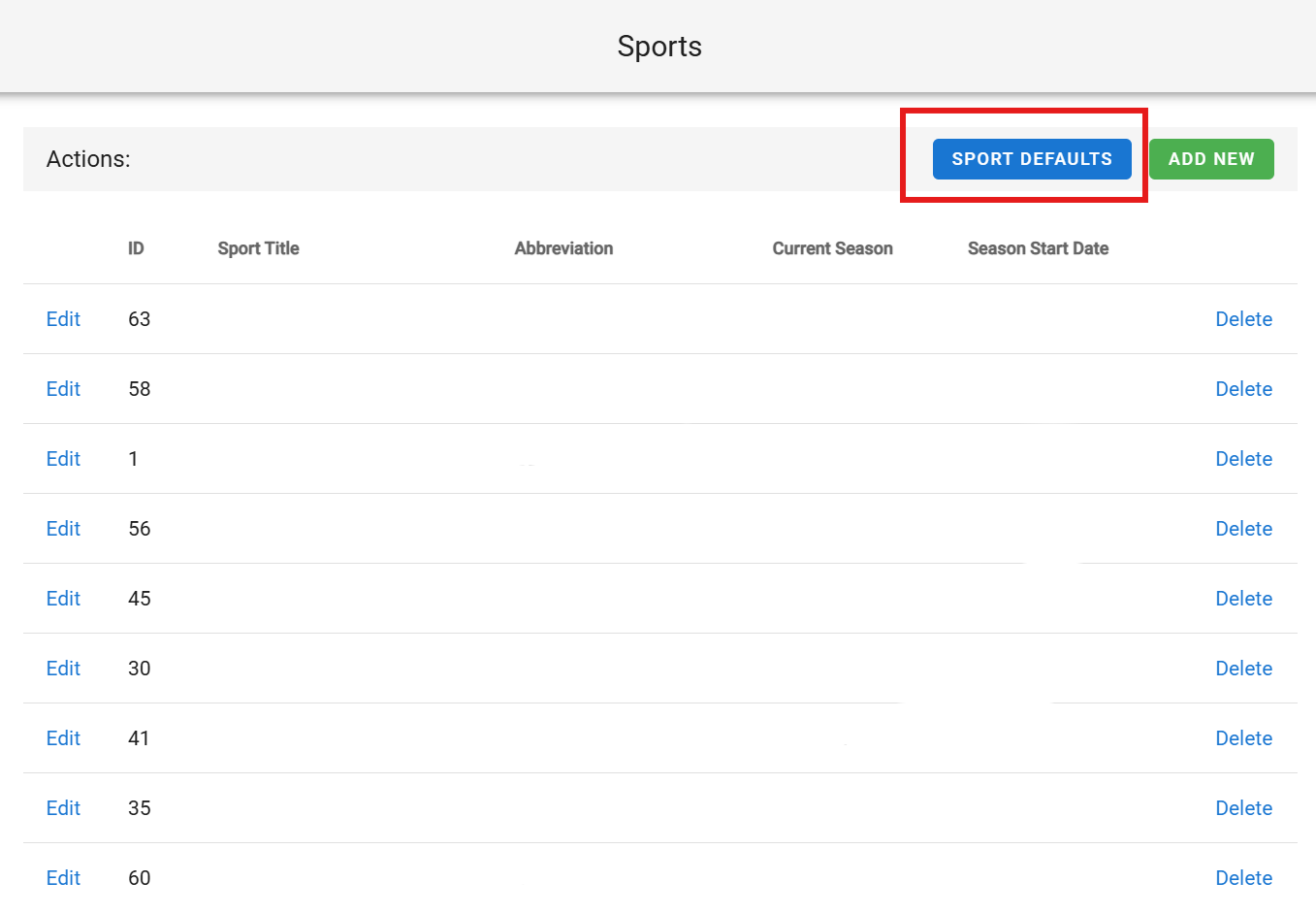
Here you can quickly adjust all current seasons, schedules and rosters:
Was this article helpful?
That’s Great!
Thank you for your feedback
Sorry! We couldn't be helpful
Thank you for your feedback
Feedback sent
We appreciate your effort and will try to fix the article