To add a PDF document on your site, head to Documents > New Document:
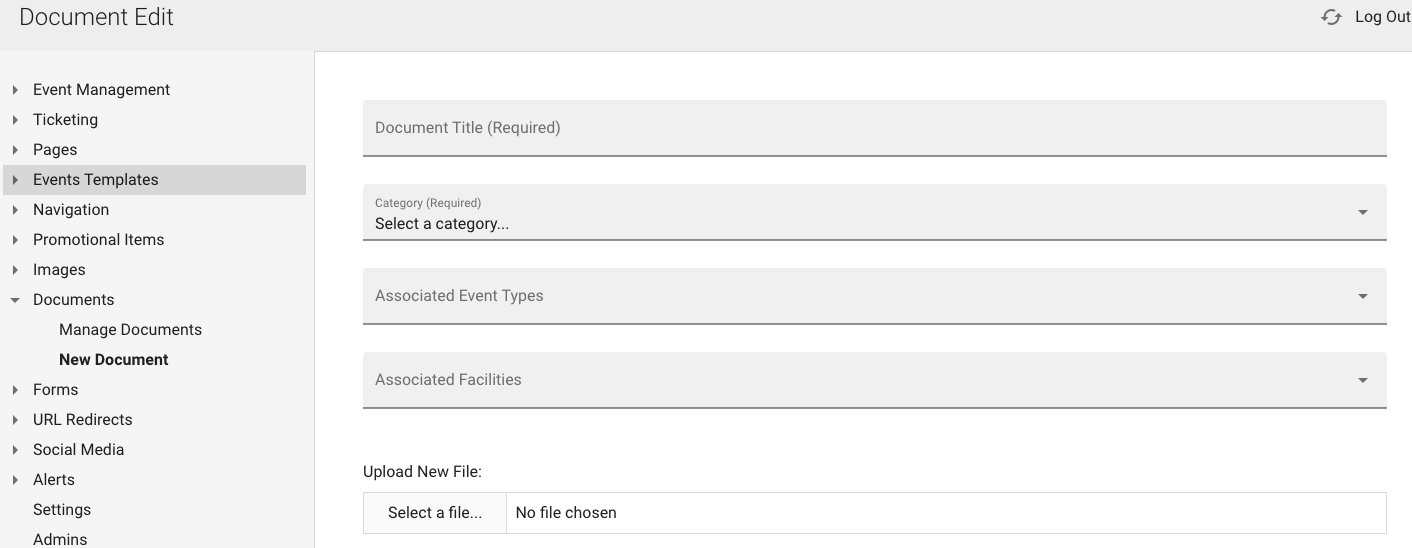
Add title, category and if necessary associated event and/or facility

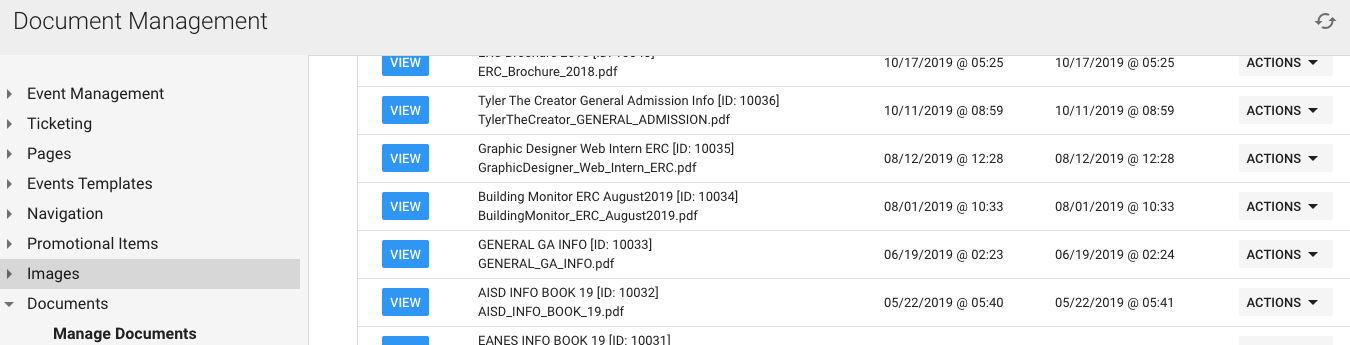
You can click "Manage Documents" to see each file that has been uploaded to the back-end and to view them on the front-end before making live:
Was this article helpful?
That’s Great!
Thank you for your feedback
Sorry! We couldn't be helpful
Thank you for your feedback
Feedback sent
We appreciate your effort and will try to fix the article