To add a URL Redirect, follow the steps given below:
1.) Navigate to URL Redirects on the admin side of your site.
2.) Click "New URL Redirects" to start adding one
3.) Paste in your redirect text and redirect url, and click save
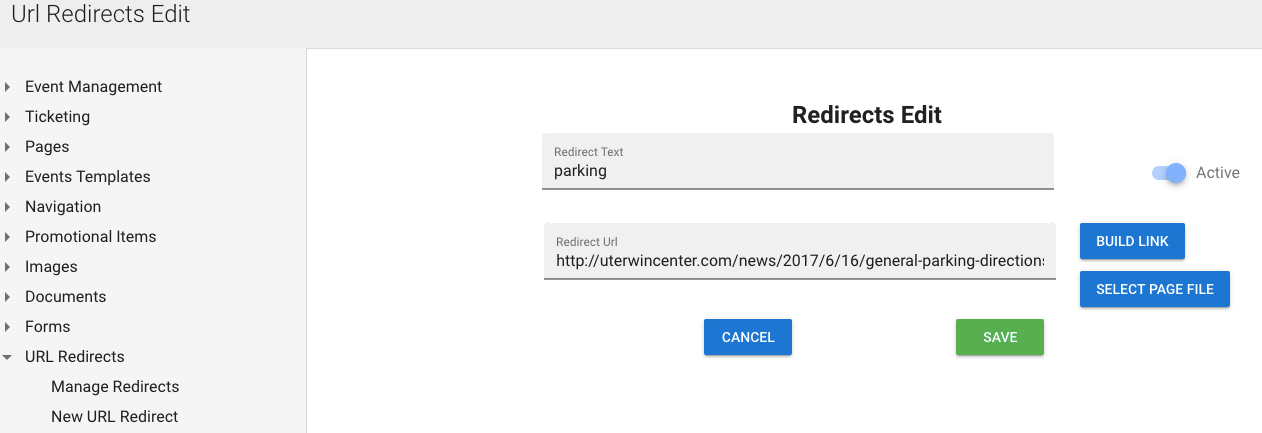
You have the option to build a link to another piece of the software, or select a specific "page" in addition to just pasting a link.
You can also keep a redirect for later, but make it inactive by toggling that button in the top right.
Was this article helpful?
That’s Great!
Thank you for your feedback
Sorry! We couldn't be helpful
Thank you for your feedback
Feedback sent
We appreciate your effort and will try to fix the article