The SIDEARM CMS now has the ability to accept tennis tournament XTG files. These files can be uploaded under the results tab in a similar fashion to standard XTG match files.
In order for your team specific student-athlete results to populate onto the cumulative stats page accordingly, some manual editing to the file in Notepad may be needed. Just like XTG and/or XML files, our system uses the home/away file designation to assign stats to the cumulative stats page. Essentially, all student-athletes from your school must be listed as either home or away to populate into the cumulative stats page.
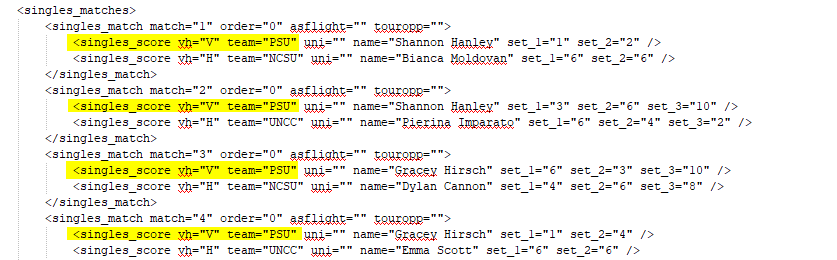
If there are matches in the file that do not contain student-athletes from your school, you will want to remove them altogether so that the individual marked as home/away is not included in your school's cumulative stats.
Was this article helpful?
That’s Great!
Thank you for your feedback
Sorry! We couldn't be helpful
Thank you for your feedback
Feedback sent
We appreciate your effort and will try to fix the article