Once enabled, the Tournament Brackets option will become available under the Schedule Management section of the CMS.
To have them enabled, please reach out to our Support Team.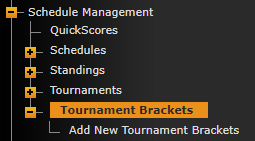
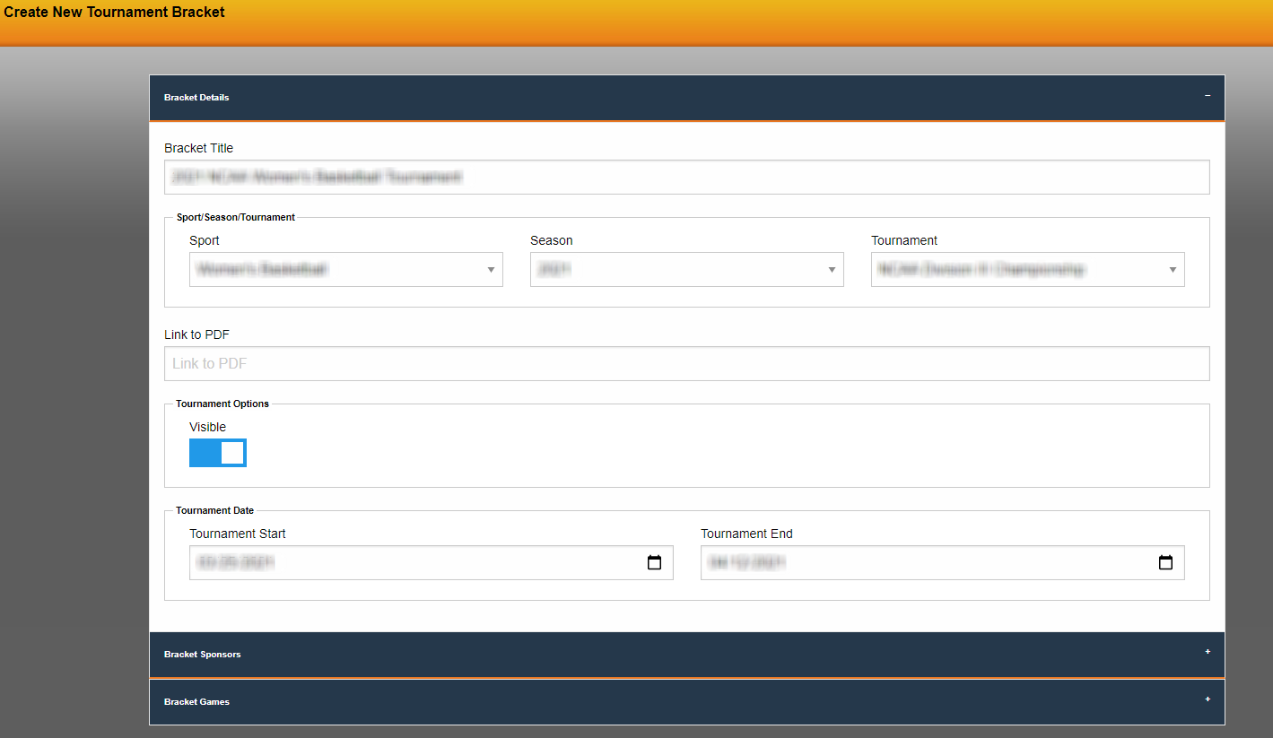
When creating a new bracket, begin by opening the Bracket Details accordion drop-down and populate the fields within.
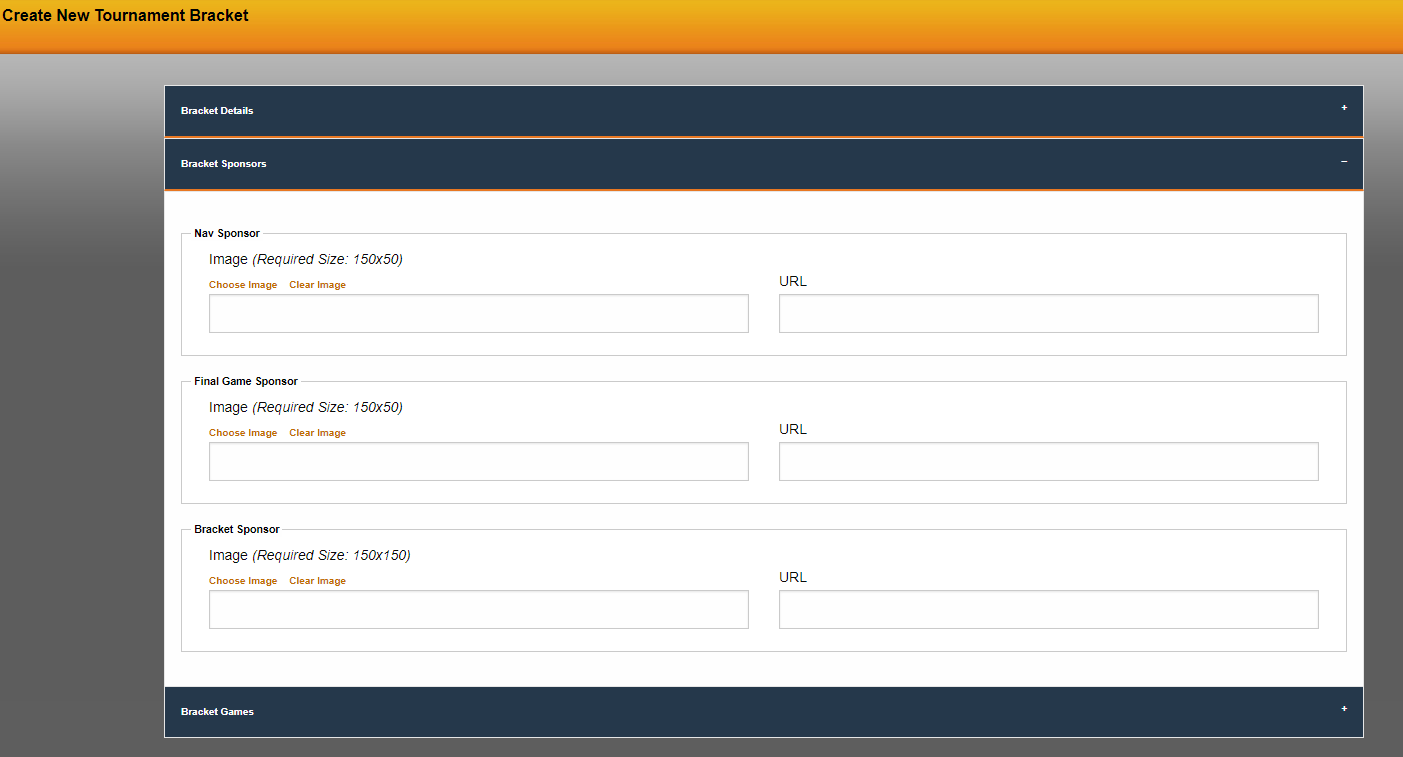
Next, click into the Bracket Sponsors accordion drop-down to populate any of the sponsor spots that are available within the bracket. Note that the size requirements are present for each sponsor spot.
Then, click into the Bracket Games accordion drop-down to build the bracket. This will be where the style of tournament is selected (Conference Tournament Style or Seeds) as well as the number of teams that are competing and if there are groups.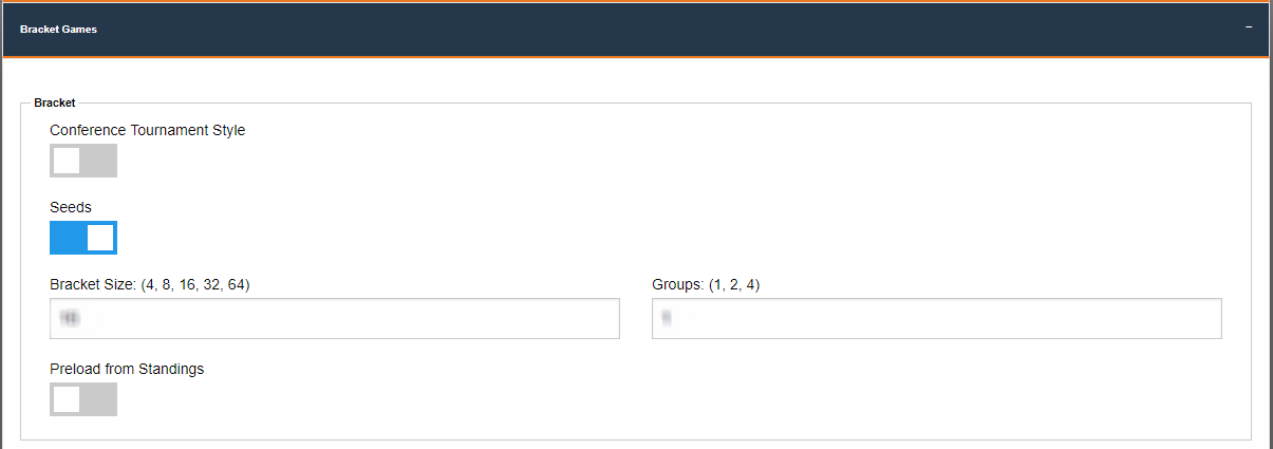
The next area below that is where the Group Name can be entered along with naming each round and populating the bracket with the teams and the scores, once they are available. The system will place the team with the higher score into the next round automatically.
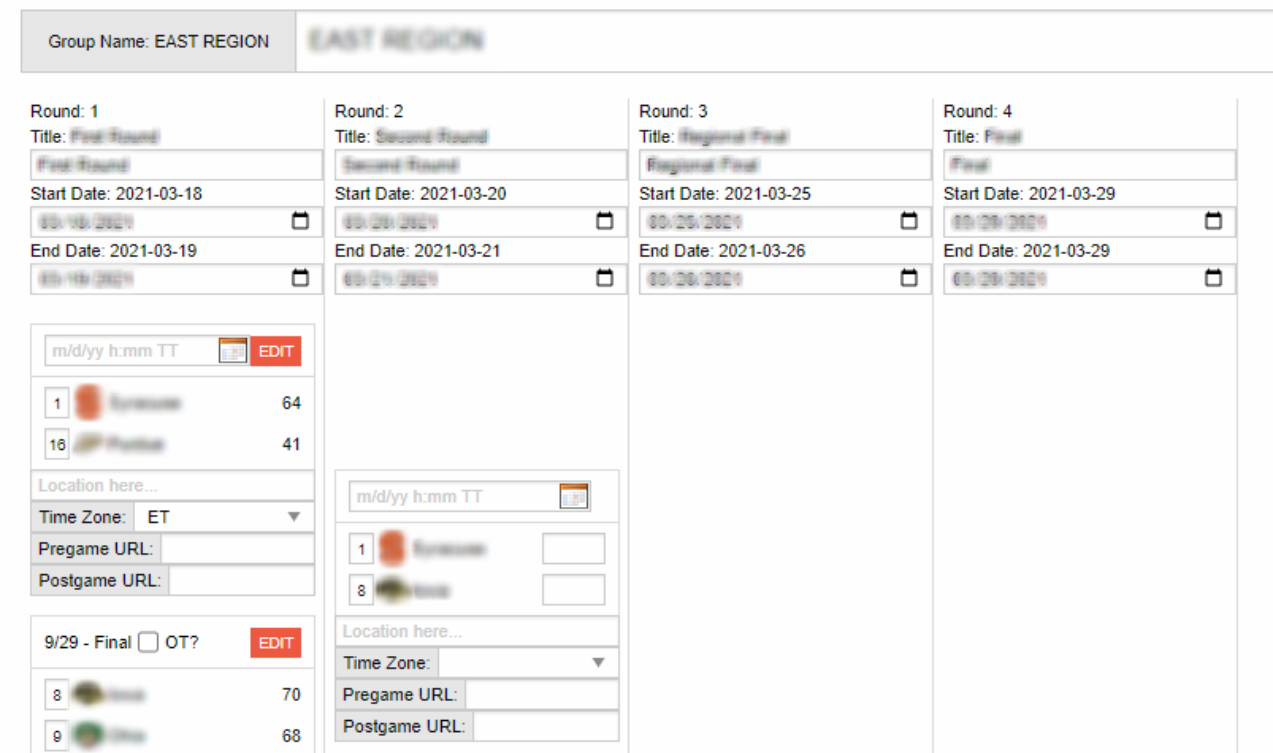
Each time there are changes made, be sure to scroll down to the bottom and find the green save button.
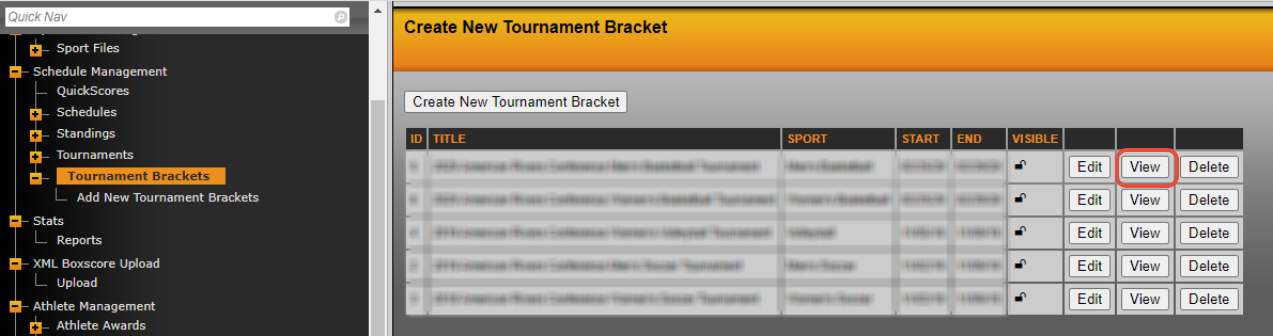
To see the bracket on the front-end, go back to Tournament Brackets in the left-hand menu of the CMS and then click view next to the desired bracket.
Examples:
Women's Basketball: https://rollrivers.com/tournaments/brackets/2020-American-Rivers-Conference-Womens-Basketball-Tournament/6
Women's Volleyball: https://rollrivers.com/tournaments/brackets/2019-American-Rivers-Conference-Womens-Volleyball-Tournament/4
Men's Soccer: https://rollrivers.com/tournaments/brackets/2019-American-Rivers-Conference-Mens-Soccer-Tournament/2
Was this article helpful?
That’s Great!
Thank you for your feedback
Sorry! We couldn't be helpful
Thank you for your feedback
Feedback sent
We appreciate your effort and will try to fix the article