The option to add story links exists when using one of the story templates. These links can be anything of choice, both internal or external. Below are instructions for adding these links to a single story.
When adding a story or editing an existing story, on the first tab, you will see an area titled Story Links.
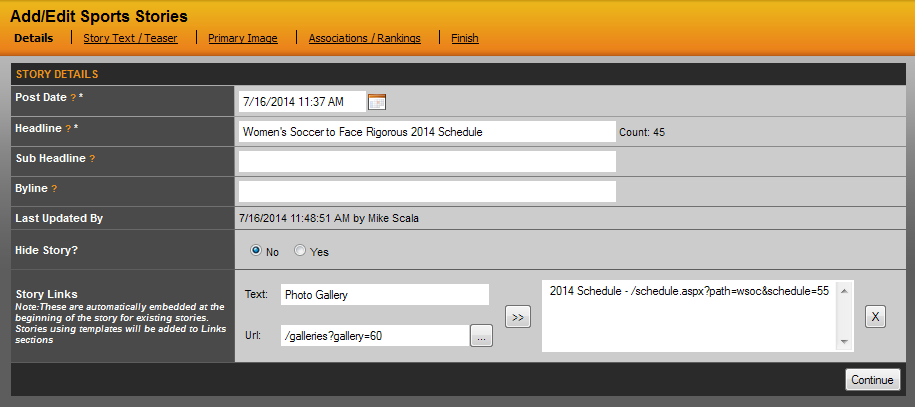
The first step is to give the link a title by typing it into the Text field. The second step is to add the URL, at this point you can either paste in a direct URL or if you click the "..." button, you will be able to use the site's Build Link functionality to create the links that is needed.
Once you have the link read, click the arrow button to push into the box on the right.
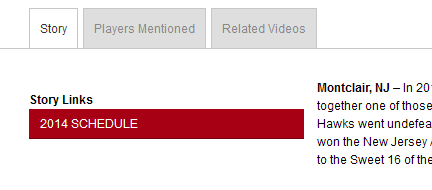
If all set, either save the story or continue with building the story. Then check the front end and you will see a box appear in the story like the example below.
Was this article helpful?
That’s Great!
Thank you for your feedback
Sorry! We couldn't be helpful
Thank you for your feedback
Feedback sent
We appreciate your effort and will try to fix the article