To add new standings that will use a point system for sports like soccer, expand the standings menu and click on 'add new standings'.
Then select the sport, the season and where it says 'Use Point System', choose 'Yes'.
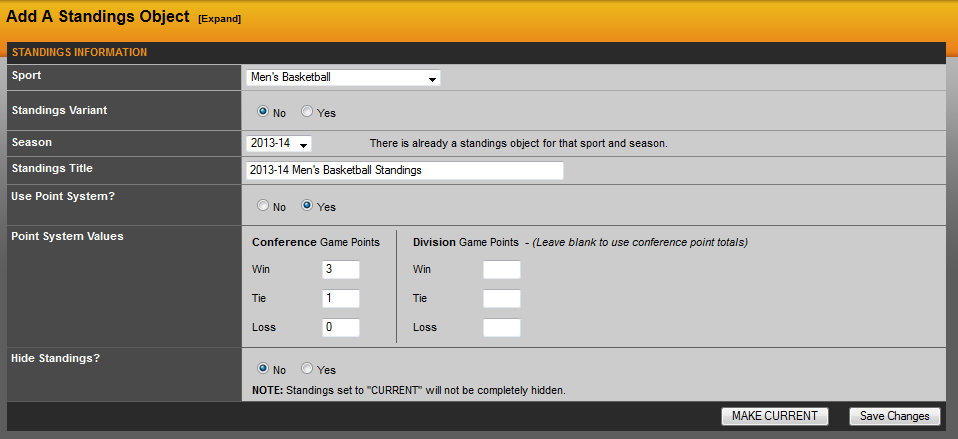
We have default values of 3 for a win, 1 for a tie and 0 for a loss. You can change this to make what your conference uses. The second option for Division points would only come into play if you have points based on division instead of overall conference games. Do not put values in for both, this would need to be one or the other.
Once this has been completed, you will want to click 'Save Changes'. Note: Always hit 'Save Changes' first. If you click 'Make Current' first, the standings will not be saved and not appear in the software.
Was this article helpful?
That’s Great!
Thank you for your feedback
Sorry! We couldn't be helpful
Thank you for your feedback
Feedback sent
We appreciate your effort and will try to fix the article