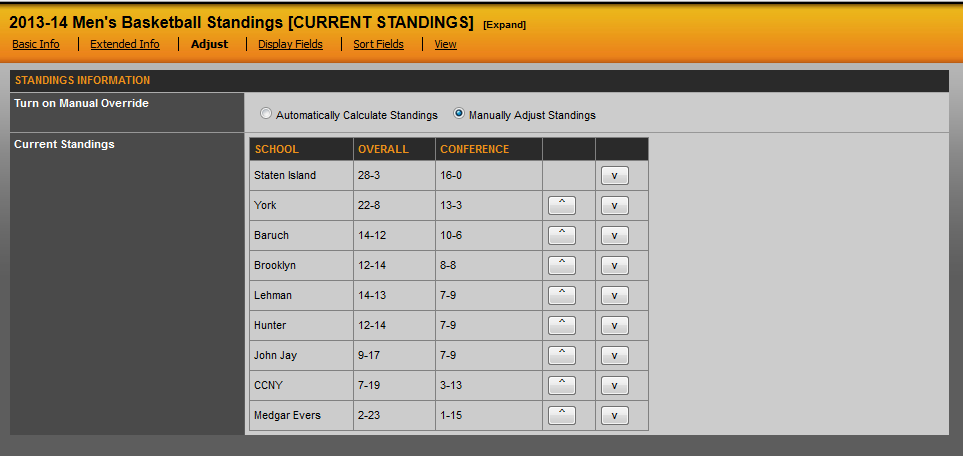
When the season has ended and you need to reflect tie-breakers on the site, you will use the 'Adjust' tab to do this. In the standings, click on the 'Adjust' tab and then choose 'Manually Adjust Standings'. From here, use the up and down arrow to adjust your rankings accordingly. Note: Once standings have been changed to manual adjust, they will no longer automatically moves teams based on wins/losses, so be sure to only do this at the end of the season.
Was this article helpful?
That’s Great!
Thank you for your feedback
Sorry! We couldn't be helpful
Thank you for your feedback
Feedback sent
We appreciate your effort and will try to fix the article