If you go to site settings > conferences, you have ability to add or edit existing conferences.
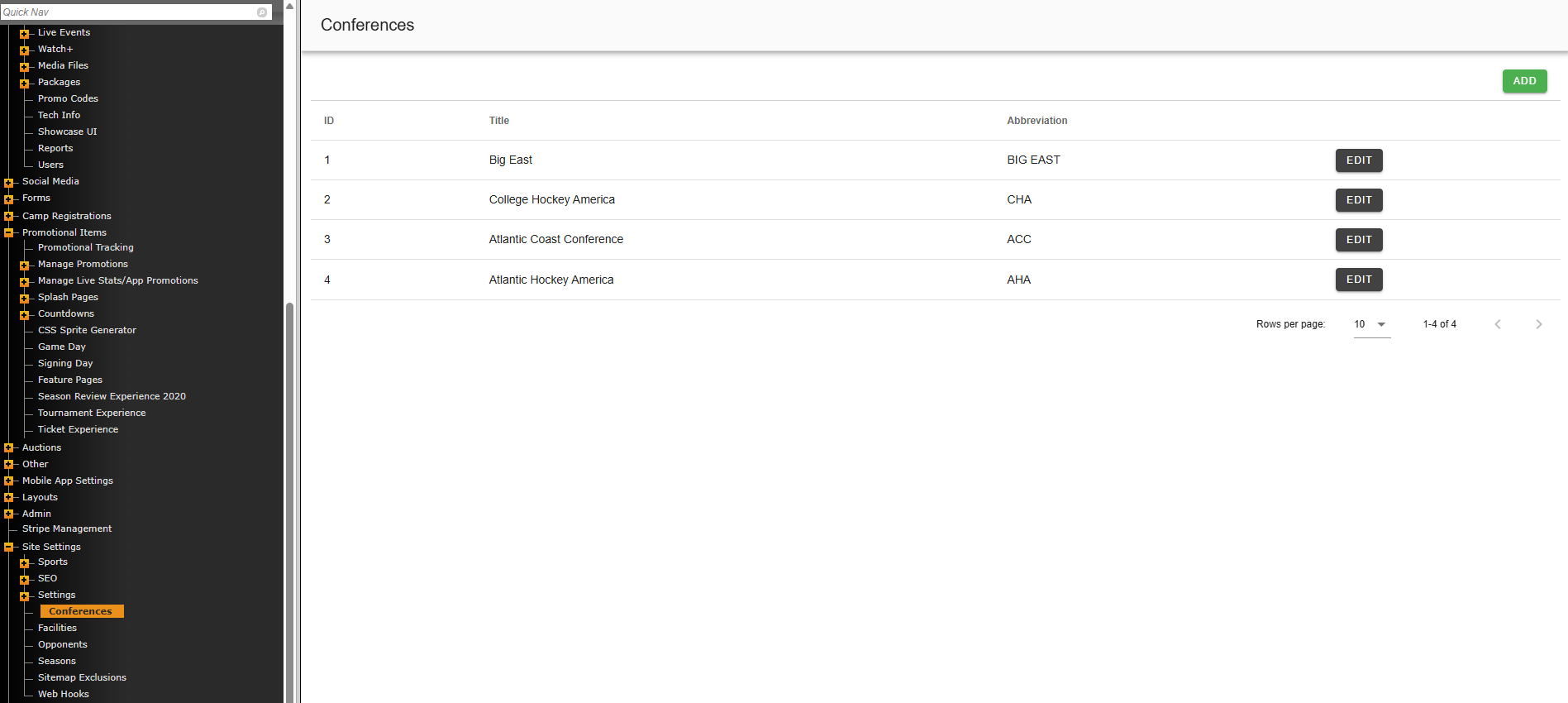
When adding a new conference, be sure to fill out all the fields listed.
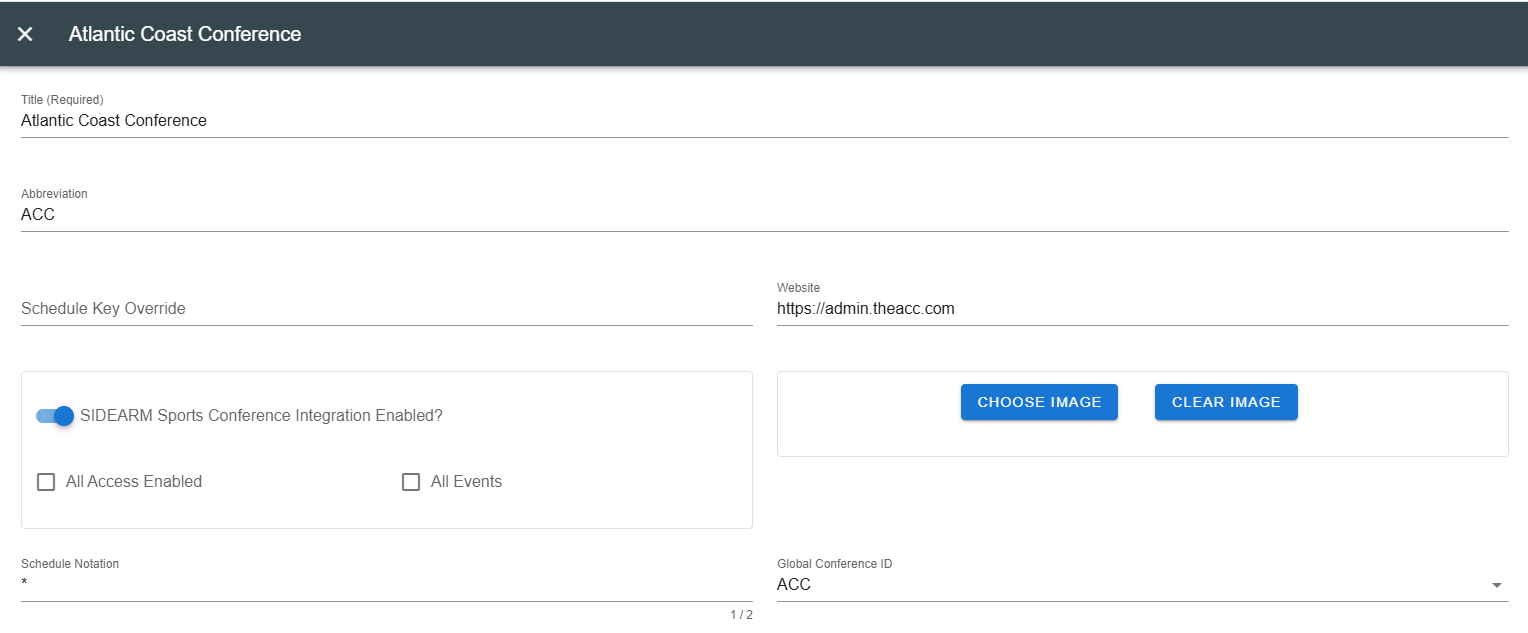
Title: This should be the full name of the conference. ex. Atlantic Coast Conference.
Abbreviation: Enter the Conference abbreviation. ex. ACC *This is also the name that will display on the Schedule Pages*
Website: Paste in the conference website, make sure it contains the full address, ie. https:// (omit "admin" portion of URL in example)
Schedule notation: Enter a symbol or notation that will be denote which games on schedules are conference
Global Conference ID: Select respective conference from dropdown menu
Once all of this is correctly filled out, click save button.
Was this article helpful?
That’s Great!
Thank you for your feedback
Sorry! We couldn't be helpful
Thank you for your feedback
Feedback sent
We appreciate your effort and will try to fix the article