Overview
The Head Coaches feature compiles win-loss records for each sport listed on your site.
To access this in your content management system (CMS), go to Staff > Head Coaches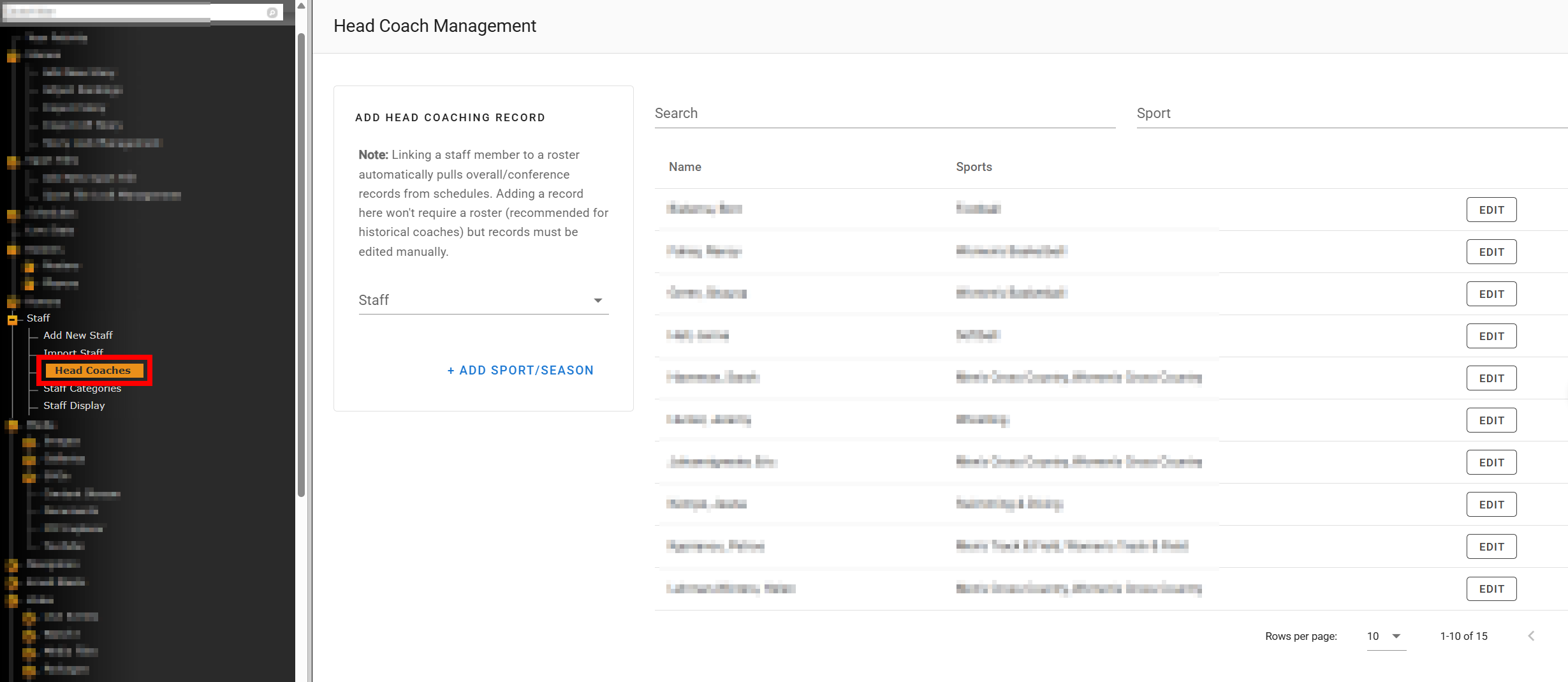
To view this on your site, add /sports/mens-basketball/coaches/year to your URL, noting the sport shortname used.
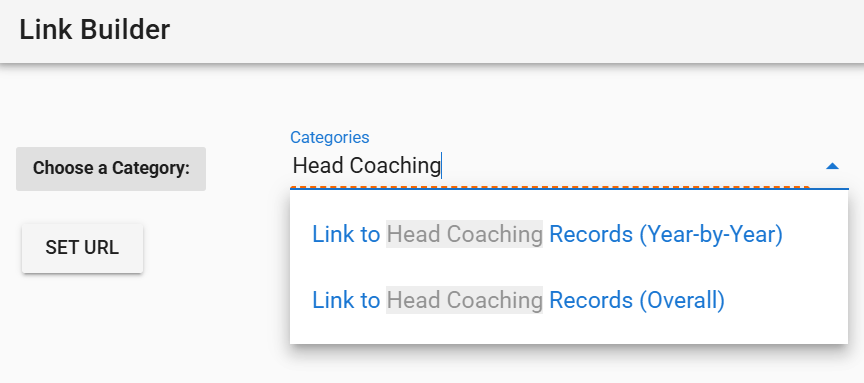
You can also use the Build Link option in the CMS to get the specific link for any sport.
How Records Are Populated
Automatic records are pulled from the schedules associated with each roster the head coach is listed on. No manual entry is needed for current seasons as long as the coach is correctly configured on the roster.
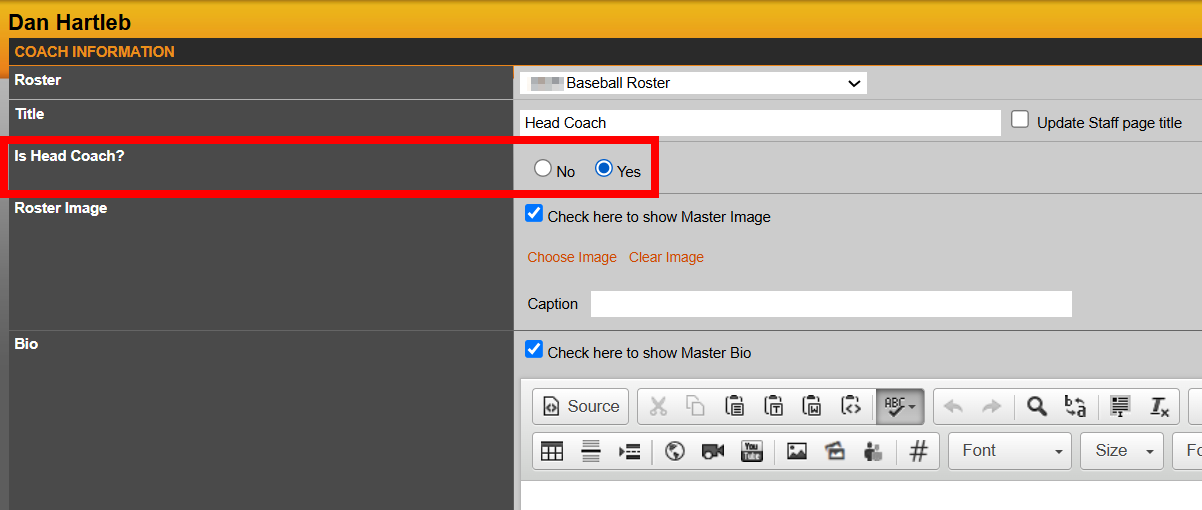
The key setting: For a coach to appear on the sport's records page, the "Is Head Coach?" option must be checked when adding or editing that staffer in the roster's Coaches tab.
Adding Records for Historical Seasons
Historical seasons are those that don't have a corresponding roster on your site. These records need to be entered manually.
- Go to Staff > Head Coach Management
- Select the coach from the dropdown (you can also search by name)
- Click Edit
- Add the sport and season, enter the overall and conference records, then click Add
Adding a Coach Who Isn't on the Site
If the coach doesn't exist in your staff directory at all, you'll need to create them first before entering their records.
Step 1: Create the staff member
- Go to Staff > Add New Staff Member
- Enter their first and last name (the only required fields)
- Set the staffer to Hidden so they don't appear in your public staff directory
Step 2: Enter their records
- Go to Staff > Head Coach Management
- Click Add Sport/Season
- Enter the sport, season, overall record, and conference record
- Click Add
Common Issues
A coach isn't showing up on the records page.
Confirm the "Is Head Coach?" setting is enabled on their roster entry under the Coaches tab. This is required for a coach to be included on the records page.
I don't want a historical coach showing on the staff directory.
When creating a staff member for record-entry purposes only, make sure to set their profile to Hidden during setup.
Was this article helpful?
That’s Great!
Thank you for your feedback
Sorry! We couldn't be helpful
Thank you for your feedback
Feedback sent
We appreciate your effort and will try to fix the article