Below, you can download the App Customization document for your specified version of the app, which will show you how to manage and customize your app. The customization guide will show you how to manage the splash screen, navigation and more.
Mobile App Customization Guide - NextGen App
Mobile App Customization Guide - Hybrid App
If you are unsure of what version of the app you have, please reach out to support@sidearmsports.com.
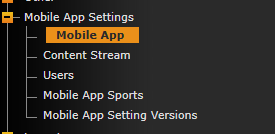
The app settings can be managed under the Mobile App Settings menu in the cms.
For more information on Push Notifications click below
For more information on managing Ads in your app click below
Was this article helpful?
That’s Great!
Thank you for your feedback
Sorry! We couldn't be helpful
Thank you for your feedback
Feedback sent
We appreciate your effort and will try to fix the article