In-app messages are targeted messages that appear directly within users app experience, allowing you to reach your entire audience, including users who have not opted in to push notifications or who may have missed a previous alert. For partners using SIDEARM Sports, in-app messaging is a reliable way to engage fans in the moment, promote key features, drive registrations, and highlight updates or game day content while they are actively browsing. As part of a mobile strategy, they create timely touchpoints that improve discovery, increase engagement, and ensure important information never gets overlooked.
How to send an In-App Message from your CMS
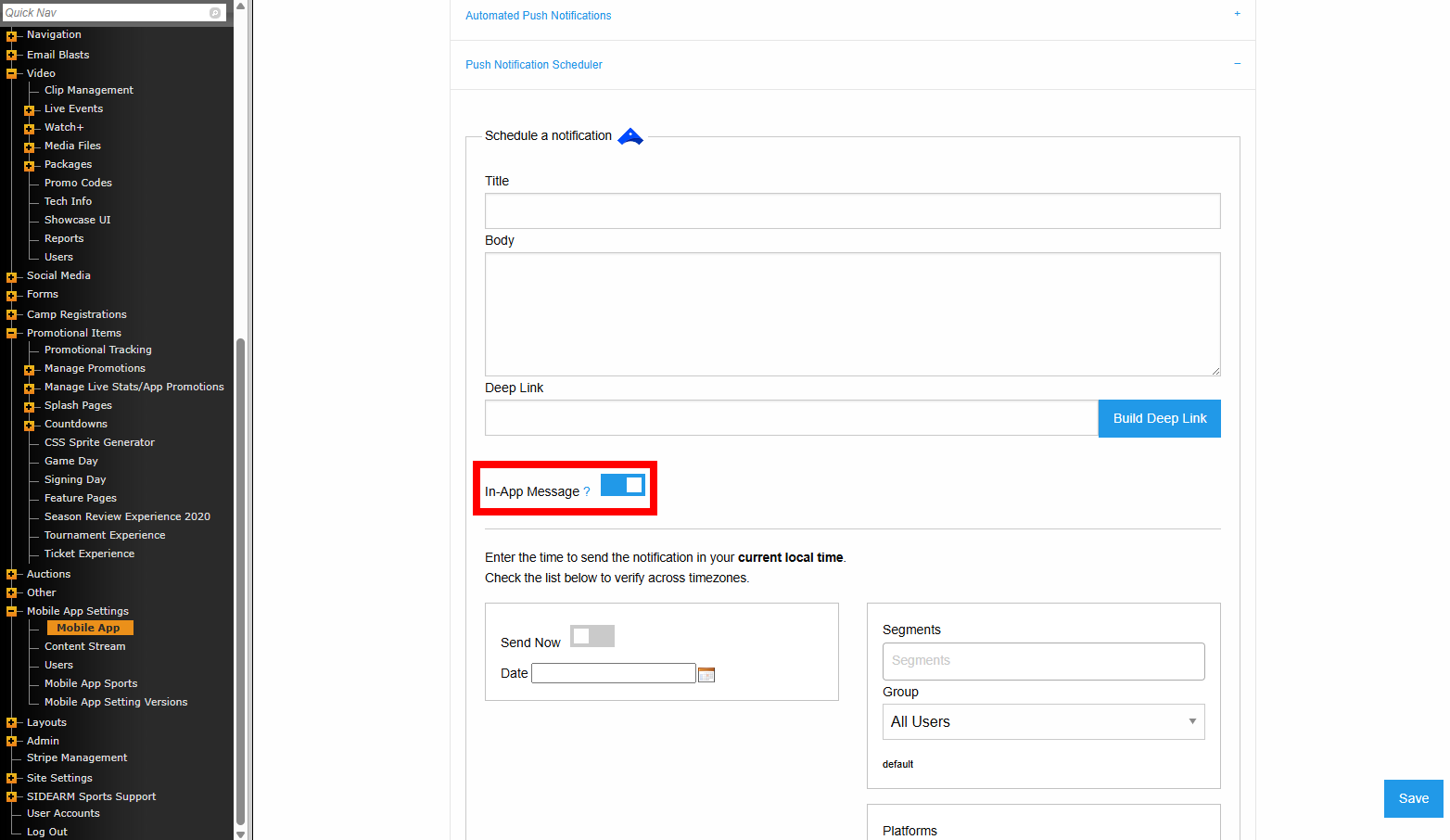
- Log into your CMS
- Go to Mobile App Settings>Mobile App
- Expand the Push Notification Scheduler
- Fill out the Title/Body/Deep Link fields
- Toggle the In-App Message option
- Schedule your notification or toggle Send Now
- Click Save
For partners with direct access to the Airship dashboard, you can create and manage both in-app messages and in-app automations, giving you greater control over how and when users are engaged within your app.
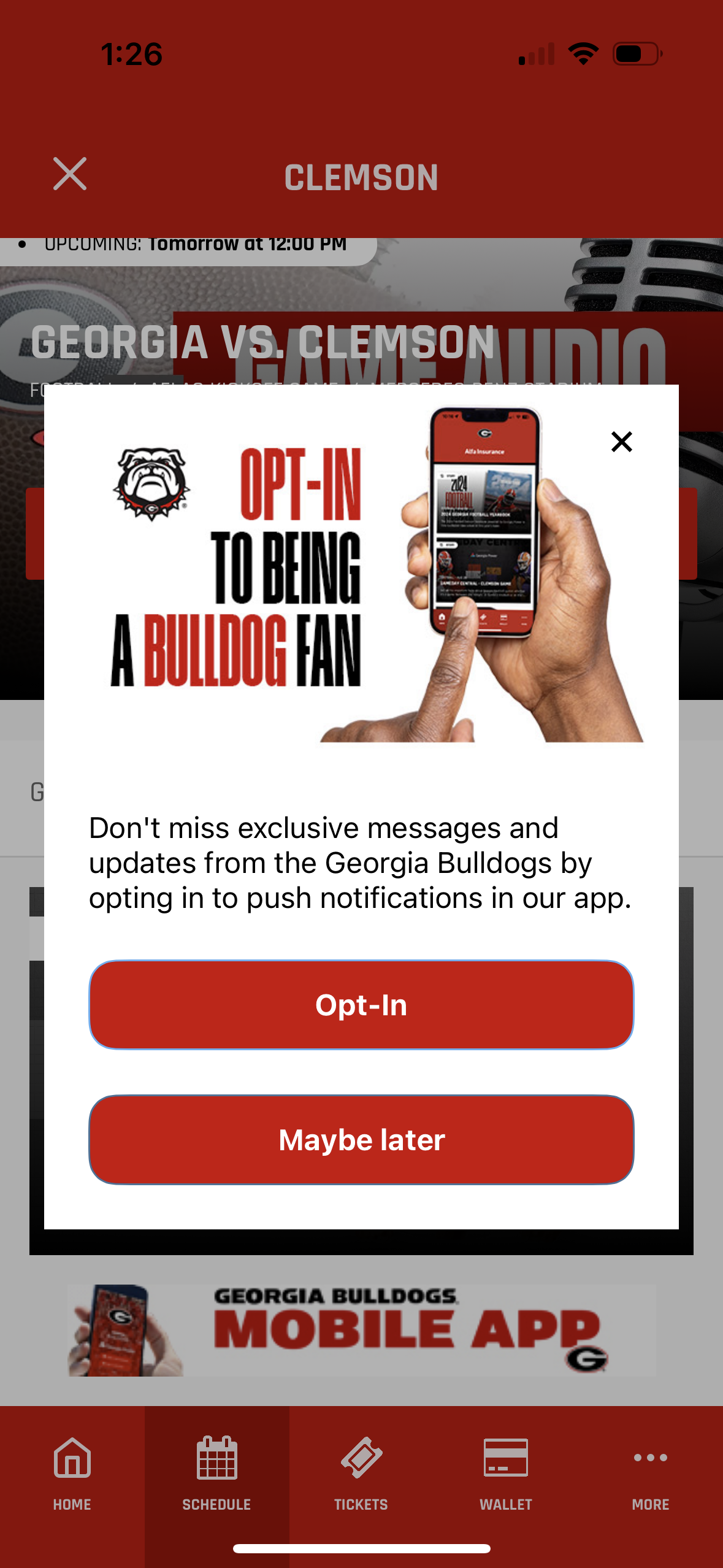
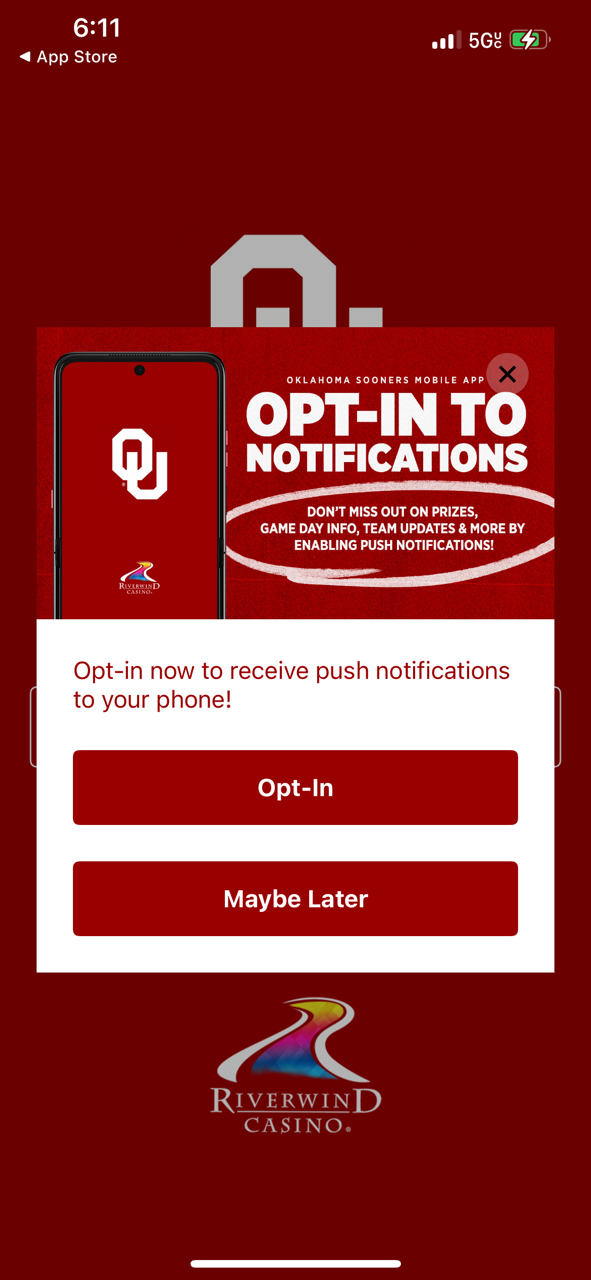
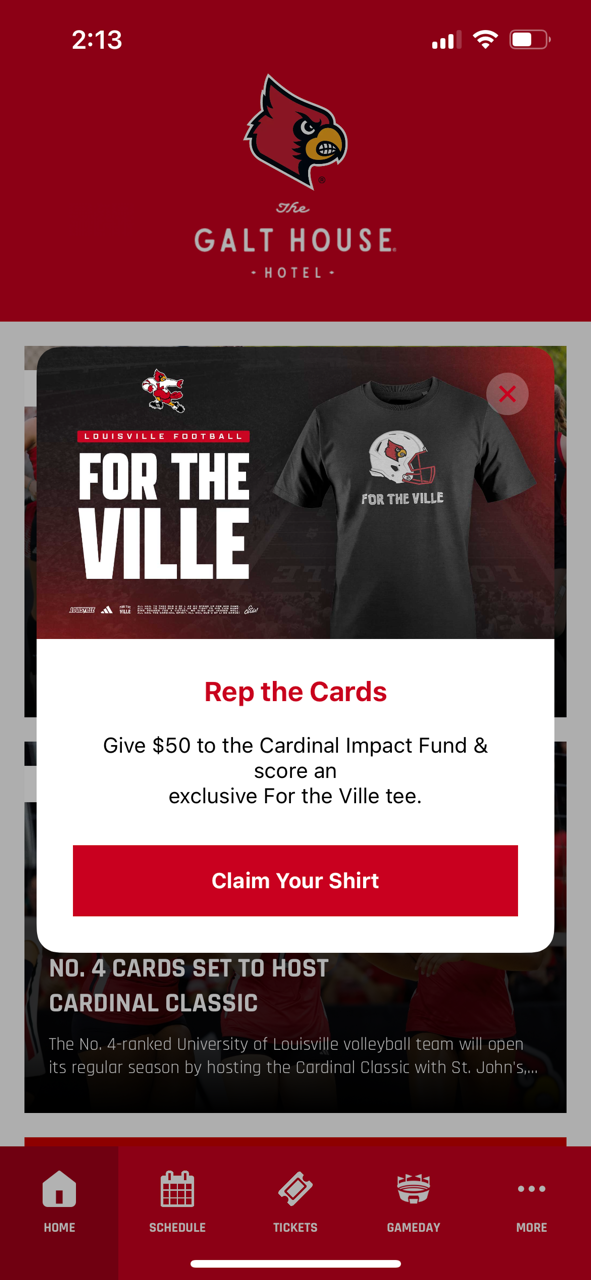
Live examples
 |  |  |
Airship Training Docs
In-App Messages
https://www.airship.com/docs/guides/features/messaging/in-app-messages/
In-App Automation
https://www.airship.com/docs/guides/features/messaging/in-app-automation/
Was this article helpful?
That’s Great!
Thank you for your feedback
Sorry! We couldn't be helpful
Thank you for your feedback
Feedback sent
We appreciate your effort and will try to fix the article