To set up the Paciolan Catalog on your Venue Platform site, follow the steps below:
First, click Ticketing > Data Account Set-Up
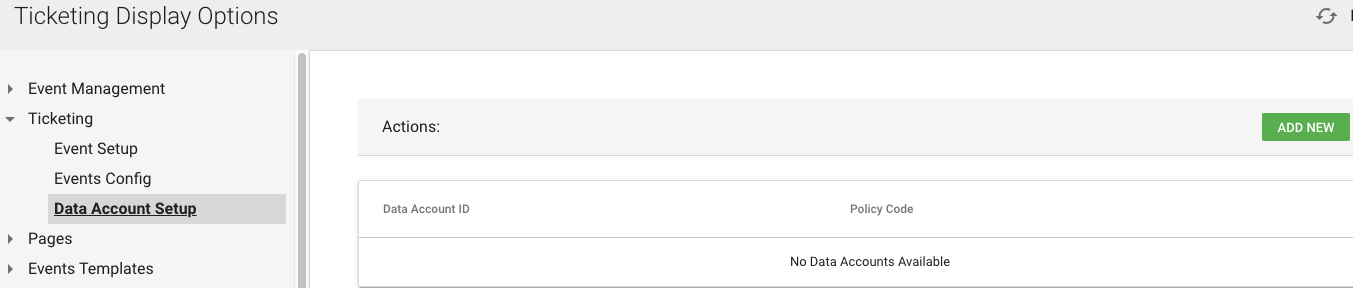
Once you've added your Paciolan Data Account ID and Policy Code, click "Event Set-Up"
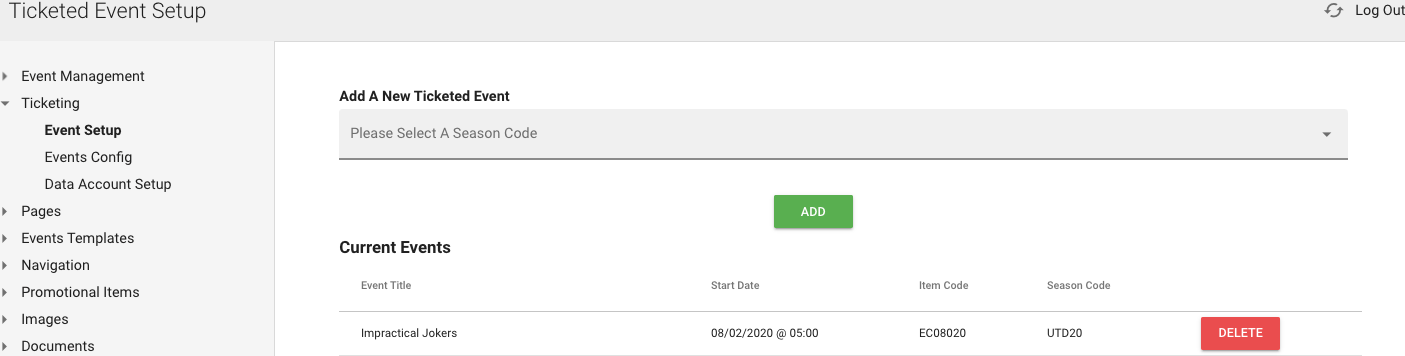
Here you'll add each ticketed event, one-by-one based on the Season/Event Codes pulling in from the Paciolan Catalog:
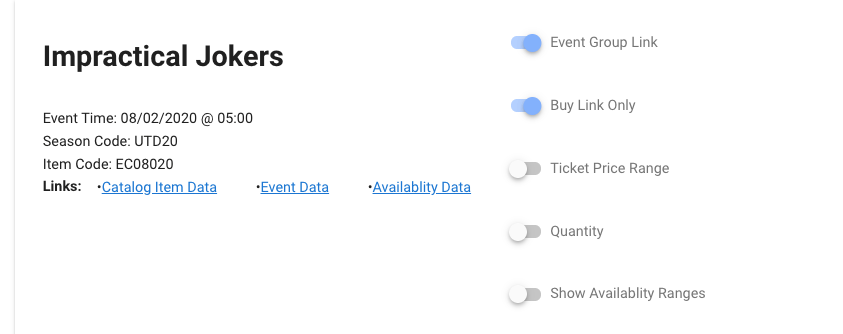
Individual events can be edited for additional options to display on the front-end such as Ticket Price Range, Quantity Remaining, or Ticket Price Range, all of these will update in real-time from the Catalog when sales are made.
Sample Front-End View:

Was this article helpful?
That’s Great!
Thank you for your feedback
Sorry! We couldn't be helpful
Thank you for your feedback
Feedback sent
We appreciate your effort and will try to fix the article