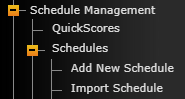
You can use a team XML file to import old events and results onto a past schedule. Under Schedule Management > Schedules > Import Schedule instead of choosing an Excel file, you can grab a team XML file from the specific season.
When matching up the fields, we have options available for W/L/T, Team Score, Opponent Score, and NCAA Code. This will import all of the games along with the score and result. It is a nice shortcut when adding in archived data.
Was this article helpful?
That’s Great!
Thank you for your feedback
Sorry! We couldn't be helpful
Thank you for your feedback
Feedback sent
We appreciate your effort and will try to fix the article