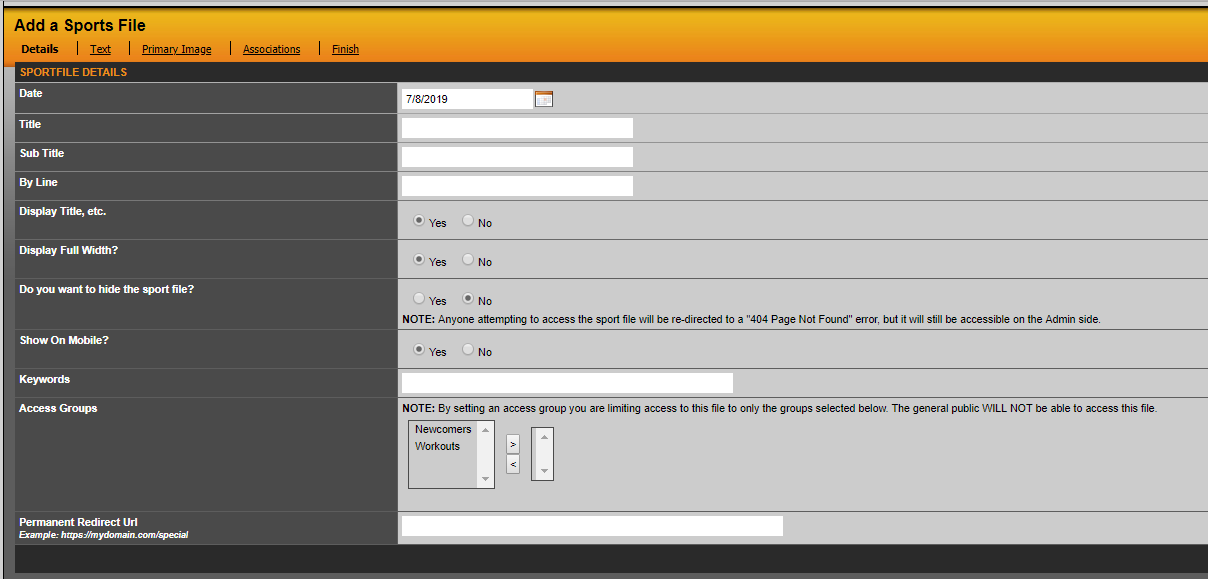
When adding a new sports file or editing an already-existing one, you can protect that page by associating it with an access group, as illustrated towards the bottom of the screenshot below. Simply select an access group from the box and then click the right arrow. That access group will then be displayed in a list to the right, indicating that only users that are members of that access group will have access to this sports file.
After you're done, click on the Finish tab towards the very right and click Save Sports File.
When anyone tries to access that page they will be prompted to login.
Was this article helpful?
That’s Great!
Thank you for your feedback
Sorry! We couldn't be helpful
Thank you for your feedback
Feedback sent
We appreciate your effort and will try to fix the article