What is a sport file? They're SIDEARM's solution to the need to add content to your site that's not a traditional story. While stories display on your homepage story rotator (on most sites) and in your story archives, sport files only display on your site when linked.
While the potential uses for sport files are unlimited, some specific ways that clients use them are for historical records, facilities information, tickets information landing pages, and more!
The steps for adding a sport file is very similar to adding a story.
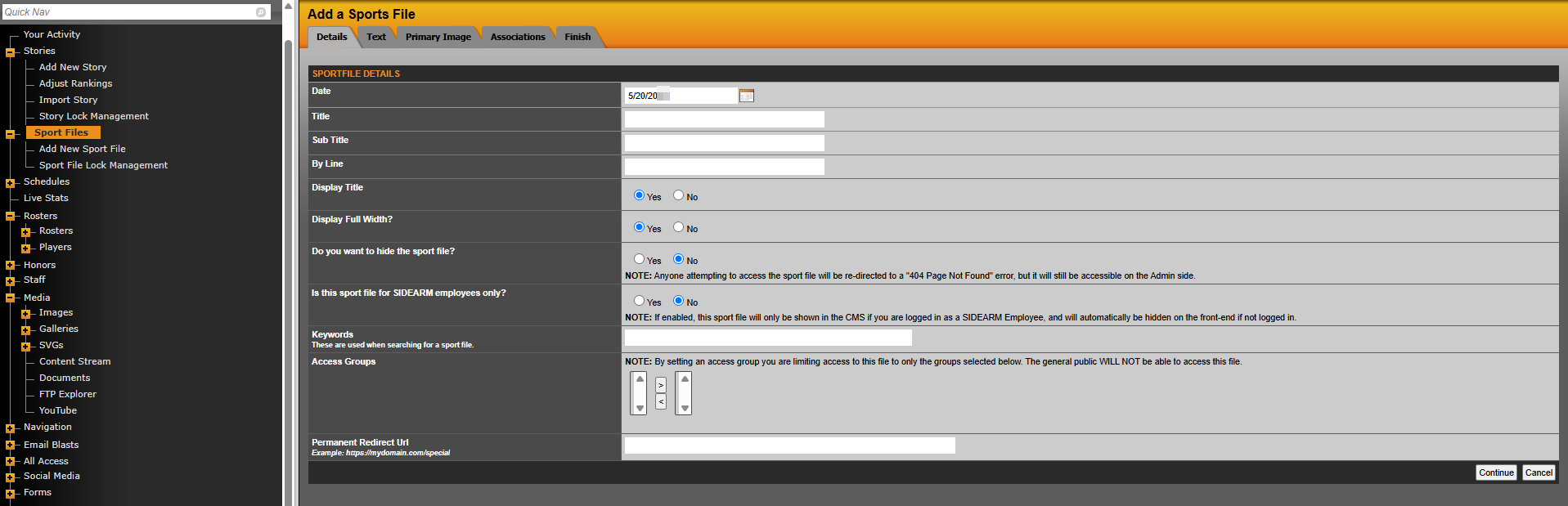
To add a new sport file to your site, go to Sport Files Management>Sport Files>Add New Sport File
Some of the key parts of adding a sport file:
Details
You can add a title but there is a yes/no option to display the title. That allows you to only display the information added to the Text area.
Primary Image
You don't need to add a primary image for sport files. Many clients will put all of the content in the Text area in order to better control the formatting of the page.
Associations
Adding an association is an easy way to bring in the sport navigation. So associating to "Men's basketball" will automatically add the men's basketball navigation to the sport file.
Was this article helpful?
That’s Great!
Thank you for your feedback
Sorry! We couldn't be helpful
Thank you for your feedback
Feedback sent
We appreciate your effort and will try to fix the article