The batch upload option will allow you to either upload a Zip file that contains the documents you want uploaded or you can choose to upload a few files individually at once. After clicking on the batch upload link, you will be brought to the following screen:
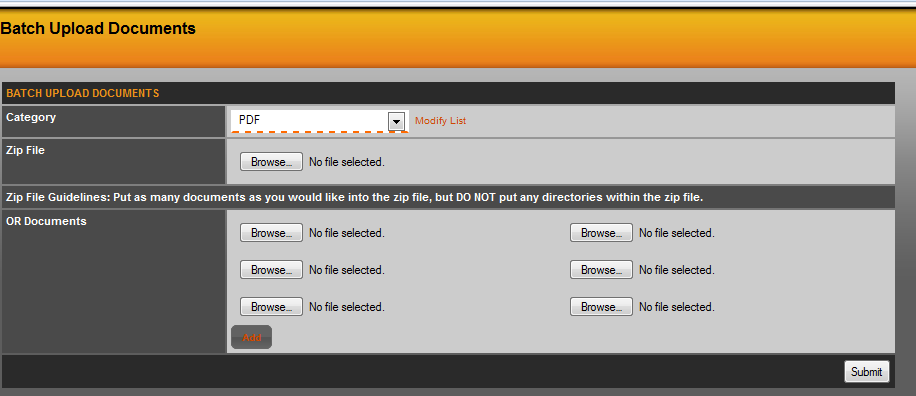
Here you will want to choose your category and then can either browse and select the Zip file or you can use the second section to browse and select a few files individually to batch upload. The 'Add' button will provide more selections boxes.
Just a reminder, the Zip file should contain just the documents, no other files and no folders either.
Was this article helpful?
That’s Great!
Thank you for your feedback
Sorry! We couldn't be helpful
Thank you for your feedback
Feedback sent
We appreciate your effort and will try to fix the article