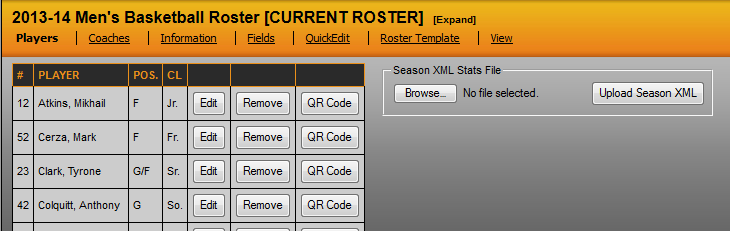
To upload a Season XML file to build Career Stats, export the season XML file from StatCrew and then go to that season's roster on SIDEARM. When you edit a roster and click on the 'Players' tab there is an option called Season XML Stats File. Click 'Browse', find the file on your machine and then click the 'Upload Season XML' button. Then repeat this process for each season that you have rosters for in the system.
Was this article helpful?
That’s Great!
Thank you for your feedback
Sorry! We couldn't be helpful
Thank you for your feedback
Feedback sent
We appreciate your effort and will try to fix the article