We have had many partners reach out about the change from the Universal Google Analytics dashboard to the new GA4 views.
Below we will help you navigate through the key differences, the most common metrics used in GA4, and overall best practices.
FAQs
Question: What are the key metrics in GA4 and how do they compare to the old Universal metrics?
Answer: Google's breakdown of differences between UA and GA4 can be found here.
Question: What are some metrics that have changed?
Answer: The way sessions are defined is different. Sessions used to be “hit-based” in Universal Analytics. In GA4 they are "event-based" (session starts, page views, clicks, add to carts, etc). They unify web and device-based data and stitches them together for a more complete view of how users are engaging.
Question: What are some brand new metrics in GA4?
Answer: “Engaged sessions” is a new metric. Engaged sessions are defined as sessions that lasted longer than 10 seconds, had a key event, or had 2 or more screen or pageviews
Question: What are some key metrics that I should be looking at in GA4?
Answer: This depends on what you deem key events or what is important to know. More engaged sessions could show that your target audience finds your content valuable.
Question: I've been used to logging into Google Analytics and looking at Audience and then Overview. How do I do this in GA4?
Answer: Reports now are split between the Acquisition reports (User and traffic data), Engagement reports (Page and section data), and User attributes reports (Demographics)
Tips and Tricks for viewing GA4 reports
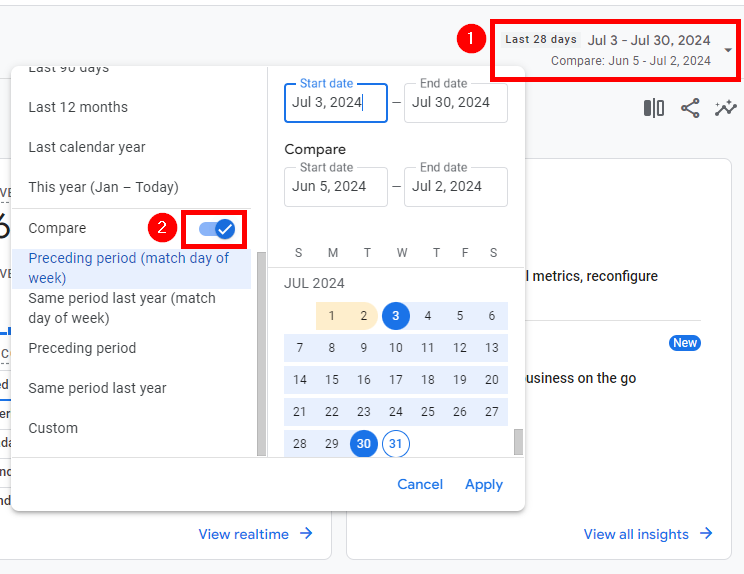
Date range > Top right corner > Toggle button on bottom of the left list
- How to compare two set time periods.
- NOTE: Your historical data only goes back as far as when you sent your GA4 Measurement ID to SIDEARM.
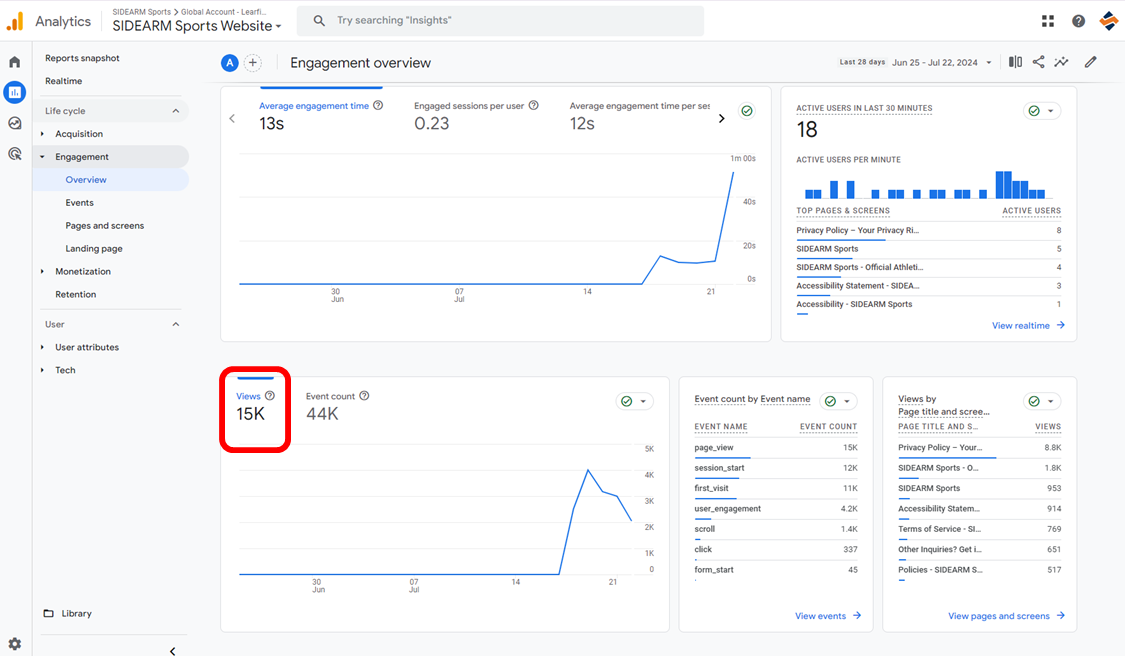
Life cycle > Engagement > Overview
- How to see page views
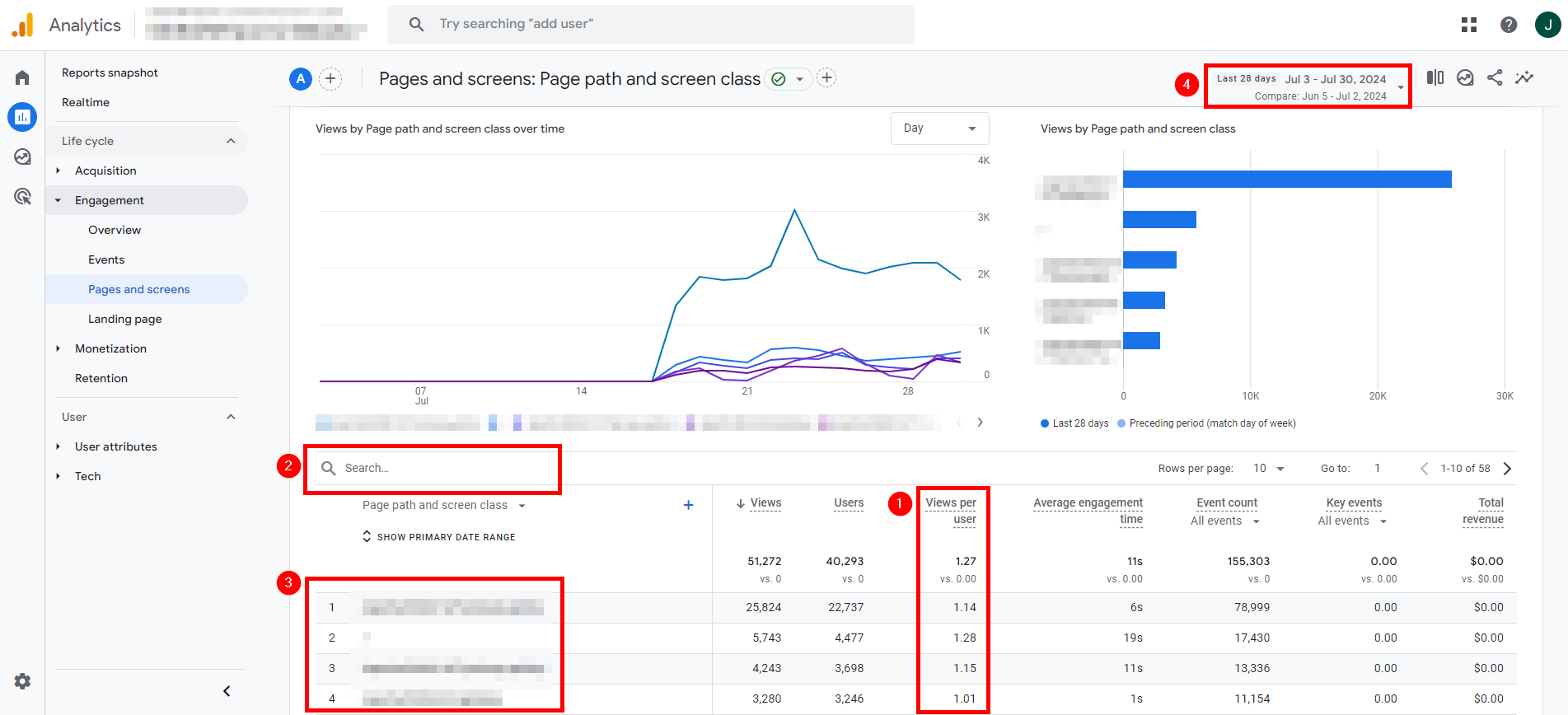
Life cycle > Engagement > Pages and Screens
- How to see pages per session
- How to search for traffic to individual pages and top content by sorted category (stories, stats, etc)
- How to look at top trafficked individual pages during a timeframe
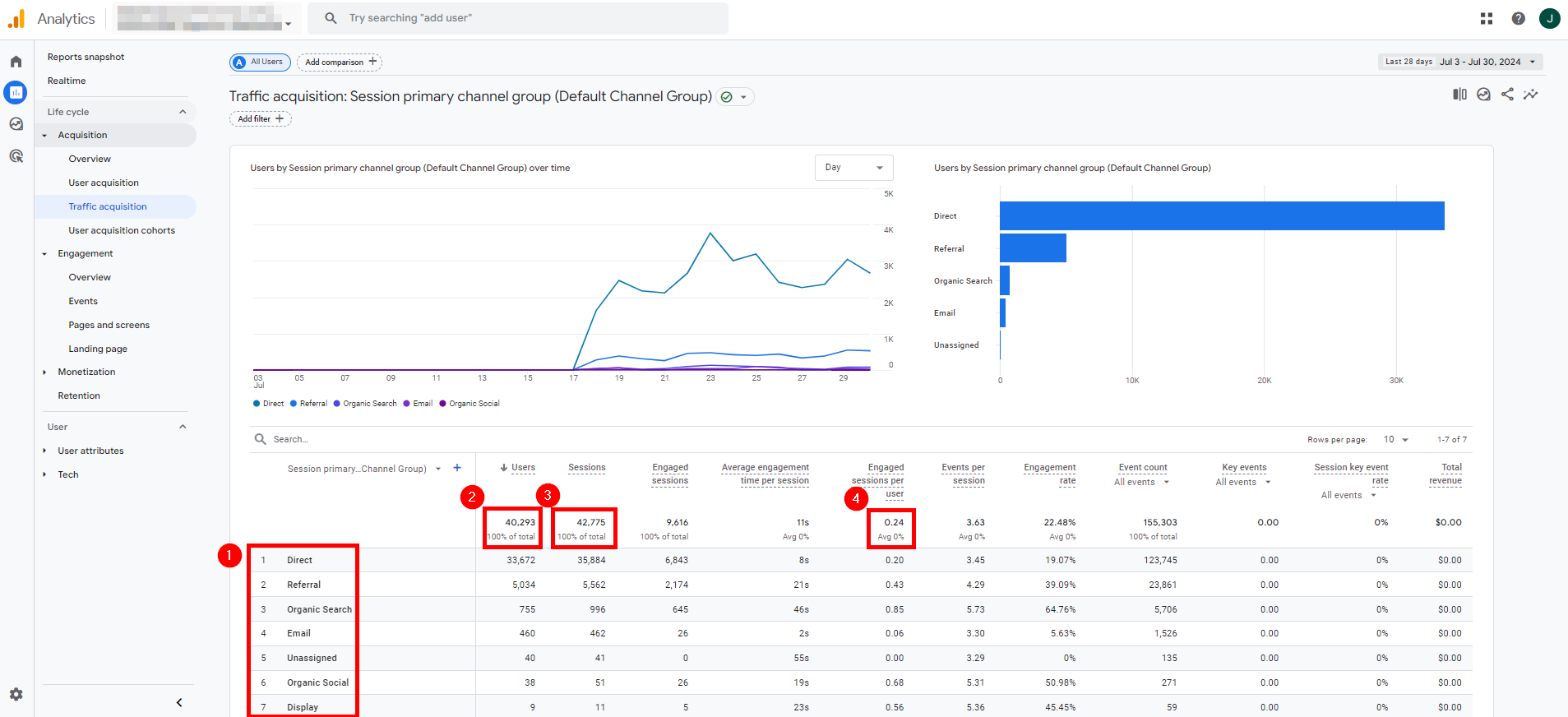
Life cycle > Acquisition > Traffic acquisition
- How to see referral traffic
- How to see users
- How to see sessions (formerly hits)
- How to see engagement time (formerly time on site)
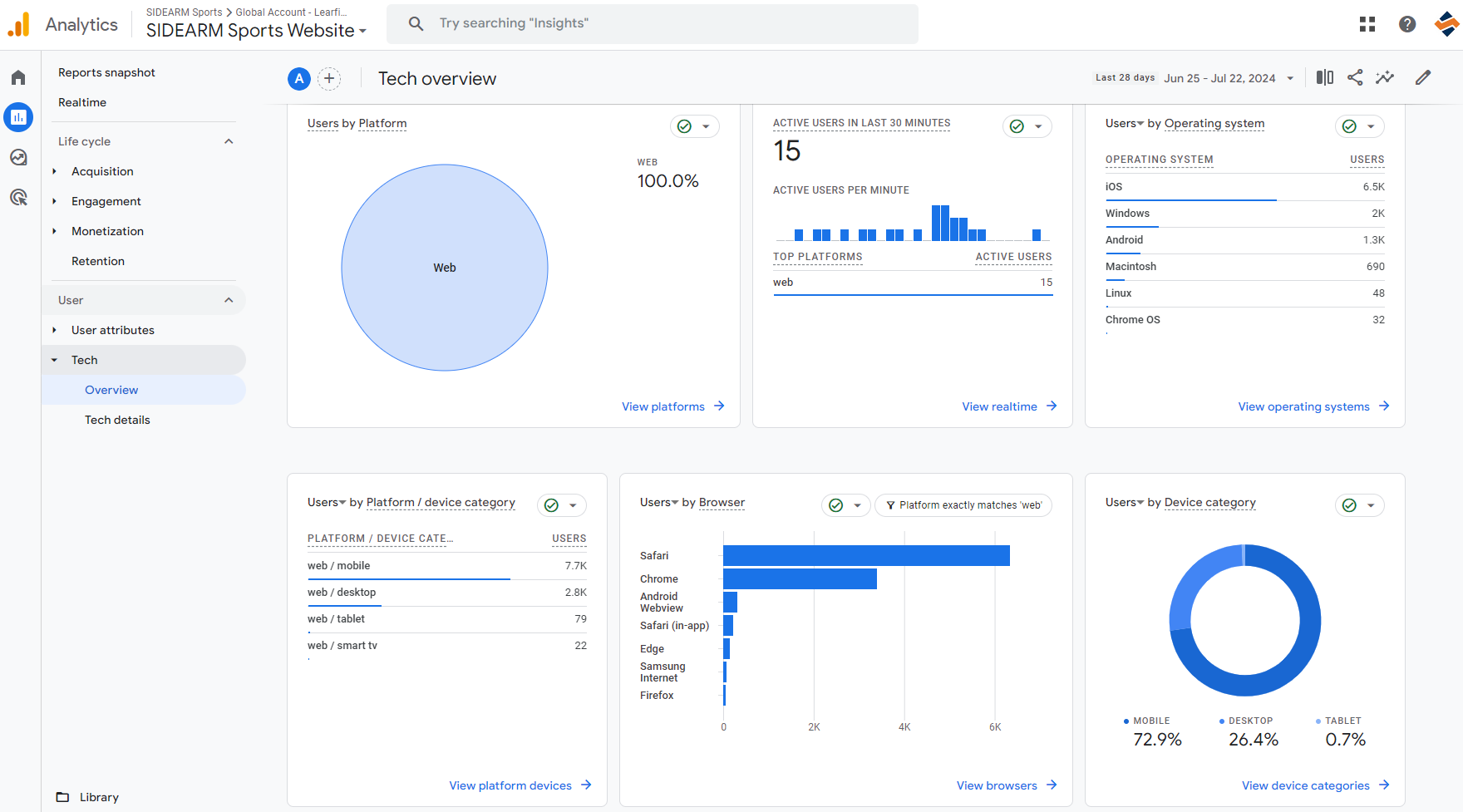
User > Tech > Overview
- How to see mobile traffic breakdown vs desktop
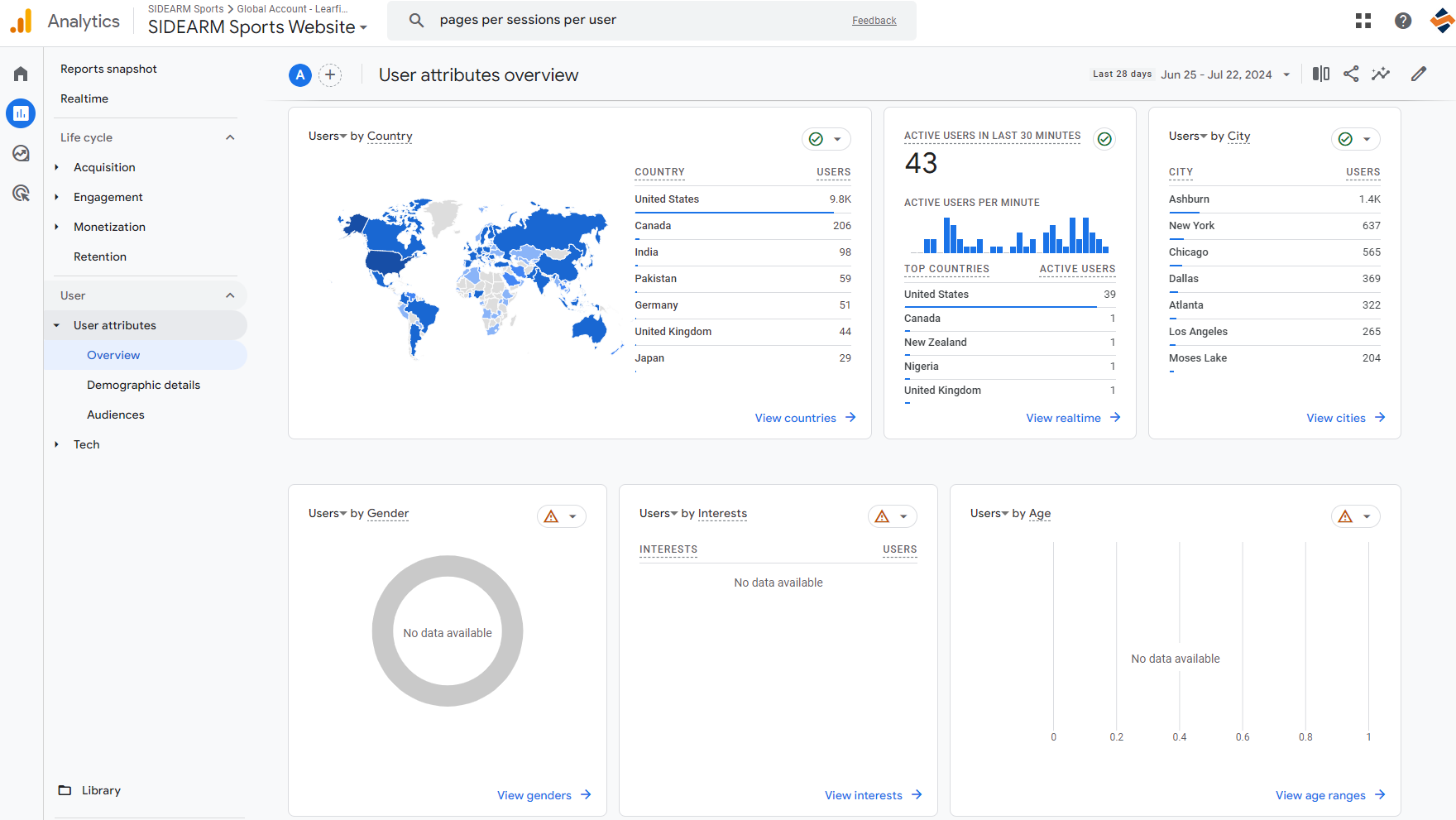
User > User attributes > Overview
- How to see demographics
Was this article helpful?
That’s Great!
Thank you for your feedback
Sorry! We couldn't be helpful
Thank you for your feedback
Feedback sent
We appreciate your effort and will try to fix the article