One of the most common asks is how to add segments of users that you can then target notifications towards.
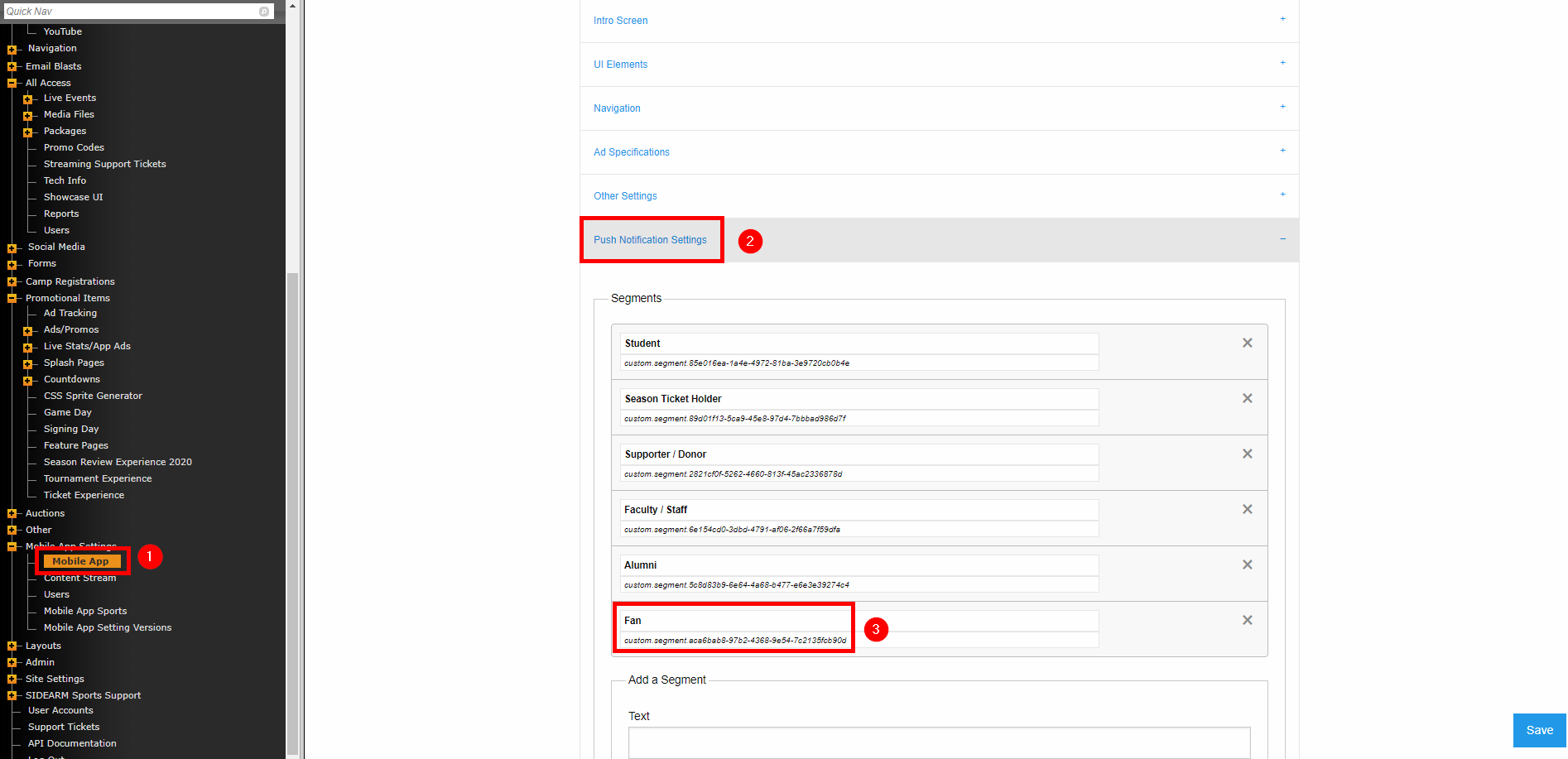
You'll start in your SIDEARM CMS by going to Mobile App>Push Notification Settings. There you'll add your segments and see the Tag code generated. You'll need these Tag codes to connect everything in Airship
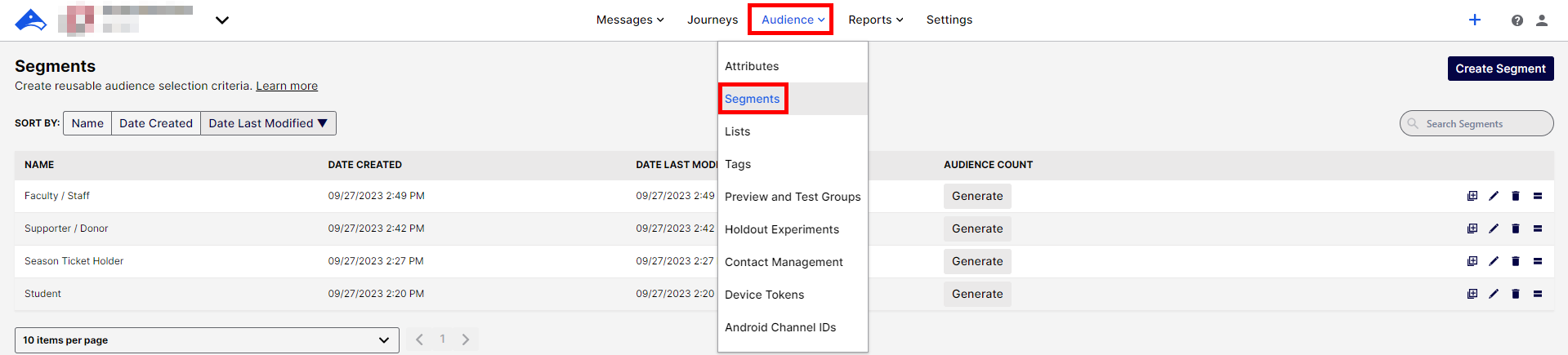
The next steps will be done in Airship. There, you'll go to Audience>Segments.
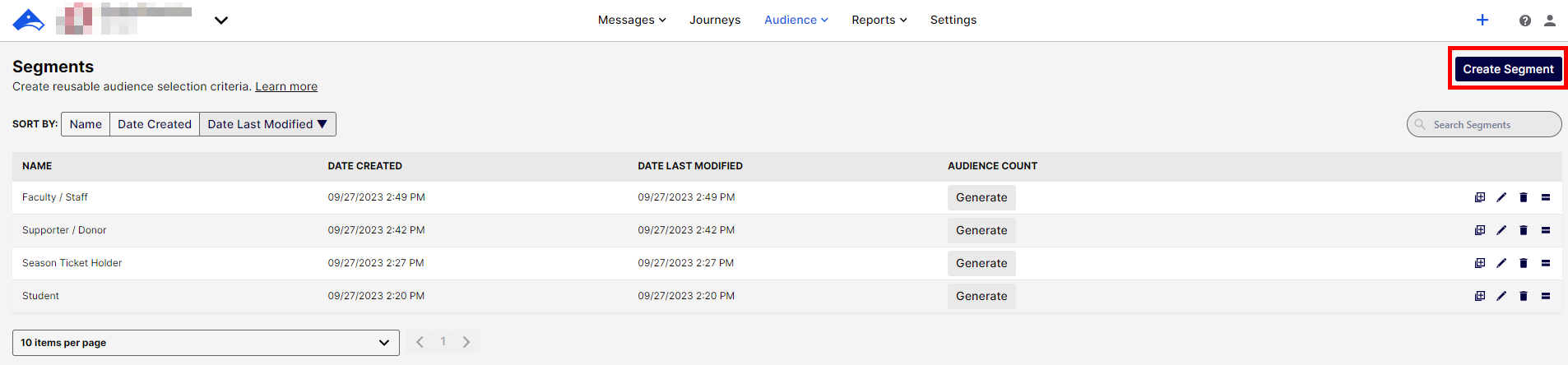
Click on "Create Segment"
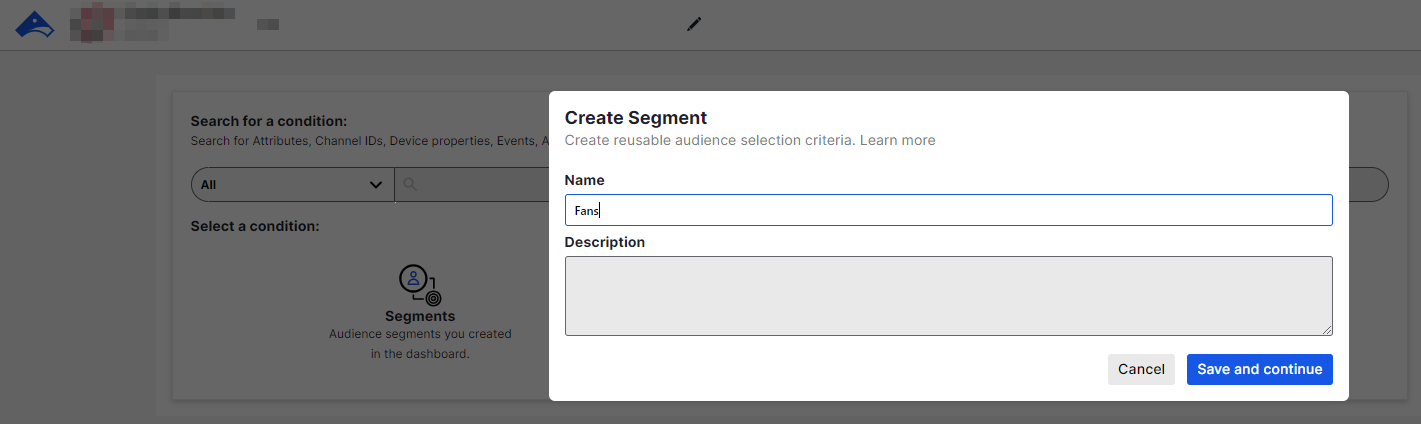
Type out one of the segments that you created in your SIDEARM CMS.
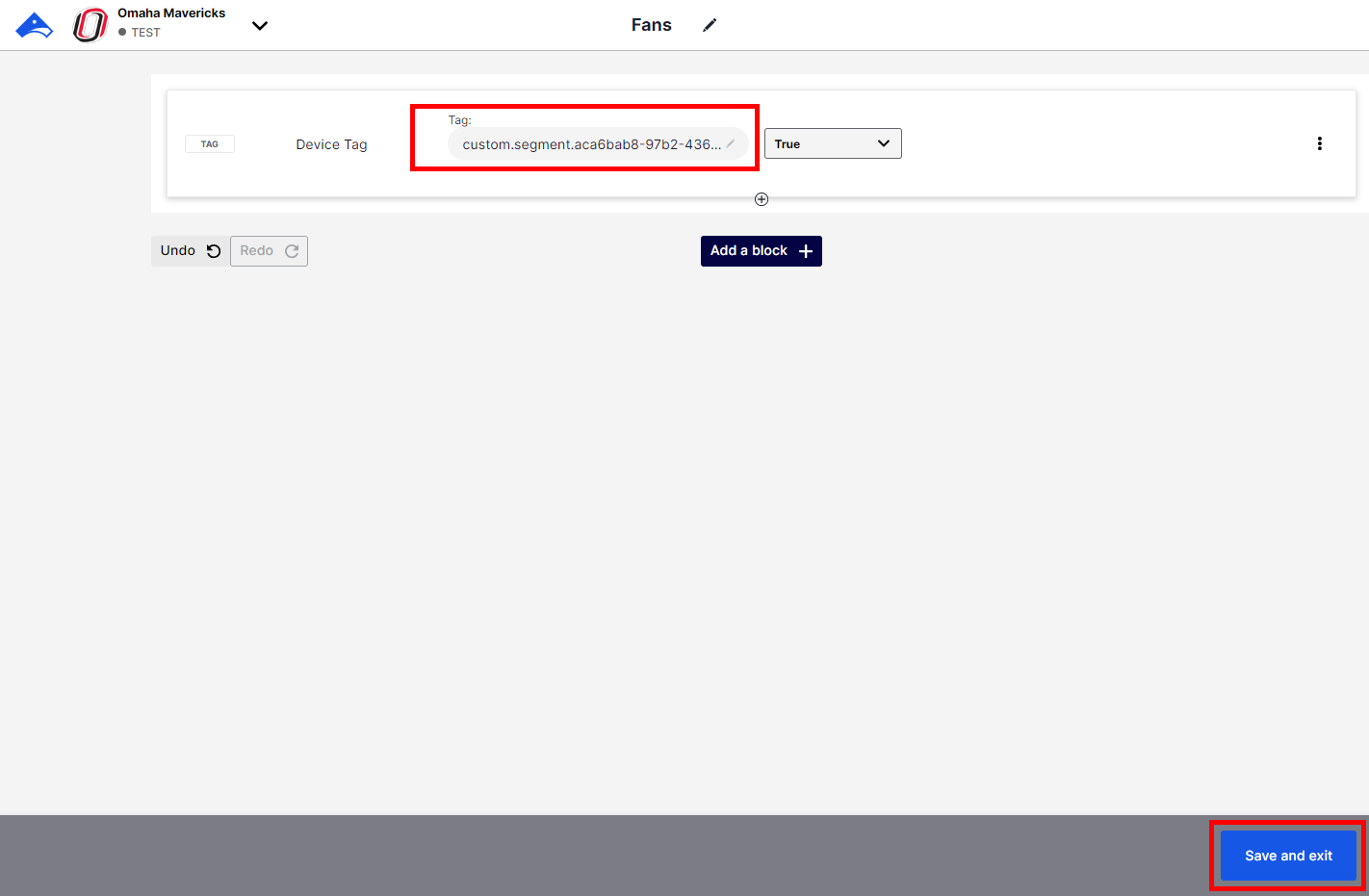
Take the Tag from the segment in the SIDEARM CMS and add it to the Tag in Airship before clicking "Save and exit"
Was this article helpful?
That’s Great!
Thank you for your feedback
Sorry! We couldn't be helpful
Thank you for your feedback
Feedback sent
We appreciate your effort and will try to fix the article