Once your Google Analytics account is created, your GA4 property is set up and your Data Stream is added, you're ready to find and send SIDEARM your GA4 measurement ID.
Below are the steps to find that GA4 measurement ID:
Navigate to https://analytics.google.com/ and click "All Accounts" at the top-left of the site:
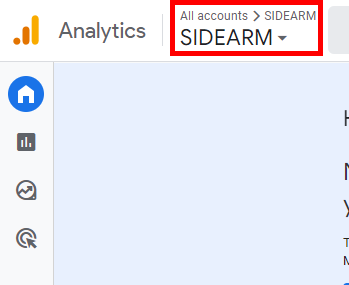
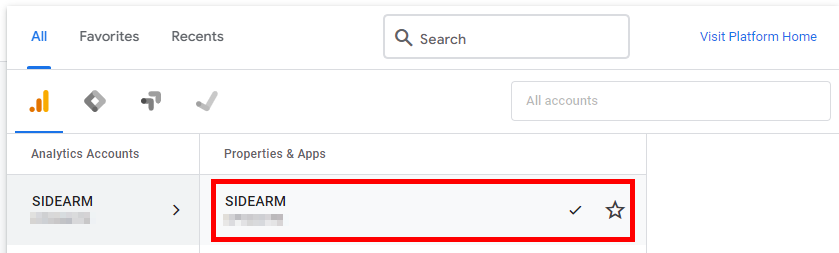
From there, select your Accounts and the GA4 property that you want analytics to flow into:
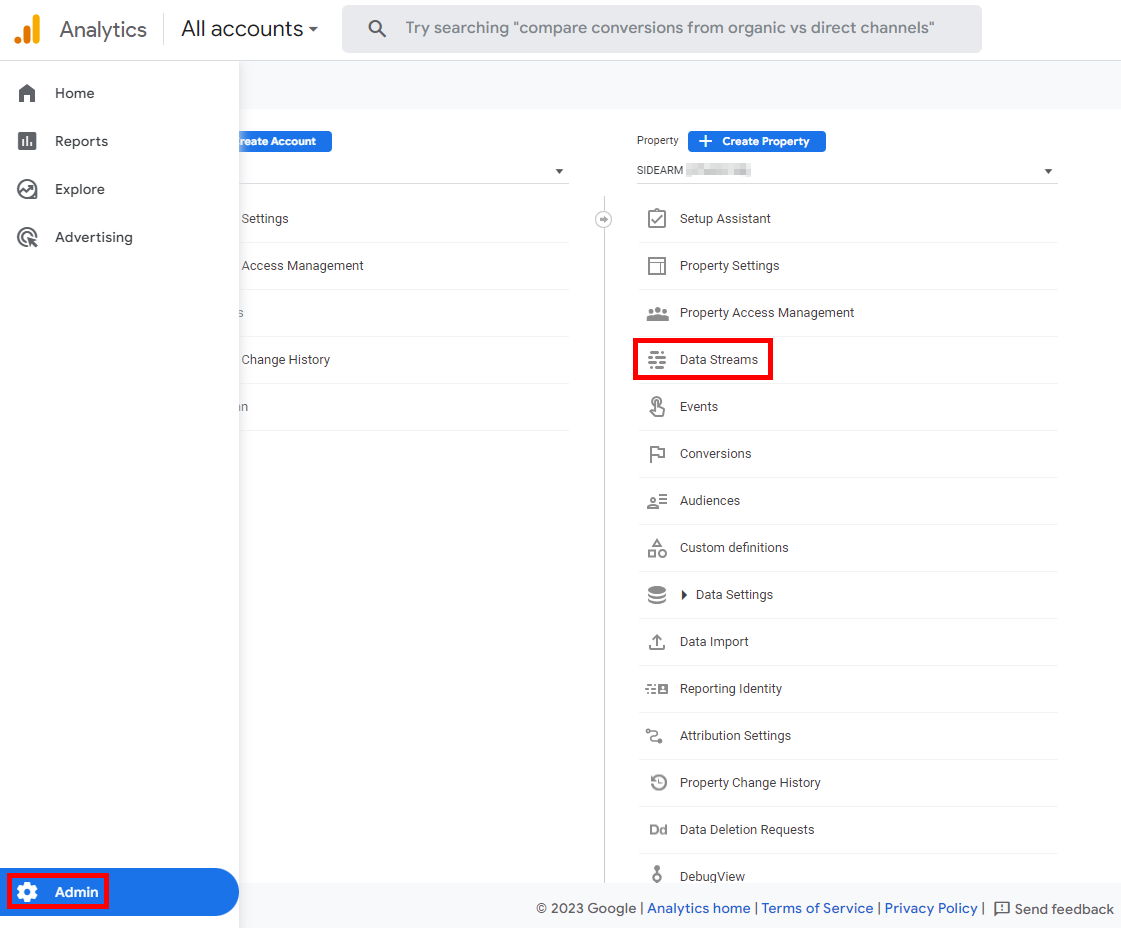
Then click "Admin" at the bottom-left before selecting "Data Streams" under the Property column:
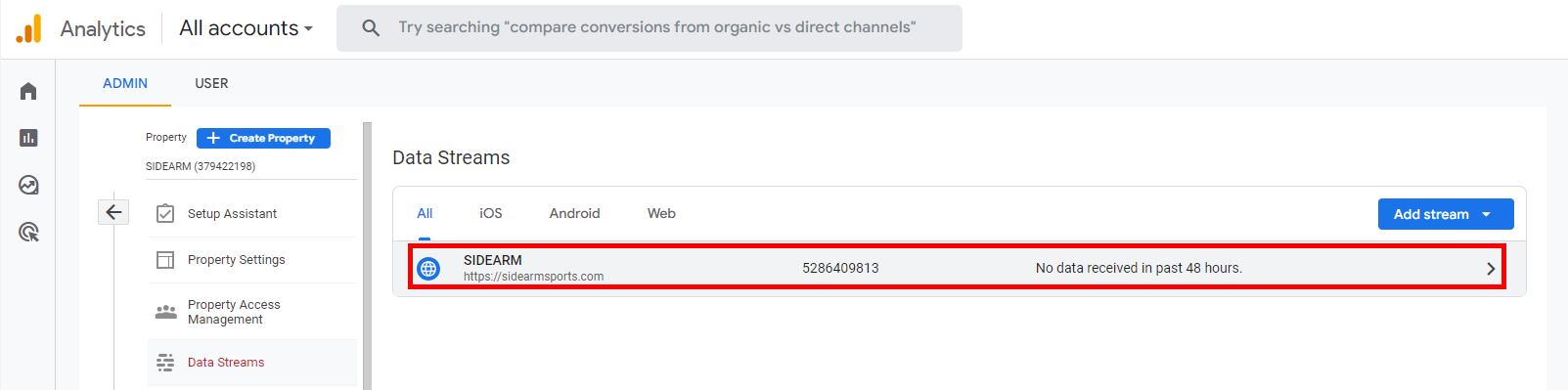
Click the Data Stream entry that houses your SIDEARM site URL:
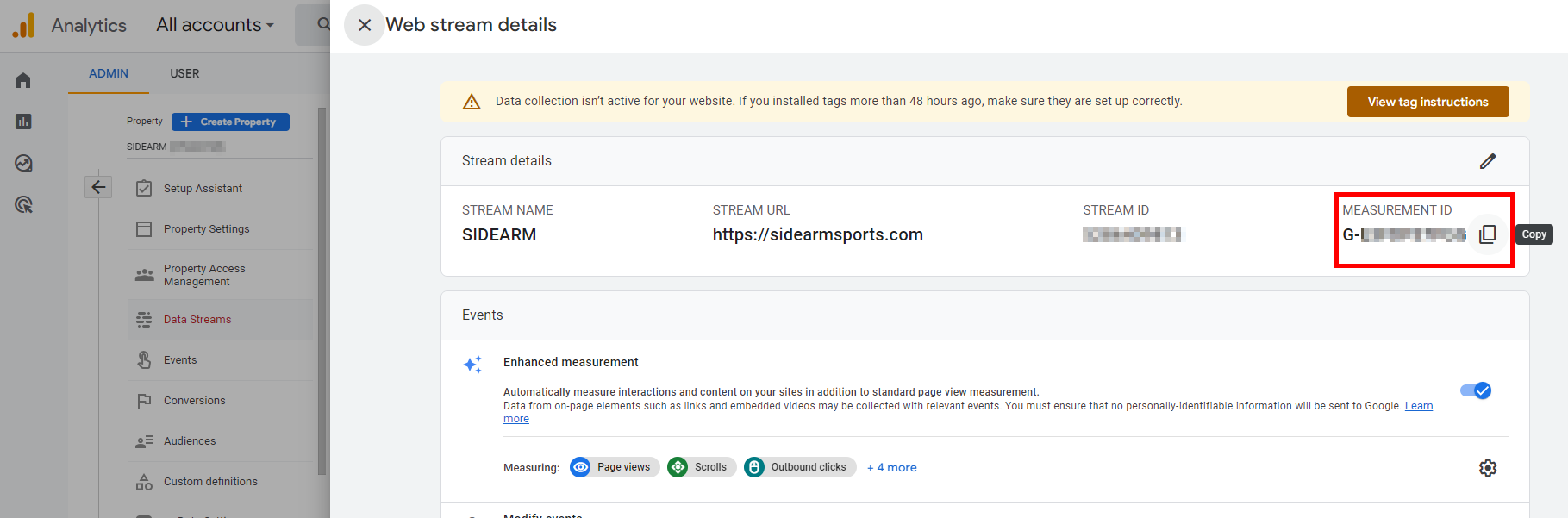
Click the "Copy" button next to your G- GA4 measurement ID:
Was this article helpful?
That’s Great!
Thank you for your feedback
Sorry! We couldn't be helpful
Thank you for your feedback
Feedback sent
We appreciate your effort and will try to fix the article