To add ad/promo campaigns on your venue platform website back-end, first head to Promotional Items > Ads/Promos:
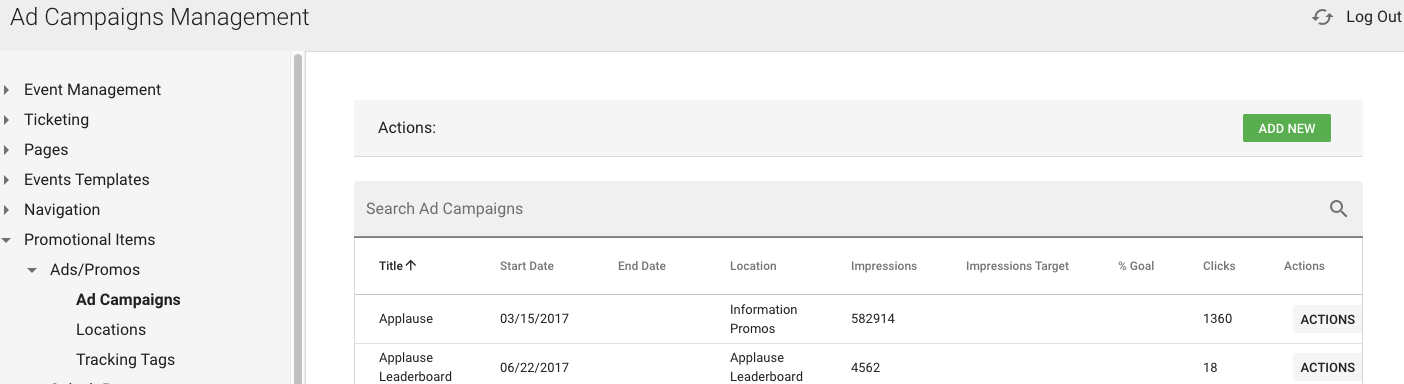
Once there, you're able to look at available "Locations" on your site as well as active campaigns.
Click "Add New" to make a new campaign, or click actions > edit to make changes to a current campaign.
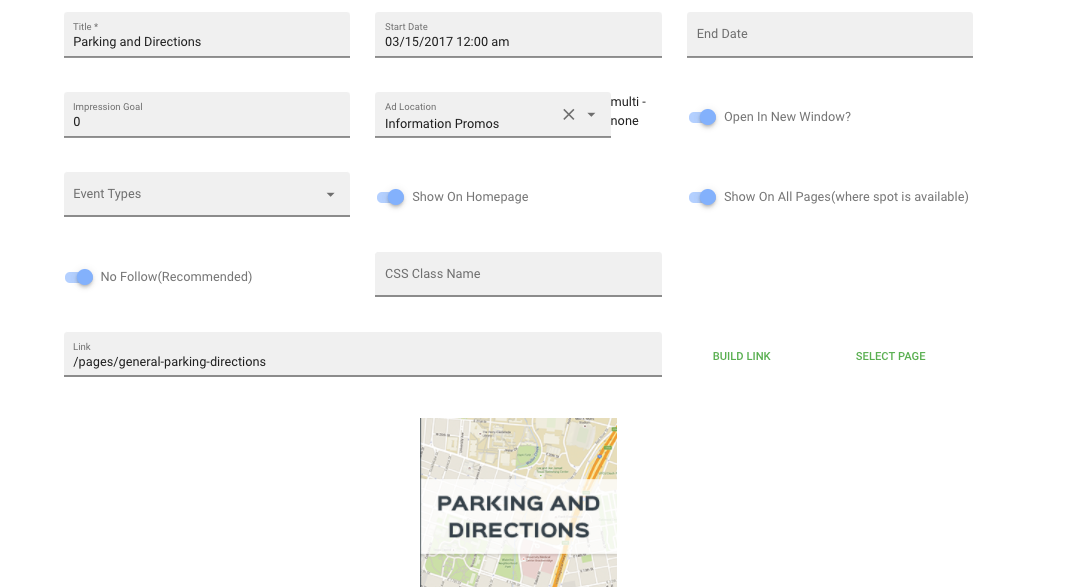
When adding/editing a campaign, make sure to:
1.) Give campaign a title, start date, and end date (if applicable)
2.) Set impression goals (if applicable)
3.) Set Ad Location
4.) Select Image from back-end and add hyperlink so when ad spot is clicked on it goes to intended area
Was this article helpful?
That’s Great!
Thank you for your feedback
Sorry! We couldn't be helpful
Thank you for your feedback
Feedback sent
We appreciate your effort and will try to fix the article