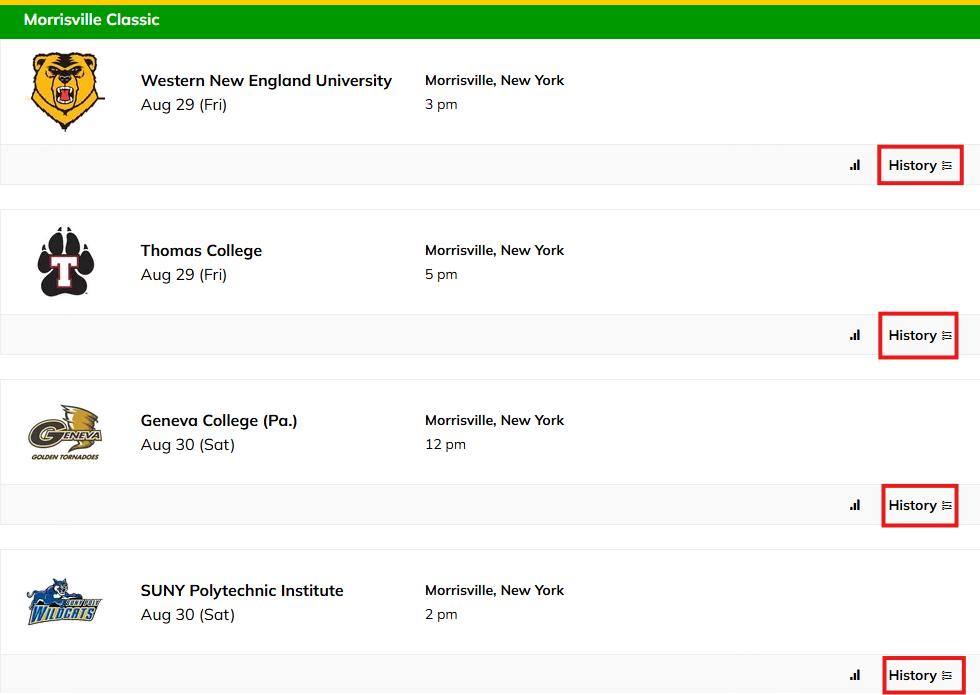
You now have the ability to have a history page on your team's schedules that will leverage all of the schedules/uploaded to your SIDEARM site to track match-ups/history will your opponents
To enable the feature, go to Site Settings > Sports > "edit" desired team. Navigate to second tab titled Defaults and make sure "Display Opponent History on Schedule" is toggled on.
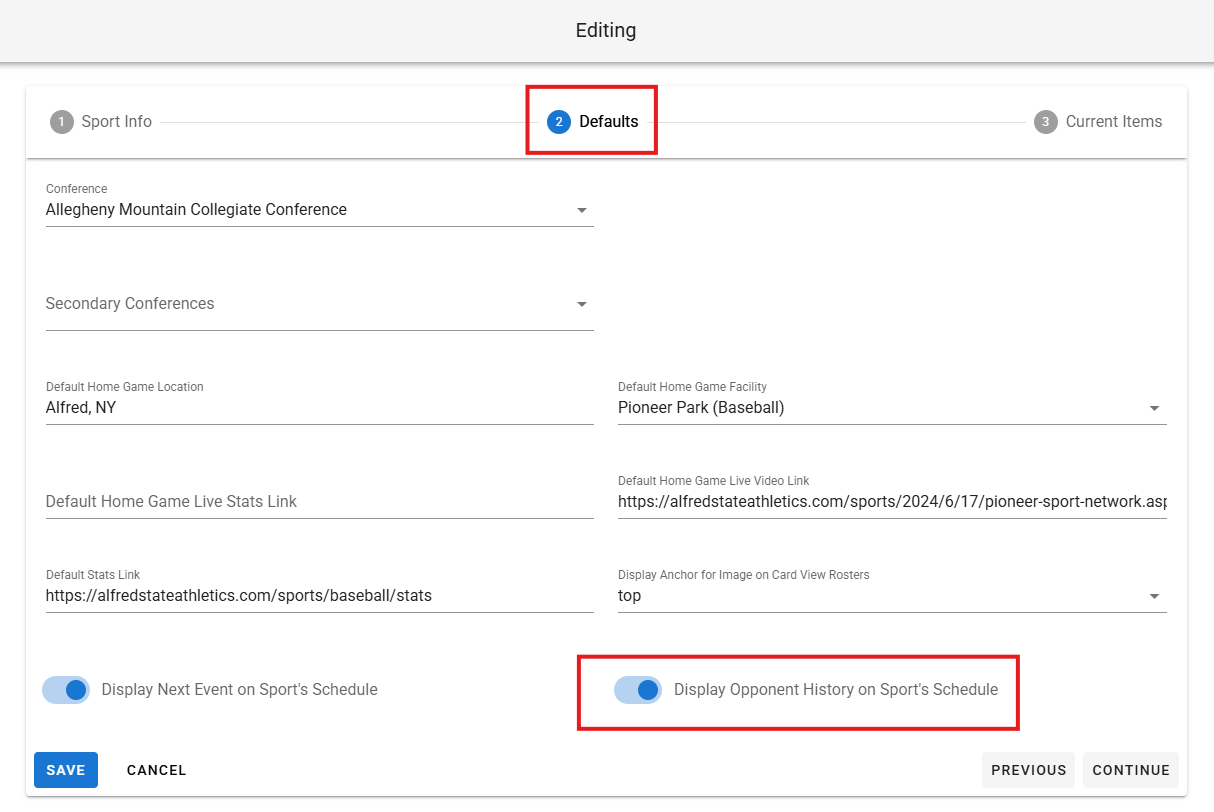 Click "save" once you've done so.
Was this article helpful?
That’s Great!
Thank you for your feedback
Sorry! We couldn't be helpful
Thank you for your feedback
Feedback sent
We appreciate your effort and will try to fix the article