There is a quick way in the system to make sure all of your seasons are up-to-date in the back end of your SIDEARM site.
To access the screen below go to Site Settings > Sports > Set Defaults
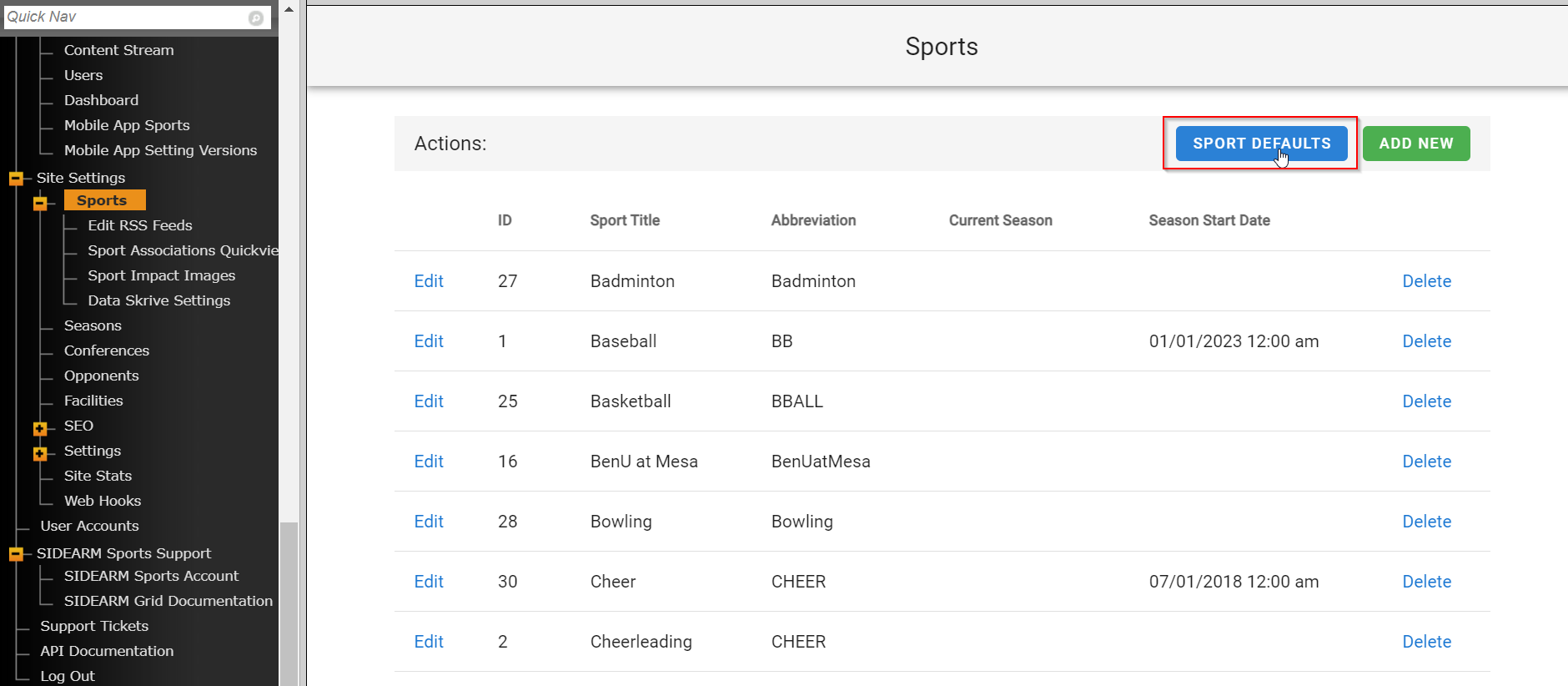
In this window, you can see what seasons are current for each sport. You can also quickly edit each sport to get them to the correct current season.
This is a good tool to use as the start of each new sports year to make sure your sports are operating off of the correct current season.
Was this article helpful?
That’s Great!
Thank you for your feedback
Sorry! We couldn't be helpful
Thank you for your feedback
Feedback sent
We appreciate your effort and will try to fix the article