Composite calendar templates/layouts are now available for our partners.
Under the Layouts tab in the SIDEARM back end, you will find a ‘Set Default Composite Calendar Template’ option.
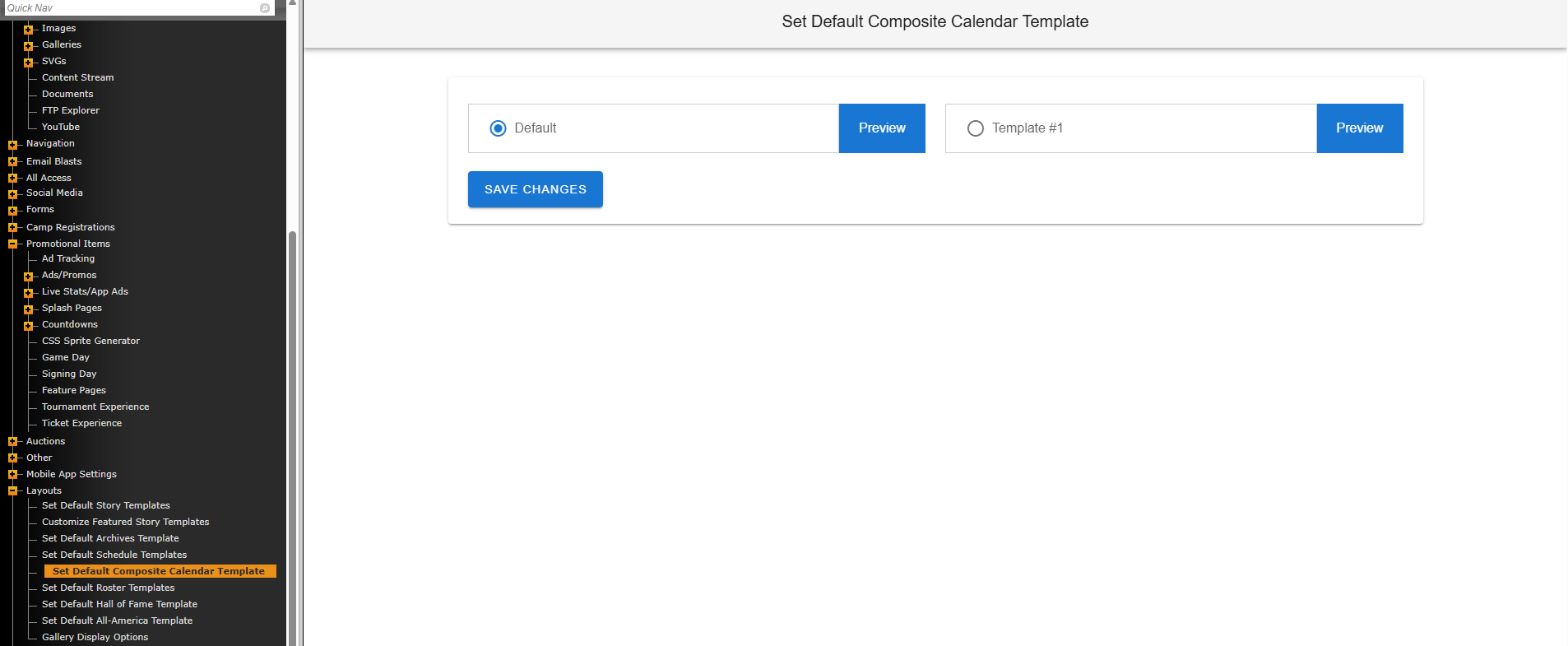
Here, you can activate either of our templates for your composite calendar. To compare/view options, click "preview" button next to each template.
Below are examples of the templates that are available to select from.
Default Template
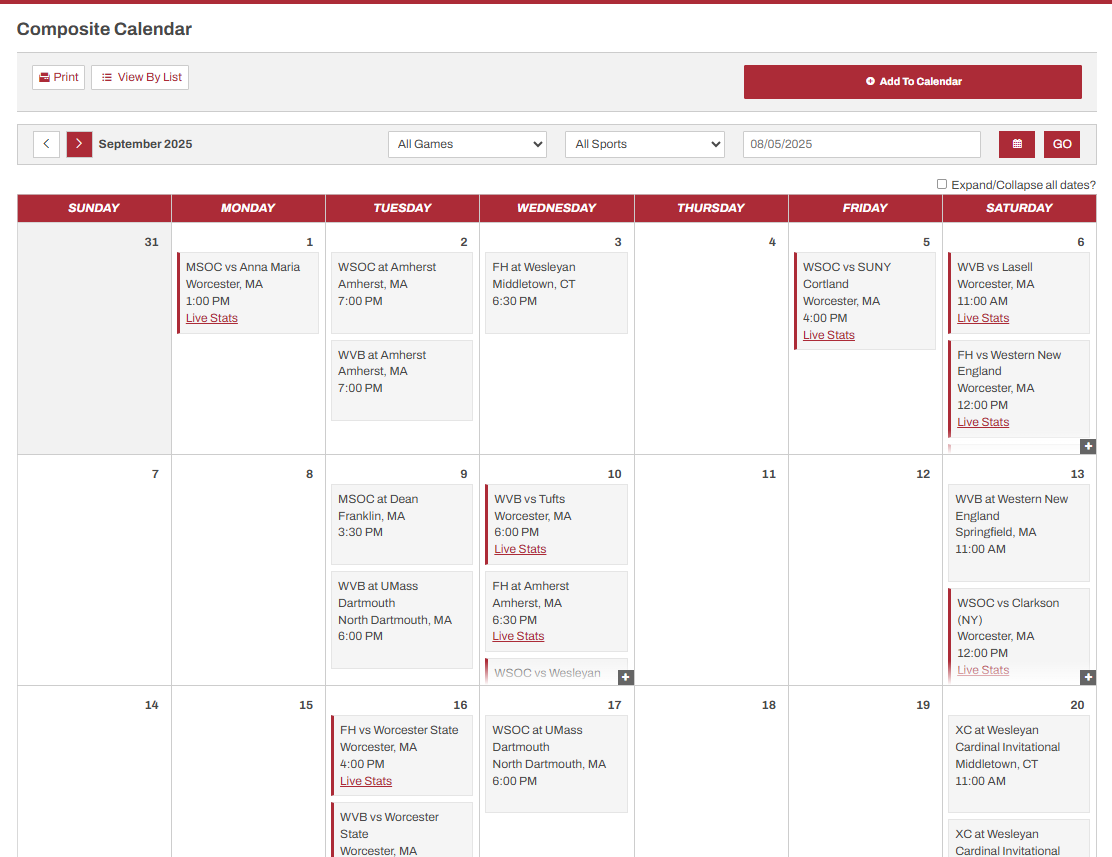
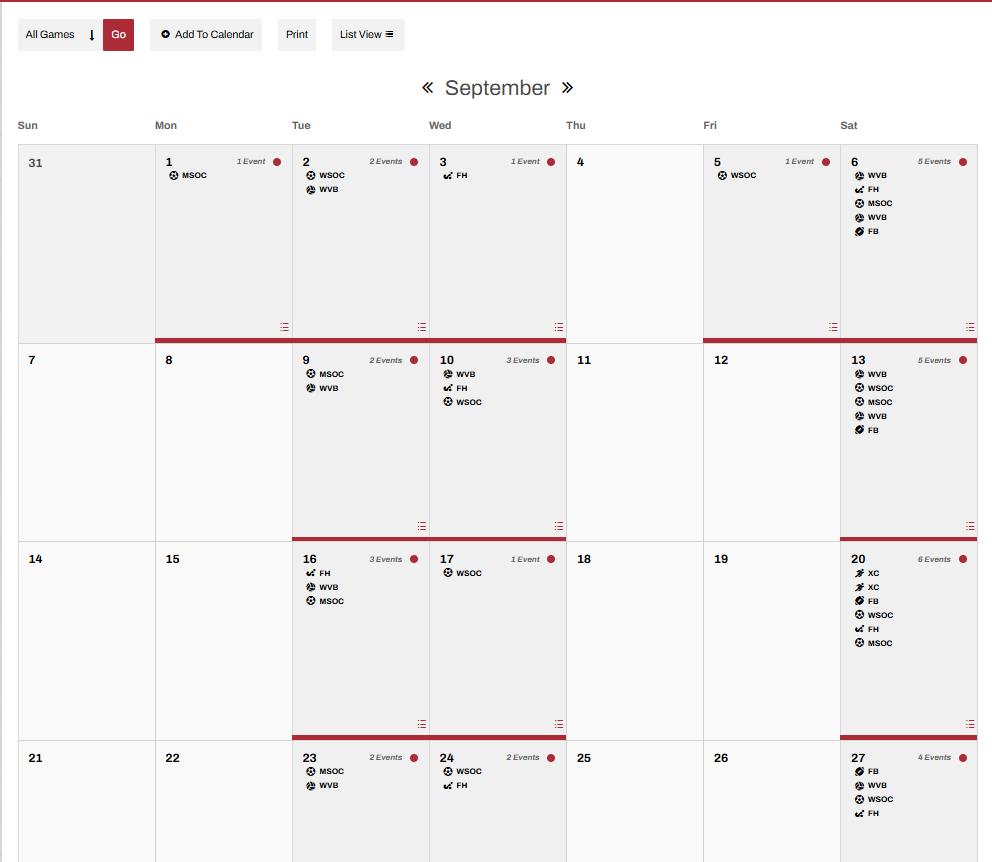
Template #1
*Note: Template #1 does not have same filter by games or sports feature that the default template has
To select and publish a template to your site, simply toggle the desired template and then click save changes.
Was this article helpful?
That’s Great!
Thank you for your feedback
Sorry! We couldn't be helpful
Thank you for your feedback
Feedback sent
We appreciate your effort and will try to fix the article