Allows you to customize templates for weekly newsletters (we suggest using the email designer).
By clicking on Newsletters > Templates you will be giving the choice to edit, add new, copy or delete any template already in the system.
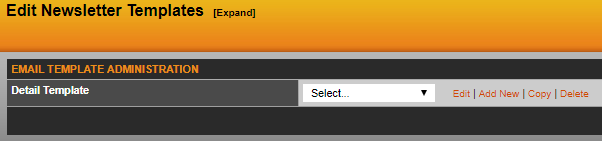
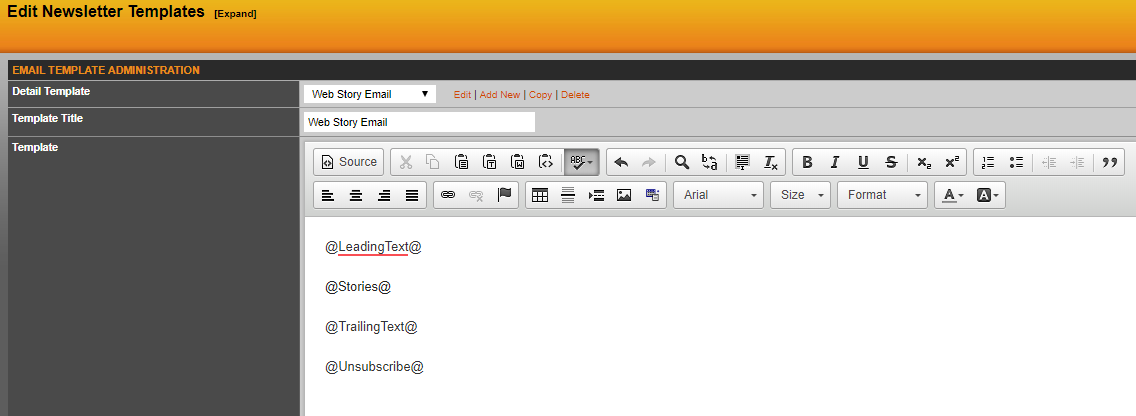
Your site will have one 'standard' template for you use, but if you wish to add others select 'standard' from the drop down and hit copy. As you can see below the standard template will pull in data you inserting into the leading and trailing text fields. It will also pull in stories (we suggest limiting to three) and the unsubscribe link (all of this is explained more here).
Here you can remove any of the predetermined fields (leading text, stories, trailing text, unsubscribe) and insert raw HTML via the text editor. Anything you insert here will be part of this template. Once you have made your changes give this new template a title and hit save changes.
TIP: One item you might want to add into your standard template is a header you want to use when blasting out stories.
Was this article helpful?
That’s Great!
Thank you for your feedback
Sorry! We couldn't be helpful
Thank you for your feedback
Feedback sent
We appreciate your effort and will try to fix the article