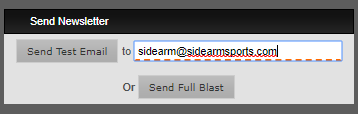
Before sending your newsletter we suggest using the “Send Test Email” function first so you can see how the newsletter will look in email before your full blast goes out. The textbox next to the 'Send Test Email to' is for the email to send a sample to.
If you click Send Full Blast, it’ll send the newsletter to the Email List selected in the Blast Options section.
Was this article helpful?
That’s Great!
Thank you for your feedback
Sorry! We couldn't be helpful
Thank you for your feedback
Feedback sent
We appreciate your effort and will try to fix the article