Start by clicking "Log In" from the /watch page of your website.
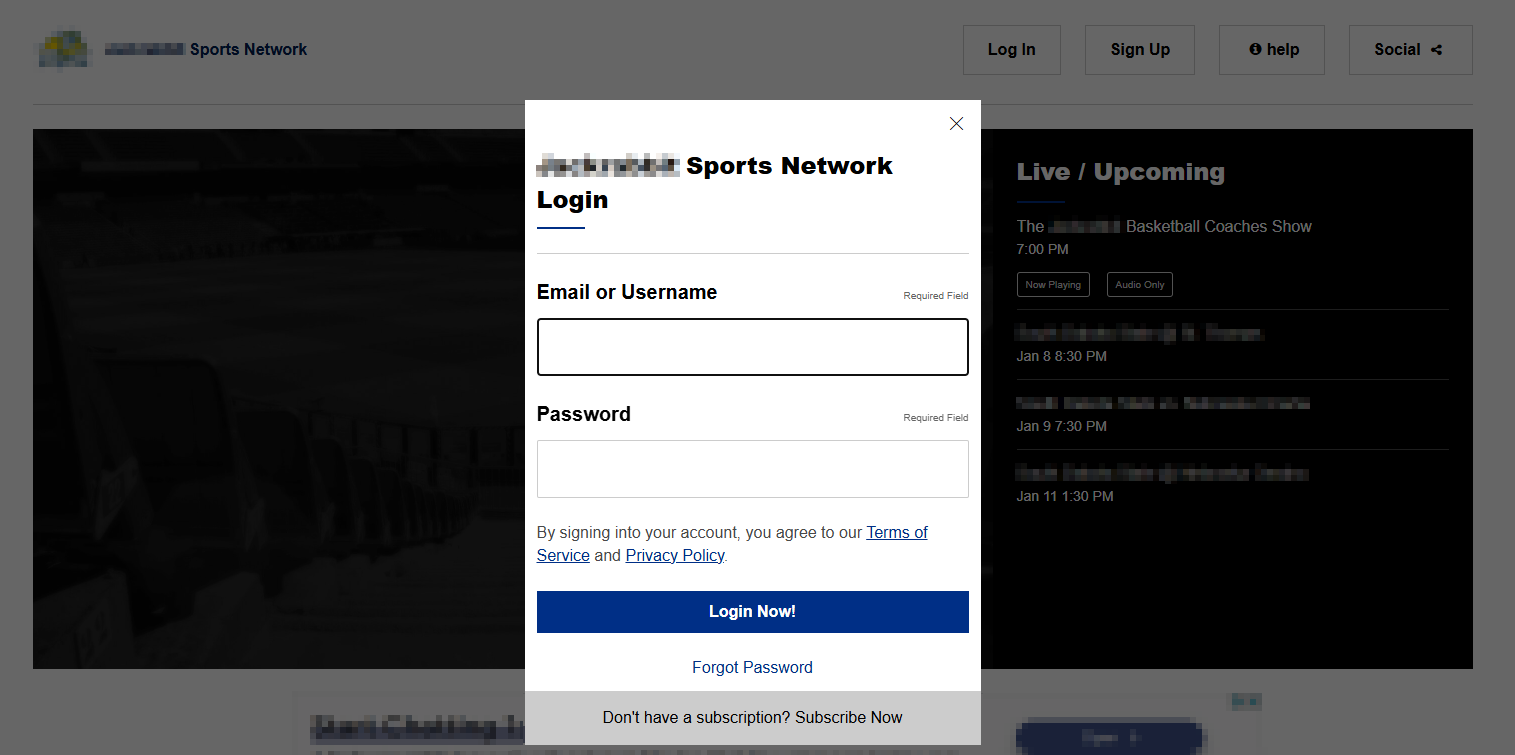
Once logged in, follow the steps below:
1. To cancel your subscription, please select Your Account from the available options at the top of the screen (see below)
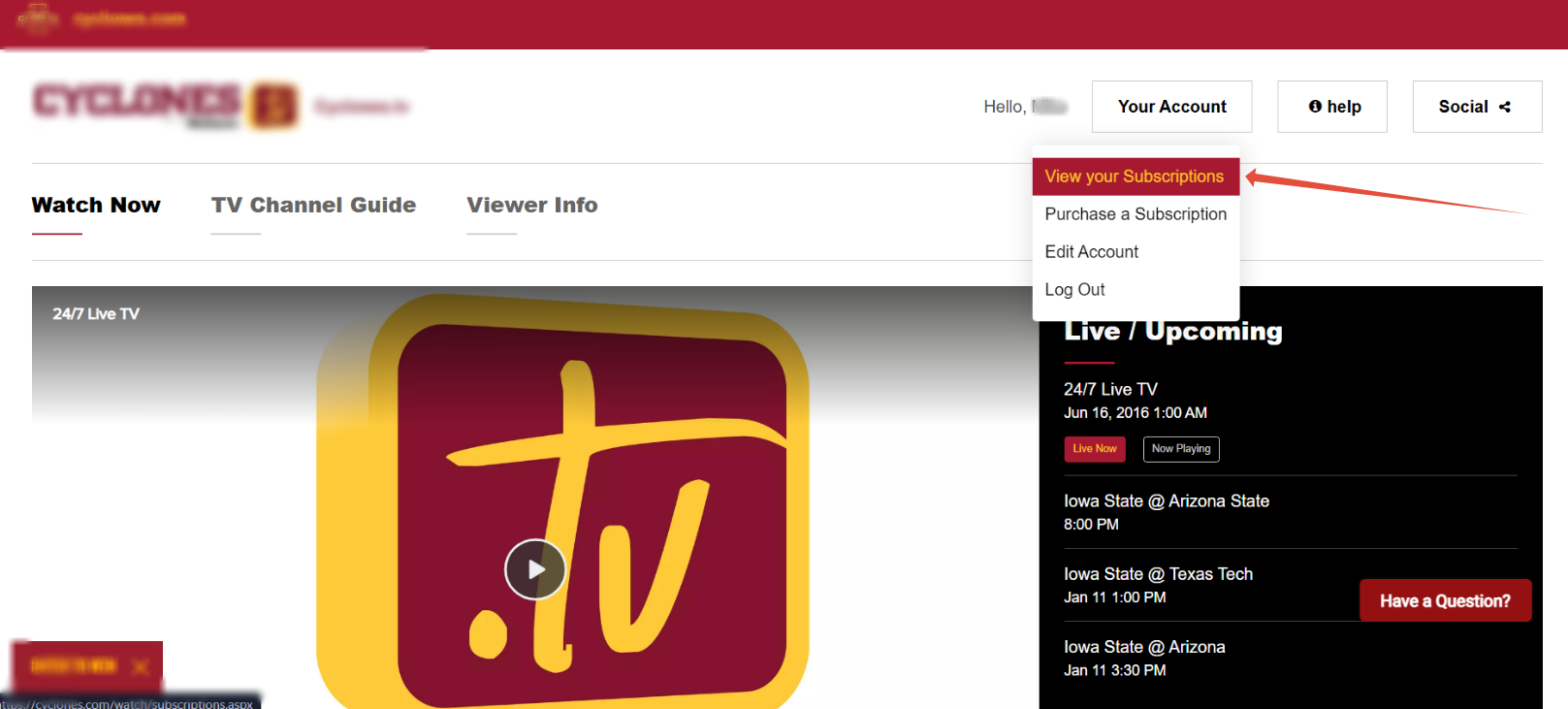
2. A dropdown menu will appear. Please select View Your Subscriptions.
3. At the next screen (see below), select Cancel next to the active subscription you wish to cancel. Then, follow the prompts to complete your cancellation.
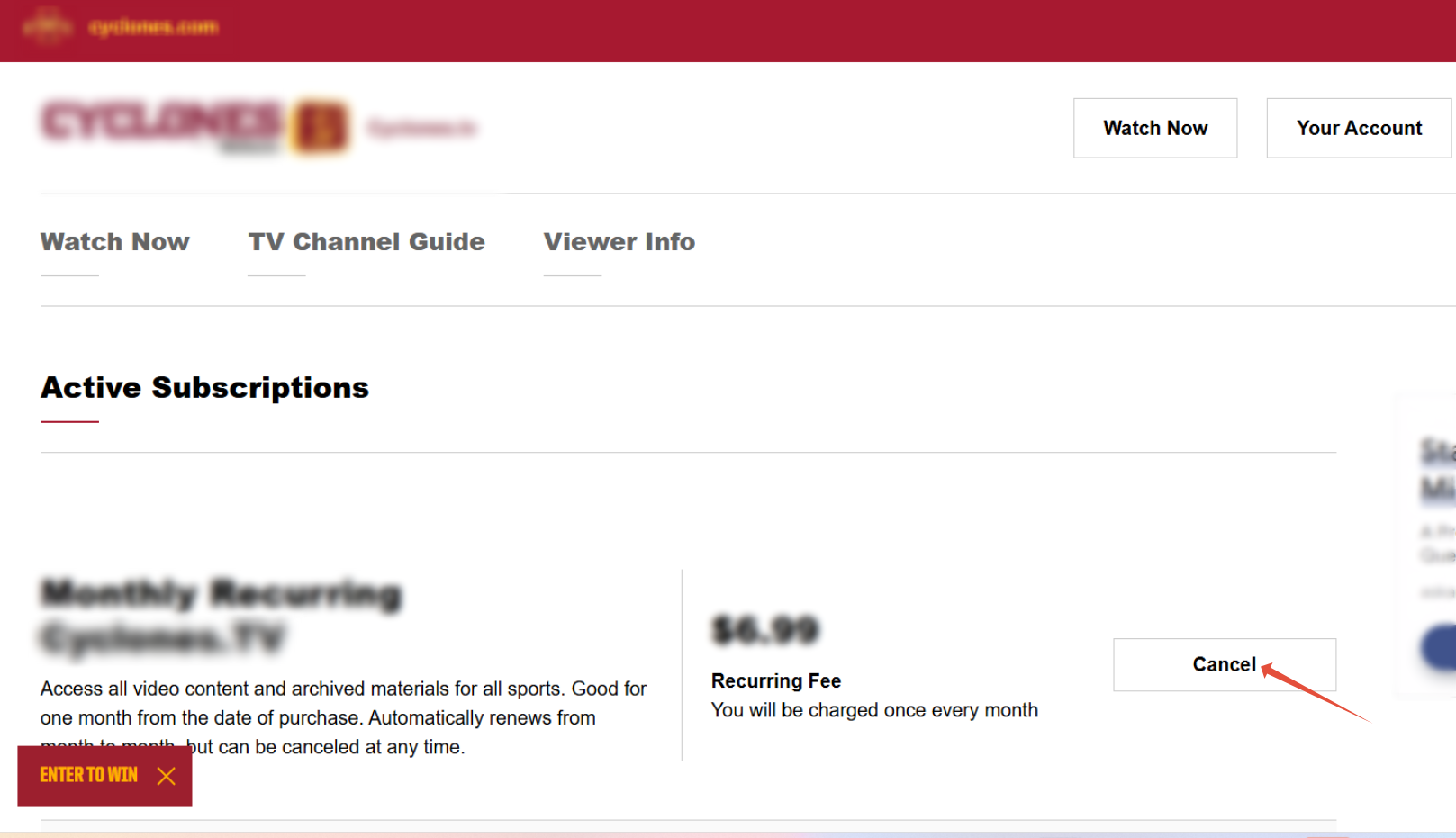
Note: An email confirming the cancellation will be sent to the address used for the purchase.
Was this article helpful?
That’s Great!
Thank you for your feedback
Sorry! We couldn't be helpful
Thank you for your feedback
Feedback sent
We appreciate your effort and will try to fix the article