With the new SIDEARM Ticket Experience page, you'll be able to easily display and manage ticket information for all sports and events.
To access this page on the front end of the site, add /tickets to your site URL. Example: https://njcugothicknights.com/tickets
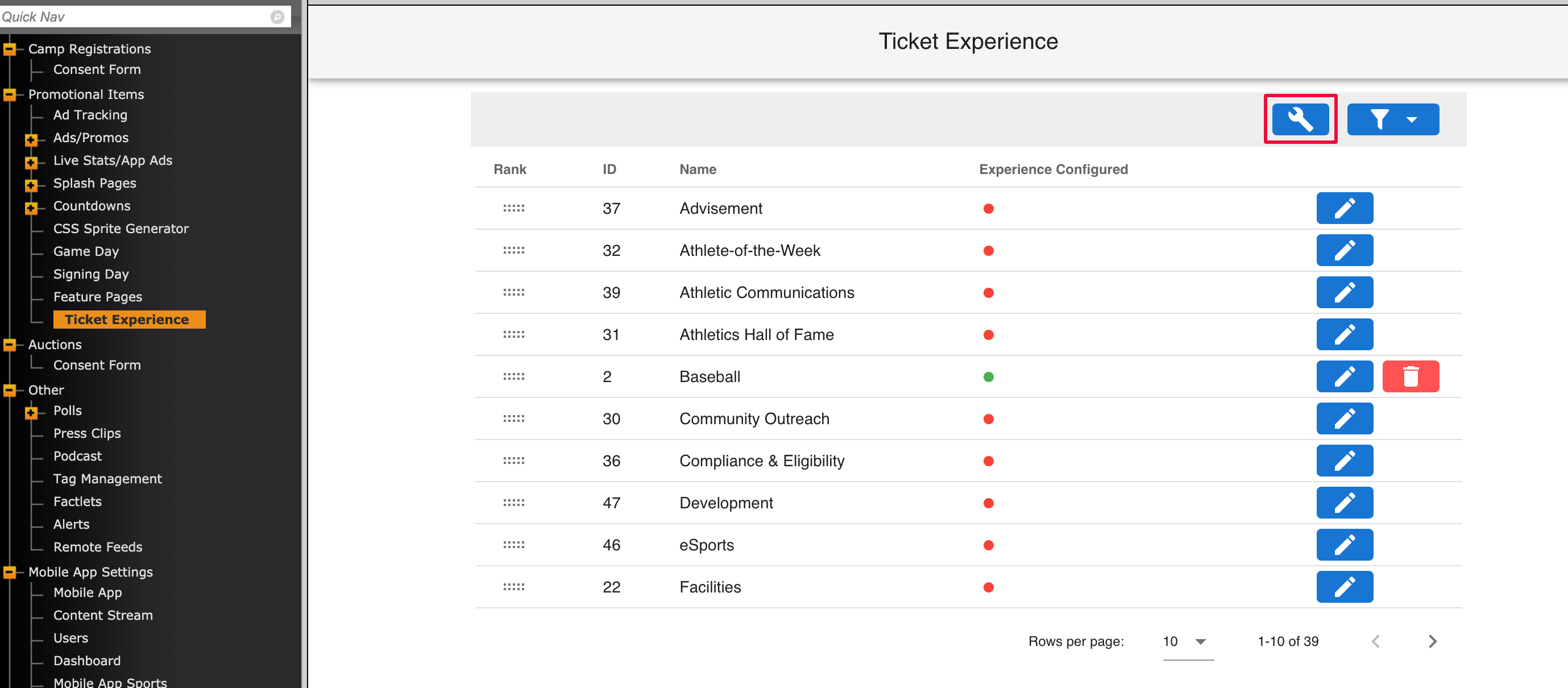
You'll find the "Ticket Experience" option under Promotional Items>Ticket Experience on the back end of your site. When clicking on that section, you'll initially see a list of all of the sports set up on your site that can be added to your tickets page.
First and foremost, you'll be able to add overall links and contact info to the page by clicking on the "Global Config" icon at the top:
From there, you can add any header and footer links you want to include on the page, along with ticketing contact info and hours that will display at the bottom of the page. Once you've entered that info, click the green "save" button and it will take you back to the main section with the sport listings.
Was this article helpful?
That’s Great!
Thank you for your feedback
Sorry! We couldn't be helpful
Thank you for your feedback
Feedback sent
We appreciate your effort and will try to fix the article