This section reviews the SIDEARM Camps platform, including the Camp Registration overview and getting-started training.
Table of Contents
Camp Registration Overview
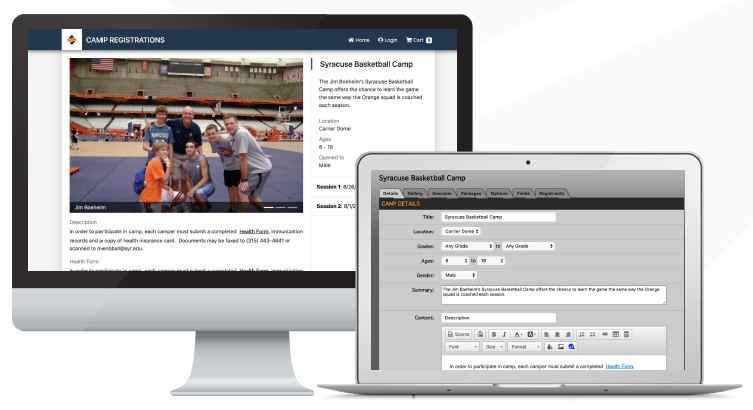
SIDEARM is pleased to offer an all-new camp platform focusing on a streamlined registration process for your team's camps. All management and payments are handled via the CMS, introducing a new revenue opportunity for your program directly from your current SIDEARM website.
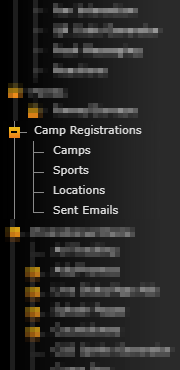
To get started, you'll find the Camp Registrations > Consent Form section on the admin side of your site. Once you read and finalize the consent section, you'll see all of the sections available to start setting up your camps.
There is a 94/6 revenue split for the camp registrations. All credit card/processing fees are rolled up into the 6 percent split for SIDEARM.
Features
Separate your camp into multiple sessions across different dates
Allow campers to register by:
Age
Grade
Gender
Add additional custom fields to be filled out by registrants, including:
Height
Shirt size
School
Contact information
Add custom items for purchase (i.e., merchandise)
Create multiple registration packages for the same camp (i.e., "Overnight Camper" vs. "Commuter Camper")
Gather important contact information automatically with each registration
All payment is handled within the CMS
The platform is built directly into your existing SIDEARM back end
Ability to e-mail all registrants at once via the CMS
Ability to export all registrant data
Camps Training
As you get started with the SIDEARM Camps platform, we encourage you to watch this recorded overview (with closed captioning) and training of that section of the back end.
Recording: https://sidearmsports.com/camps-training
Password: $IDEARM44!
Was this article helpful?
That’s Great!
Thank you for your feedback
Sorry! We couldn't be helpful
Thank you for your feedback
Feedback sent
We appreciate your effort and will try to fix the article