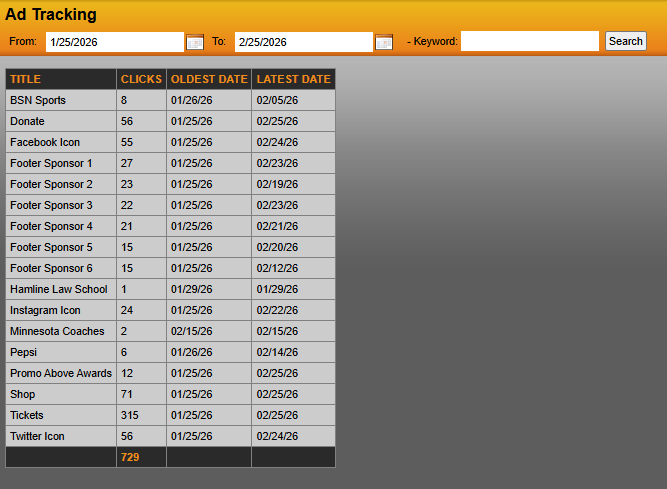
By going to Promotional Items > Ads/Promos > Ad Tracking, you will be able to see how your ads are performing. Enter your start and end date you wish to collect data from and hit "search". The clicks of each ad will be shown. The system defaults to show data from exactly one month prior to day you access this page.
Was this article helpful?
That’s Great!
Thank you for your feedback
Sorry! We couldn't be helpful
Thank you for your feedback
Feedback sent
We appreciate your effort and will try to fix the article