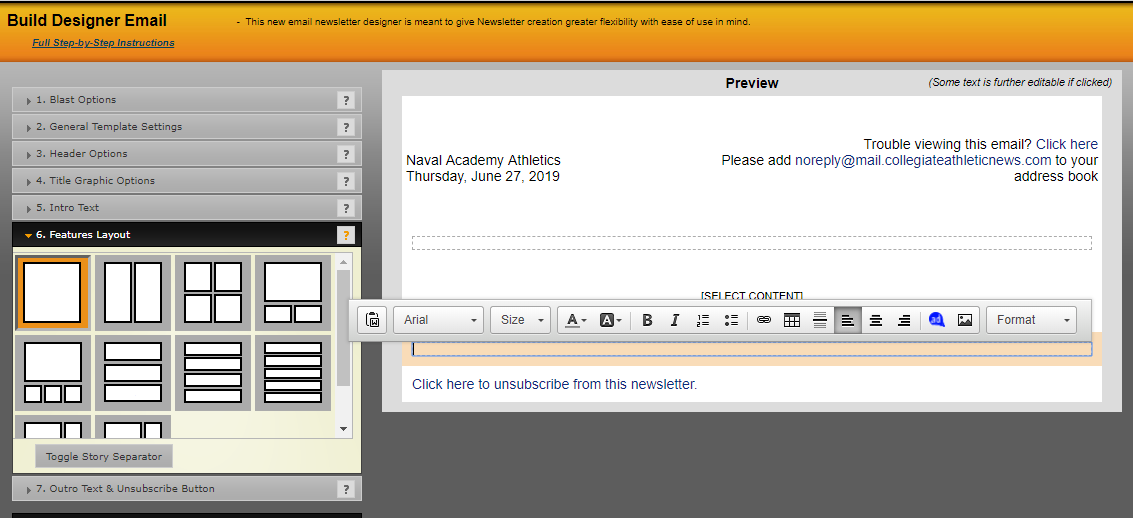
You can add content to appear at the bottom of the page, below the content that you'll enter in the Features Layout step.
To enter data, click in the area shown below where you can type or paste content in directly. You can also use the abbreviated editor to add additional content.
Was this article helpful?
That’s Great!
Thank you for your feedback
Sorry! We couldn't be helpful
Thank you for your feedback
Feedback sent
We appreciate your effort and will try to fix the article