Stadium HQ is an option that lives within the Game Center of your Mobile App and will only appear in for Home games*, with the aim to enhance the In-Stadium experience for your fans attending the game, with links such as Parking Maps, Concessions and other Integrations that you may have.
*With mobile app version 181.2.0+, this option is available for both Home and Neutral games.
Jump to section:
Stadium HQ Setup
Your Stadium HQ is setup under Game Center>Manage Templates, as part of your overall sport template.
Full instructions on the Template setup can be viewed here
When you edit a template you can click on the Stadium HQ tab and that will allow you to complete the setup for that sport.
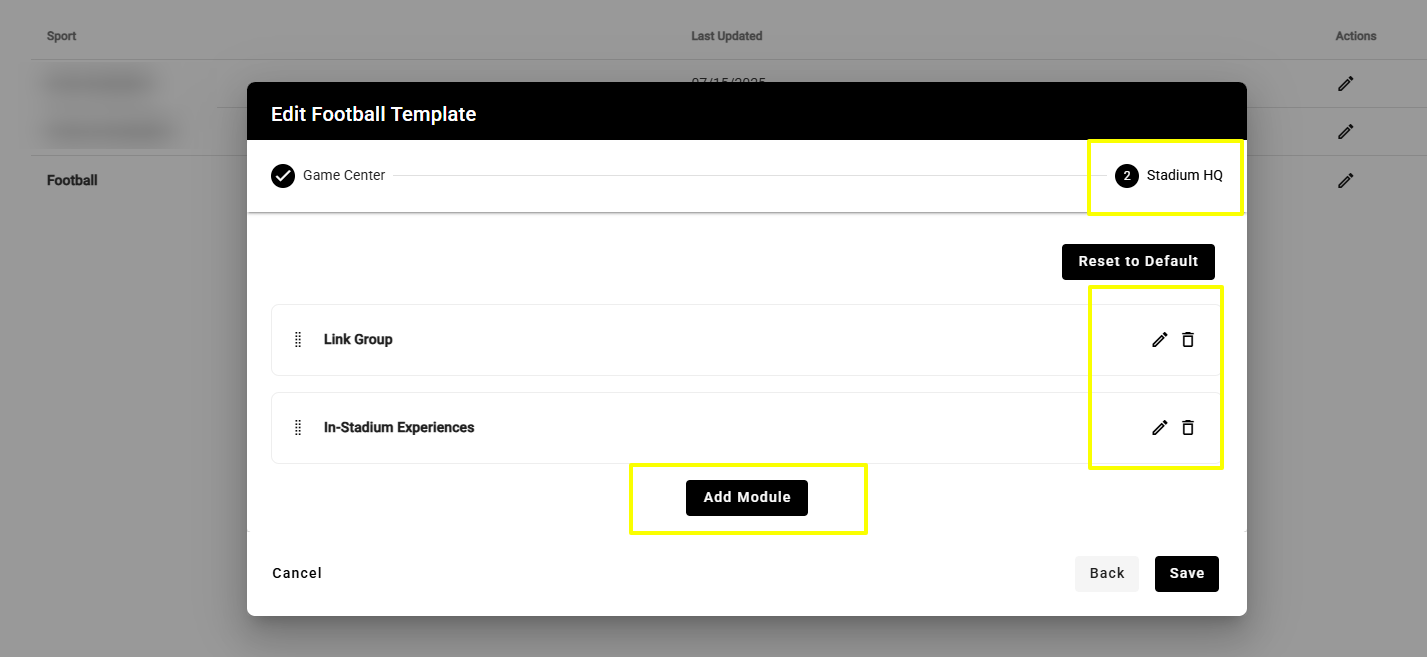
There are 3 different types of modules available to select: In-Stadium Experiences, Link Group & Promo Group
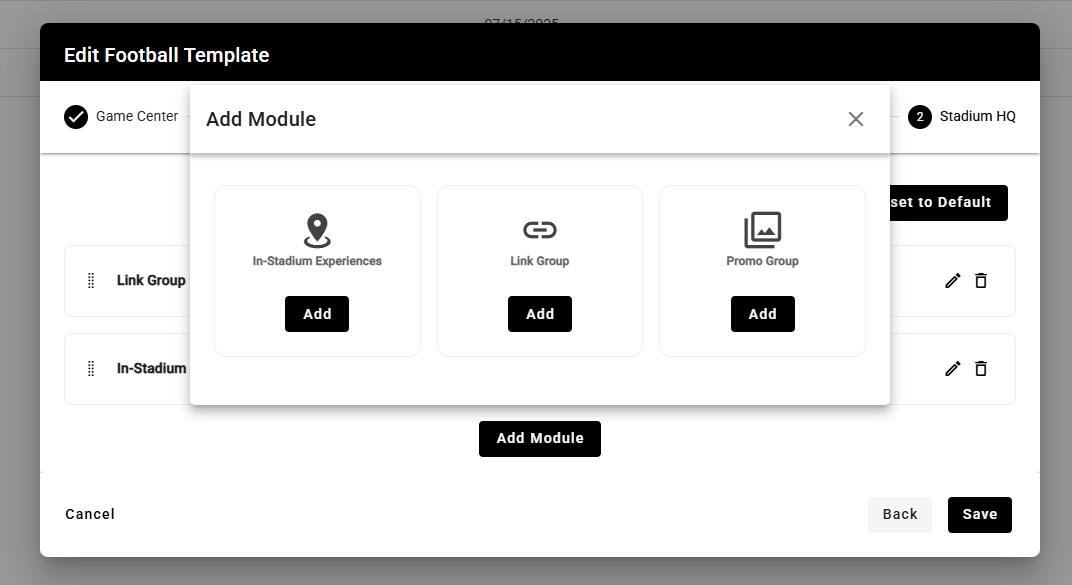
In-Stadium Experiences
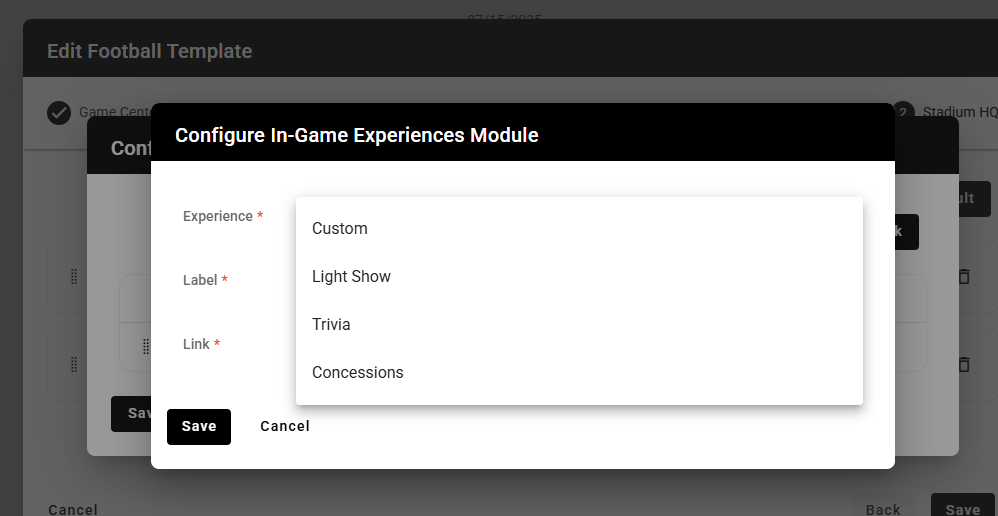
When adding modules to Stadium HQ, the In-Stadium Experiences menu allows you to choose from a few standard integrations that you may have built into your app, such as Light Show, Trivia and Concessions.
You can also select Custom and select your own icon and url.
Promo Groups
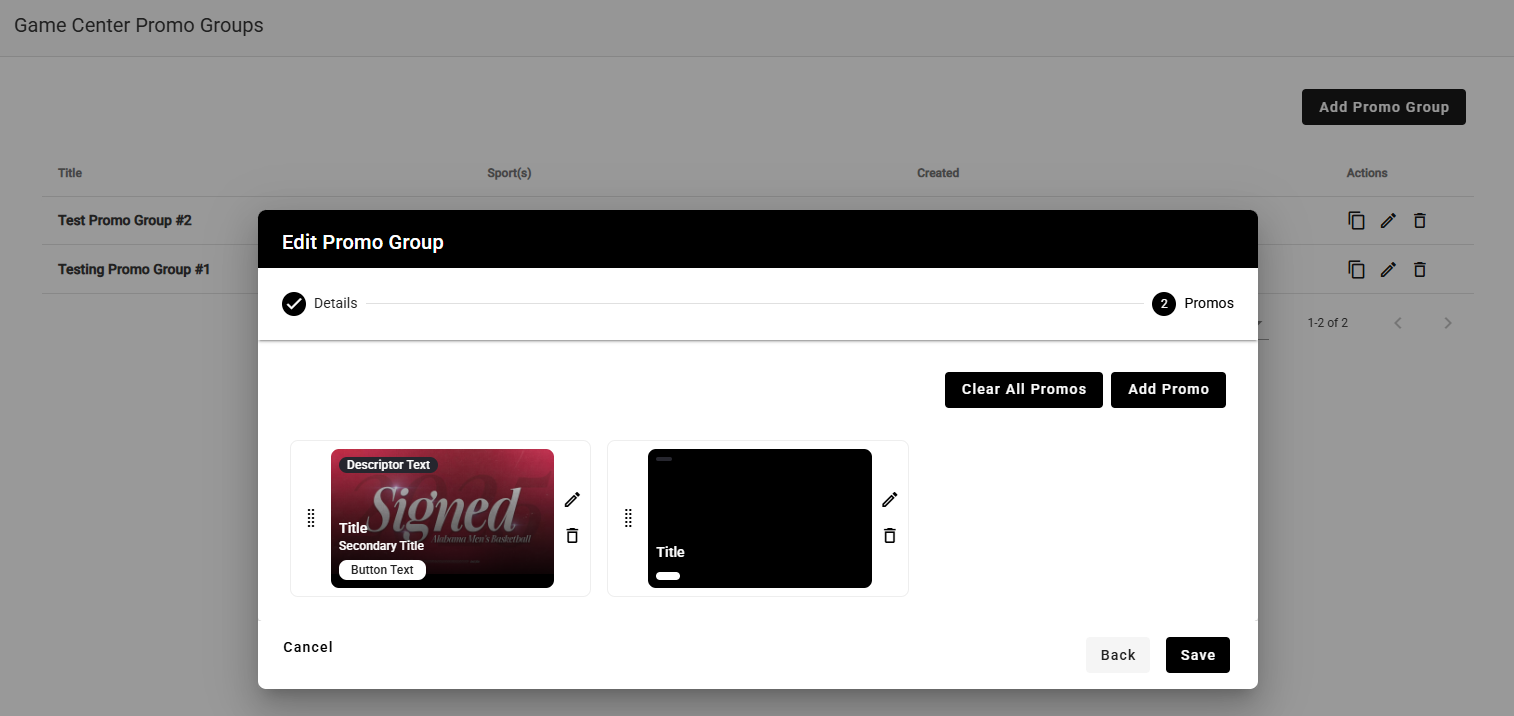
Promo Groups can be setup in the cms under Game Center>Manage Promo Groups and are a collection of promos that can be set to display together.
Each promo that you setup within a group can have an image, title, description, button text, and button link assigned.
The recommended image size for promos is 1052x592px (16:9 ratio)
Link Groups
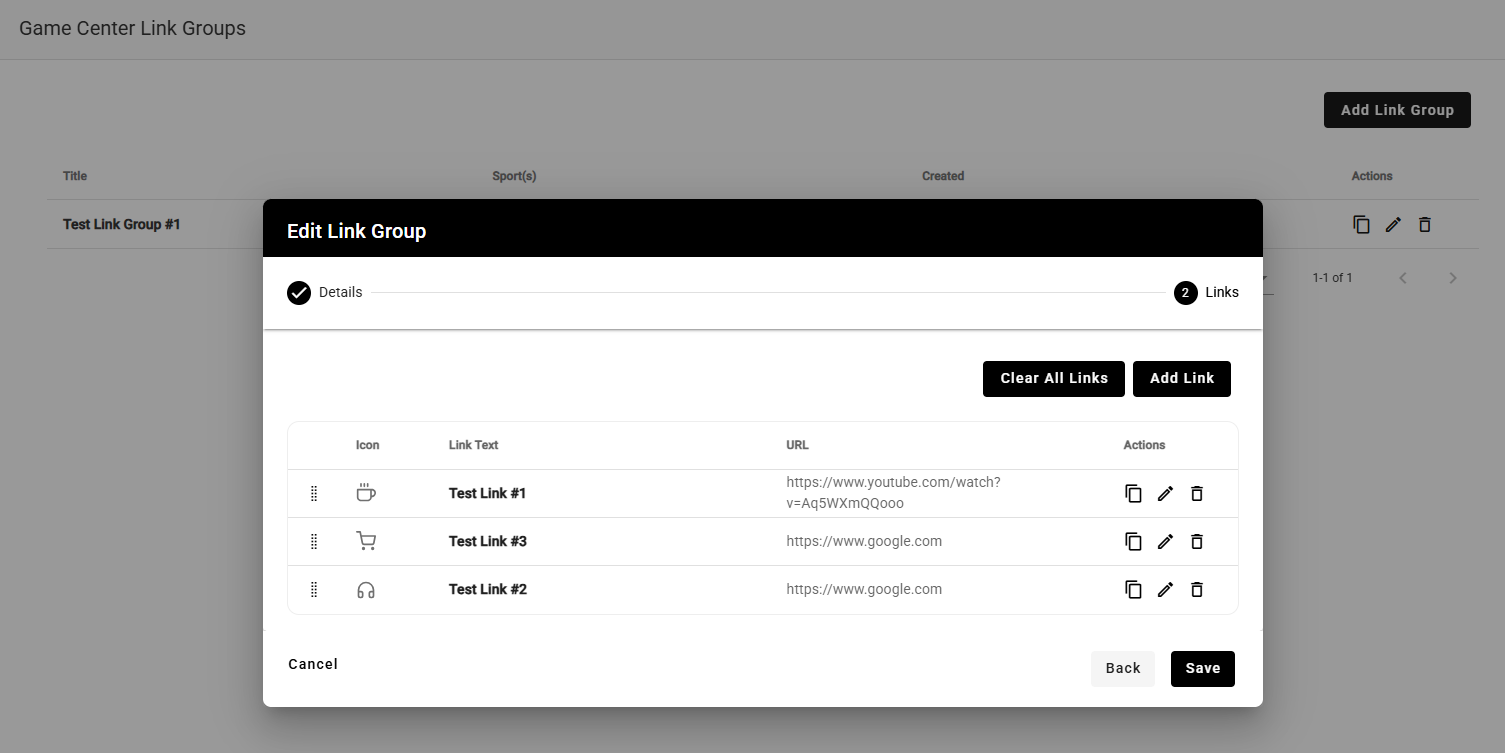
Link Groups can be setup in the cms under Game Center>Manage Link Groups and are a collection of links that can be set to display as a List or Grid, with each one having an icon, text, and a URL assigned.
Link Groups will only display in the Stadium HQ portion of the app and can be used for any additional links that you want to include.
Neutral Games
Starting in version 181.2.0 of the Mobile App, Stadium HQ will display within Game Center for games marked as either Home or Neutral in the CMS.
Below, you will find helpful information specific to adding Neutral games to Stadium HQ:
- In the Opponent/Location tab of the game on the schedule, set the 'at neutral site we are home/away' setting accordingly, as this impacts other elements of Game Center within the app, specifically Live Stats
- Create new Promo Groups and Link Groups with content specific to neutral site games
- Manage Game Center templates at the Game level, to differentiate Stadium HQ content between Neutral and Home games (if managed at the overall template level, the same content will appear for both Neutral and Home games)
Was this article helpful?
That’s Great!
Thank you for your feedback
Sorry! We couldn't be helpful
Thank you for your feedback
Feedback sent
We appreciate your effort and will try to fix the article